2 questions: default quality, bad connection

Status
Not open for further replies.

Alex_N

Forum User
Joined
Apr 18, 2019
Messages
38
Reaction score
4
Hello,

I have two questions about the web conference.

First of all I would like to know if you can change the presets/def. settings for the audio and video bitrate.

And then I have the problem that if more than two people do a web conference, it starts lagging really bad.
Even when I change the quality to the lowest it is still bad.
Port 443 is open so in theory it should have nothing to do with the firewall.
I feel like the conference doesn't use the remaining bandwith we have over.
Does somebody have an idea why it is like that and how you can fix it?
 
Hi Alex,

11717

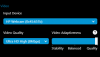
Set video Adaptiveness to stability. If one user has slow internet it will affect the webmeeting, but this setting allows you as the organizer to let the quality drop and reduce the lag.

Your Video Quality also depends on your upload, select a level that is at least 70% of your upload and test again (in case you have upload restrictions).

Lastly, keep an eye on your CPU usage: if the processor cannot keep up with the encoder demands you will see the usage go very high and should reduce the quality to keep it within the limits of the machine.
 
Hello, thanks for the tip with the adaptiveness option.

But I can tell you it's not our bandwith that causes the lag.
I did a speedtest we have an upload over 28 Mbps, and even more download.
so how could it be, that if 3 people within the same network here do a meeting and it lags very badly?
It is not the cpu usage, I checked it. We get the notification that it is a network problem.

And regarding my other question, is it possible to set different presets for the quality?

Thank you and best regards,

Alex
 
Hi Alex,

You cannot set presets, the meeting starts with its own defaults.

The reason you get the notification very likely due to the fact that the pc cannot get enough bandwidth allocated towards our MCU. This could be a restriction on your firewall or provider which you would have to troubleshoot on your end. Remember, even if you had a 1 gigabit symmetric internet connection at your office, this means absolutely nothing if your firewall gets in the way, if your ISP route to the MCU is slow/long, or if you are connecting via an MCU that is too far away from you.

Something that might help though, is changing the 3CX MCU to something that is closer to you OR closer to your provider's uplink at least: Settings > Conferencing > Video

Also during the meeting you can check the network stats by going to the meeting's settings, then Network tab. While there you can monitor the bandwidth and click advanced also to see if there is any loss in the video graph.

Please try the above and see if you can find an MCU that will better serve your connection, and let me know how it goes
 
I already tried different MCUs, and it didn't help.

The only port which is needed for the meeting is port 443 and I guarantee you this is open on our firewall.
So, because of that I don't think it is the firewall which gets in the way.

11764
11765
 
Do the Webmeeting network stats provide any useful feedback?
 
i found some suspicious information.

the websocket rtt has pink spikes (jumps from 17ms to 400)
Also the download capacity is at 0.58 (this number is too low, if I download something, I have more than 3 Mbps)

Download Link Loss: 520 points (87,80%)
 
If you have downlink loss, that would explain why the video is laggy
 
The up/downlink will start to increase as more people enter your Webmeeting.

Uplink = the video you send out - and it depends on the Video Quality you selected
Downlink = The video you receive from the other participants (can vary according to how good their connection is - but you noticed loss here)

11770

If you just want to test it set your Video Quality to 8Mbps, Video Adaptiveness to Quality
Now start both your camera and a full screen-share of something like a 4K monitor.
Then go to the network monitor again, and you will see it have a limit of 8mbps.


You will see that webmeeting makes more use of upload "As-Needed" due to efficiency considerations.

But since you have loss on downlink, I think that answers why the video is laggy.
 
Yes, I know that the loss causes the video and audio to lag.
But I don't know why I have so much loss and why it doesn't take my full bandwith, when the only port which is needed for the webmeeting (443) is already open on our firewall.

I don't have any loss when I do a speedtest for example
 
Hi Alex

I forgot to mention, when you change the Webmeeting MCU you will have to start a new scheduled meeting rather than a quick ad-hoc meeting or an existing one, in order to ensure that you use the new MCU. I don't know if this invalidates your previous test but I though it is worth mentioning.

As for the loss, I couldn't say what causes it, but if there is a little loss that comes and goes it should not be an issue and not even noticeable. If there is sustained loss however, and at a high level then it would justify the issue you face.

I would suggest to pick an MCU that is the closest to your office (assuming you are directly connected to the internet, and not tunnelled via another country) and schedule a new meeting.
 
Hello,

like I said I have tried many MCUs, especially the nearest(both Frankfurt Server) and yes I also started a new meeting when I tried a different MCU.

But thanks for your help so far.
If I am the only one with these problems, I guess the problem really is on my side.
 
Hello,

like I said I have tried many MCUs, especially the nearest(both Frankfurt Server) and yes I also started a new meeting when I tried a different MCU.

But thanks for your help so far.
If I am the only one with these problems, I guess the problem really is on my side.
What is your Internet connection speed? Upload AND download?
 
We have a 100 mbits downloads connection. About the upload I am not sure but when I did a speedtest it was 33Mbps.
 
  • Like
Reactions: Evolute IT
We have a 100 mbits downloads connection. About the upload I am not sure but when I did a speedtest it was 33Mbps.
That should be more than enough for a good quality.
 
Yes, me and the firewall specialist also checked the firewall if there are any download bandwith restrictions or something like that.

But nope, theoretically we should be always surfing in full speed.
But in 3cx webmeeting I get the message that only 0.46Mbps download are used. Trying to figure out why.
Will do a test from the mobile network. But don't have time for that today.
 
Yes, me and the firewall specialist also checked the firewall if there are any download bandwith restrictions or something like that.

But nope, theoretically we should be always surfing in full speed.
But in 3cx webmeeting I get the message that only 0.46Mbps download are used. Trying to figure out why.
Will do a test from the mobile network. But don't have time for that today.
Do you have QoS enabled on the network? Also, try other web browsers or other PC on the same network to see if performance changes. Issues might come from the PC itself.
 
No QoS enabled.
And Webconference only works on Chrome, so it's useless to try different web browsers.
When we do a conference with 3 computers within the same network, it is lagging at every computer. I've checked the cpu workload and it is fine.
I am not in office right now, so can't check if it works better from a different network(mobile connection)
 
No QoS enabled.
And Webconference only works on Chrome, so it's useless to try different web browsers.
When we do a conference with 3 computers within the same network, it is lagging at every computer. I've checked the cpu workload and it is fine.
I am not in office right now, so can't check if it works better from a different network(mobile connection)
That sounds like network equipment issues. How are you set up? Router, switches, AP, etc. There's a latency somewhere and we need to find it.
 
Hey there, we'll be making an update next weekend to tune WebMeeting quality adaptivity a bit. Hopefully this will make a bit of a difference in your meetings.
 
  • Like
Reactions: Evolute IT
Status
Not open for further replies.

Latest Posts

Forum statistics

Threads
112,292
Messages
591,740
Members
165,417
Latest member
VOIPEric