Solved 2 SIP Trunks, 2 Ring groups, still all go to 1 ring group

Status
Not open for further replies.

Michael Torfs

Joined
Jan 23, 2018
Messages
30
Reaction score
1
I have 2 SIP trunks configured, both Sip trunks are configured to route call to 2 different Ring Groups.
Still all calls form the 2 trunks are being routed to 1 ring group.
I tried inbound rules, but this made no difference. Currently no inboud rules exist.

What info should I provide to be able to check for a solution?
 
The only setting you need to setup, is 'Route calls to' settings under the SIP configuration

What does the activity log file, tell you

Also check Contacts -> Options -> you select Append Name or Prepend Name (this will show the Ring Group Name)
 
Last edited:
You HAVE to have inbound rules. That's how the PBX routes calls.
 
  • Like
Reactions: nub
Do I really? Since in the SIP trunk configuration you can already route the incoming calls to a ring group.
 
My activity log says the following to a call I just did from my mobile. It says it failed, but actually I did not fail, it did came in and was answered, I could talk:

01/29/2018 6:41:00 PM - [CM503003]: Call(C:6): Call to <sip:[email protected]:5060> has failed; Cause: 487 Request Terminated/INVITE from 127.0.0.1:5488
01/29/2018 6:41:00 PM - [CM503003]: Call(C:6): Call to <sip:[email protected]:5060> has failed; Cause: 487 Request Cancelled/INVITE from ##:5065
 
Just tried creating inbound rules again, the behaviour stays the same.
 
Do I really? Since in the SIP trunk configuration you can already route the incoming calls to a ring group.

There should be two inbound rules with this strategy that is created when you setup the trunk.
 
There should be two inbound rules with this strategy that is created when you setup the trunk.

When I just created the SIP trunks, there are no inbound rules automatically created.
 
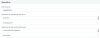
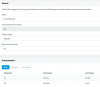
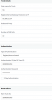
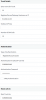
Here are the inbound rules and 2 SIP trunk configurations.
Calls always route to the first Ring Group: ImmoNatie RG

Screen Shot 2018-01-29 at 18.54.48.png Screen Shot 2018-01-29 at 18.54.26.png Screen Shot 2018-01-29 at 18.54.04.png
 
Are these separate trunk groups, or two members in one trunk group? If it is one group, then all calls will go to the one route(destination), unless you are making use of DID routing, or basing routing on caller ID.

The log you posted shows calls being cancelled from the RG members that didn't answer, that's normal.
 
Are these separate trunk groups, or two members in one trunk group? If it is one group, then all calls will go to the one route(destination), unless you are making use of DID routing, or basing routing on caller ID.

The log you posted shows calls being cancelled from the RG members that didn't answer, that's normal.
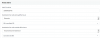
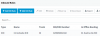
I have 2 ring groups with each 2 extensions... See below

Screen Shot 2018-01-29 at 22.39.18.png Screen Shot 2018-01-29 at 22.37.53.png
 
Hello @Michael Torfs

As @leejor said, please clarify if those two numbers are two separate sip trunk accounts, or if they are DIDs of the same sip trunk.
 
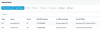
there a separate sip trunk for each number. See below
Screen Shot 2018-01-30 at 09.01.51.png Screen Shot 2018-01-30 at 09.01.34.png
 
Let's simplify things first to isolate the issue. Can you please try and forward each number to a different extension, instead of Ring Groups? (registered, available extensions)
Let's see what happens in this case.
 
I did some isolating
  • removed trunk ending on number 32453, only trunk with number ending on 32442 exisits, see config below
  • call number 3232848888, Eveline's phone rings: perfect
  • call number 3236890809 that is connected to trunk 32453 from the providers side, indeed, busy tone since the provider cannot reach the 3cs server (trunk deleted)
  • red-added trunk ending on number 32453, coonected to Michael's extension (2nd config below)
  • call on number 3232848888 (trunk 32442) still goes to Eveline
  • call on number 3236890809 (trunk 32453) also goes to Eveline, this is not ok
Screen Shot 2018-01-30 at 11.10.53.png Screen Shot 2018-01-30 at 11.17.29.png Screen Shot 2018-01-30 at 11.17.53.png
 
further isolating.

I deleted the IN trunk (32442), then calling 3236890809 goes to my extension (Michael's)

Meaning trunk 32453 work when it is the only trunk in the configurations, it goes to the wrong extension when the second trunk is configured.

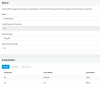
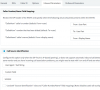
Can the reason be in the inbound parameters, maybe the call source identification, see below? I did not change these, this is what 3CX sets when selecting BE-Weepee provider:

Screen Shot 2018-01-30 at 11.22.56.png
 
Assuming that both trunks are from the same vendor, try to disable Call source identification and see if it fixes the issue
 

Attachments

  • upload_2018-1-30_13-36-34.png
    upload_2018-1-30_13-36-34.png
    16.8 KB · Views: 14
Hello @Michael Torfs

As shown below, weepee has only Single account support, so that's why you are experiencing this behaviour.
upload_2018-1-30_15-39-32.png

What you can try, is to enable the option "Use both "Source Identification" rules and "Caller Number/Name" field mappings" in the Inbound rules as shown below.
upload_2018-1-30_15-42-53.png
Also, make sure that except from the main numbers, you have all your DIDs configured in their trunks for this to work.
 
  • Like
Reactions: Michael Torfs
Hello @Michael Torfs

As shown below, weepee has only Single account support, so that's why you are experiencing this behaviour.
View attachment 7003

What you can try, is to enable the option "Use both "Source Identification" rules and "Caller Number/Name" field mappings" in the Inbound rules as shown below.
View attachment 7004
Also, make sure that except from the main numbers, you have all your DIDs configured in their trunks for this to work.

That did the trick, thx a lot.
 
You're welcome, glad to help.
 
Status
Not open for further replies.

Latest Posts

Forum statistics

Threads
111,881
Messages
589,535
Members
164,739
Latest member
wmlcon