- Joined
- Feb 14, 2016
- Messages
- 177
- Reaction score
- 43
Hi
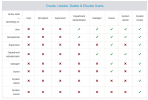
I'm looking for a way to configure our security settings so that regular users or even Managers or system administrators cannot disable Two-Factor Authentication (2FA) on their own, or have it disabled for them by anyone other than a System Owner
Currently, it seems that even with Manager roe with lower privilege levels might have the ability to turn off 2FA, which creates a potential security risk for our organization.
I'm looking for a way to configure our security settings so that regular users or even Managers or system administrators cannot disable Two-Factor Authentication (2FA) on their own, or have it disabled for them by anyone other than a System Owner
Currently, it seems that even with Manager roe with lower privilege levels might have the ability to turn off 2FA, which creates a potential security risk for our organization.
- Goal: Ensure that disabling 2FA requires explicit authorization/action exclusively by a System Owner.
- Question: Is there a built-in policy, role-based access control (RBAC) setting, or workaround to enforce this restriction?