3CX Bridge to Asterisk

Status
Not open for further replies.

Sam_M

Silver Partner
Advanced Certified
Joined
Jan 4, 2021
Messages
5
Reaction score
0
Hi All,

So we've set up a Bridge for a client who is using an Asterisk based system.

I've followed all instructions from other threads in the forum.
So We've created the Bridge, created a dummy ext to forward to destination PBX and associated an outbound rule to it.
Is there anything I'm missing?
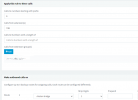
 

Attachments

  • Outbound rule screenshot.PNG
    Outbound rule screenshot.PNG
    18.5 KB · Views: 69
  • Bridge screenshot.PNG
    Bridge screenshot.PNG
    2.8 KB · Views: 69
  • Ext Screenshot.PNG
    Ext Screenshot.PNG
    13.6 KB · Views: 67
No idea. Is something not working?
 
So when we dial through what happens is it rings for about 30 seconds, and gives a "call transfer failed - no answer error" and in the logs it shows the error I attached here.
 

Attachments

  • Log screenshot.PNG
    Log screenshot.PNG
    5.8 KB · Views: 26
What is the reason for using the dummy extension (to forward), and not sending the caller directly to the bridge? Do direct calls even work, have you tested?
 
What is the reason for using the dummy extension (to forward), and not sending the caller directly to the bridge? Do direct calls even work, have you tested?
How would I go about sending the caller directly to the bridge?
 
What is the reason for using the dummy extension (to forward), and not sending the caller directly to the bridge? Do direct calls even work, have you tested?
The reason why we use a dummy extension is because we have an IVR, and on the IVR options, you can't send the call to an outside number
 
You would actually be sending directly to an extension on the other PBX using outbound rules. You might have to use a prefix digit if there is a conflict with extension numbers on the originating PBX. So, using your examples, the number on the other PBX was 77079, then, as long as there was no conflict in the 3CX PBX you could have an outbound rule ...number starting with 7, 5 digits in length, strip none, and send over bridge.


Ok, just saw your last post.

Does the outbound rule you created work, if you "loosen the restriction", and another extension dials the number directly?
 
You would actually be sending directly to an extension on the other PBX using outbound rules. You might have to use a prefix digit if there is a conflict with extension numbers on the originating PBX. So, using your examples, the number on the other PBX was 77079, then, as long as there was no conflict in the 3CX PBX you could have an outbound rule ...number starting with 7, 5 digits in length, strip none, and send over bridge.


Ok, just saw your last post.

Does the outbound rule you created work, if you "loosen the restriction", and another extension dials the number directly?
i'll try this, just to clarify, I'd be using the 7 as a prefix and then strip no digits. would i need to add the 7 prefix to the bridge as well?
 
Hello @Sam_M

Just so that we first better understand the situation, could you please let us know how exactly you set up the bridge?

Also, while keeping your current configuration which uses 9 as a prefix and then strips it on the outbound rule, try and make a call from a 3CX extension to an extension on Asterisk instead of using the dummy extension to reach the Asterisk extension from an external caller. (e.g dial 977079 from 3CX to try and reach 77079 on Asterisk). Adjust the Outbound rule as to allow it to route calls placed from the 3CX extension you will be testing with.

Please let us know if you get the same message in the Dashboard Event Log.
 
Hello,
Its a couple years old, but here is a link to Ward Mundys tutorial on connecting 3cx his version of asterisk, which in 2017 was freepbx based. Hope this helps.

http://nerdvittles.com/?p=21498
 
Status
Not open for further replies.

Forum statistics

Threads
111,988
Messages
590,157
Members
164,923
Latest member
2B_JPS