3CX Caller ID

Status
Not open for further replies.

techking

Joined
Jul 24, 2009
Messages
11
Reaction score
0
I am running 3cx voip client free edition but whenever i place a call, only the # displays on the receiver's end. Can you plz help me?
 
You are making an outgoing call over what type of service, a VoIP provider?
 
leejor said:
You are making an outgoing call over what type of service, a VoIP provider?

First of all thank you for responding. I am placing an internal call. It is a small office setup with only local network.
 
Are you saying that only the extension number shows up , no name? Or the "#" shows up? Have you tried putting a name against each extension in the datafill? What sort of phones/ATA's are you using? What type of caller ID do the phones handle? Some counties caller ID doesn't handle name display.
 
leejor said:
Are you saying that only the extension number shows up , no name? Or the "#" shows up? Have you tried putting a name against each extension in the datafill? What sort of phones/ATA's are you using? What type of caller ID do the phones handle? Some counties caller ID doesn't handle name display.

Only the extension numbers show up. I am using only the soft phone and the free version of 3cx
 
What do you expect it to display? On an intermal call at least the ext. number is shown. The 3CX softphone should be able to display the name as well if it's put in under "preferences / caller ID" .
 
voipbaennjer said:
What do you expect it to display? On an intermal call at least the ext. number is shown. The 3CX softphone should be able to display the name as well if it's put in under "preferences / caller ID" .

Yes the ext number shows. But I want to know how can I make the Caller's name show up. I am using 3cx voip client btw.
 
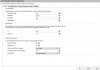
Just go in the Caller's Extensions and Add Names / Last names where it asks for it.
When that person calls you you will see both his name and Number.
 

Attachments

  • aaa.jpg
    aaa.jpg
    65.4 KB · Views: 2,784
LeonidasG said:
Just go in the Caller's Extensions and Add Names / Last names where it asks for it.
When that person calls you you will see both his name and Number.

I have done that but it doesnt show. Do you think its because I am using the free version?
 
Ok guys update I tried using the 3cx Voip Phone and the caller ID worked perfectly. But When I use the 3cx Voip Client it doesnt work. I am currently doing internship, I am trying to get a company to buy this software. But I need to get the caller ID feature working
 
The free version will show name. What country do you live in ? Not all caller ID devices (attached to an ATA) in all countries are capable of name display.
 
leejor said:
The free version will show name. What country do you live in ? Not all caller ID devices (attached to an ATA) in all countries are capable of name display.

Well that shouldn't be the problem because I am only running an internal voip system.
 
3CX VoIP Client (v6/v7) doesn't had/has this feature, to display the caller ID.
We will implement this feature in our new softphone, 3CX VoIP Phone - It will be available very soon, stay tuned :)

I just found that on on older post. It seems that the caller Id feature is not available on v7
 
When calling from the 3CX VOIP Phone to my Grandstream GXP280, GXP1200, Siemens C470IP, T-Home Sinus 501V I can see the callers name set under "preferences". My Linksys SPA962 doesn't show the name, only the callers number.

When I call the 3CX VOIP Phone (V 3.1.6288.0) I can only see the callers number.
 
It sounds like an issue with the set itself.
 
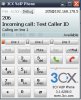
Update: I setup a scenario with 2 3CX VOIP Phones on 2 different PCs.
When I call from one 3CX VOIP Phone to the other it shows both internel number and the name set under preferences.
 

Attachments

  • 3cx.jpg
    3cx.jpg
    58 KB · Views: 1,776
i managed to get the caller ID feature to work quite fine on the 3cx voip phone. However, when i try it on the voip client it only shows the ext number
 
techking said:
i managed to get the caller ID feature to work quite fine on the 3cx voip phone. However, when i try it on the voip client it only shows the ext number

This might Solve your questions regarding why the Voip Client is not working like the Voip Phone.
http://wiki.3cx.com/downloads

End-Of-Life Products
VoIP Client V6

Meaning we no longer support the Voip Client, it has been effectively been replaced with the Voip Phone and no Updates are being made to the Voip Client anymore.
I hope that answers your questions.
 
Thanks a lot for this information. I will now replace all 3c. voip client software with the voip phone software. I must say that I loved the interface on the voip client software though
 
wonderboy said:
What sort of phones/ATA's are you using? What type of caller ID do the phones handle?

VOIP

We arent using any hardphones as yet. Will will test out the software for a month and then decide whether or not we want to buy it along with the hardphones required.
 
Status
Not open for further replies.

Forum statistics

Threads
112,017
Messages
590,314
Members
164,961
Latest member
Chris.Ergos