3CX Certificate

Status
Not open for further replies.

mohamed hamed

Premier Customer
Joined
Apr 16, 2019
Messages
60
Reaction score
2
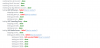
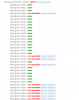
after 3CX certificate renewal applied ,i have an issue with firewall check that 3CX make only 4 test lines with failure but everything run good as usual .
how can i fix it?
 
Need more info on the failures - what are the errors.

Renewing 3CX certificate should not cause firewall check issues

What version of 3CX are you running.
 
  • Like
Reactions: mohamed hamed
Need more info on the failures - what are the errors.

Renewing 3CX certificate should not cause firewall check issues

What version of 3CX are you running.
thanks for your support.
3CX Version is 16.0.1.273 professional

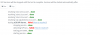
please check screenshot (before and now)
 

Attachments

  • 3cx issue.PNG
    3cx issue.PNG
    35.2 KB · Views: 6
  • firewall.PNG
    firewall.PNG
    20.7 KB · Views: 6
Have you click on any of 'How to Resolve?' , may point you in the right direction to fix.

I probably would say this is a firewall issue.
 
Hi mohamed,

Those tests are regarding your firewall and not related to your certificate. You need to investigate 2 areas:

  1. Your system could not resolve the STUN servers hence it could not complete the ALG test. There is an issue with DNS most likely
  2. Some media ports failed, there is an issue with your port forwards likely.
 
  • Like
Reactions: mohamed hamed
Hi mohamed,

Those tests are regarding your firewall and not related to your certificate. You need to investigate 2 areas:

  1. Your system could not resolve the STUN servers hence it could not complete the ALG test. There is an issue with DNS most likely
  2. Some media ports failed, there is an issue with your port forwards likely.
how can i troubleshoot my DNS if it's resolve stun server or not?
 
  • Like
Reactions: mohamed hamed
You would have to go on the PBX machine and do an nslookup on the STUN FQDNs you see in the screenshot you posted.

If it fails using your local DNS server, do it again using google's DNS server 8.8.8.8 (which should resolve successfully)

After this, you need to troubleshoot your own DNS server and see why they fail to resolve, or change the DNS setup of your PBX as @Saqqara suggests above to always use google's server and avoid yours altogether.
 
  • Like
Reactions: mohamed hamed
You would have to go on the PBX machine and do an nslookup on the STUN FQDNs you see in the screenshot you posted.

If it fails using your local DNS server, do it again using google's DNS server 8.8.8.8 (which should resolve successfully)

After this, you need to troubleshoot your own DNS server and see why they fail to resolve, or change the DNS setup of your PBX as @Saqqara suggests above to always use google's server and avoid yours altogether.
Thank you for support.
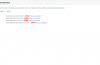
it's working after change nameserver ,but still have some firewall issue like image attached or it's not important!
 

Attachments

  • 3cxFirewall.PNG
    3cxFirewall.PNG
    31.7 KB · Views: 5
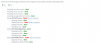
can you also post the rest of the tests that appear red after you made the changes?
 
  • Like
Reactions: mohamed hamed

Attachments

  • 1.PNG
    1.PNG
    39.7 KB · Views: 5
  • 2.PNG
    2.PNG
    54.6 KB · Views: 5
Ok so if you check the ports list here https://www.3cx.com/docs/ports/ you will notice that the audio ports 9000-10999 UDP need to be opened/forwarded for you PBX IP. It seems like the PBX cannot reach our firewall checker servers via those ports so best check your port forwards according to the link above and make sure they are all open as needed
 
  • Like
Reactions: mohamed hamed
Ok so if you check the ports list here https://www.3cx.com/docs/ports/ you will notice that the audio ports 9000-10999 UDP need to be opened/forwarded for you PBX IP. It seems like the PBX cannot reach our firewall checker servers via those ports so best check your port forwards according to the link above and make sure they are all open as needed
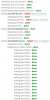
i worked on it and now i have two check failed ,i disabled sip alg in my sophos firewall (this make testing 3CX Media Server... done ).
how can i fix it.
 

Attachments

  • 3.PNG
    3.PNG
    19.8 KB · Views: 5
Glad to see you were able to resolve the issue with the audio ports. The error about the SIP ALG service means that the test could not be completed and does not necessarily mean that there is an issue with your configuration. I would recommend trying to run the firewall checker again and see if that works for you.
 
Status
Not open for further replies.

Forum statistics

Threads
111,930
Messages
589,795
Members
164,802
Latest member
SpacetelSupport