3CX Connectwise integration

Status
Not open for further replies.

Arno Agten

Customer
Joined
Sep 4, 2018
Messages
6
Reaction score
0
Hello everyone,

I setup 3CX integration with Connectiwse successfully. However, when I try making a call from Connectwise it starts the call but always drops it after three seconds. Has anyone had this issue before?
 
Hello @Arno Agten,

How are you making these calls from ConnectWise? Are you using the 3CX click to call extensions?

Kind regards.
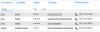
No, in the Connectwise application I click the phone icon next to the phone number from a contact, which opens the 3CX desktop app and starts a call but disconnects after 3 seconds.See attached image to see where I click to start a call in Connectwise.

Thank you,
Arno
 

Attachments

  • 2018-09-04 10_36_48-Manage v2018.5 (56658).png
    2018-09-04 10_36_48-Manage v2018.5 (56658).png
    11.7 KB · Views: 23
And what does that phone button does? Is it a tel uri? Or does it trigger 3CXPhone via TAPI? Did you install 3CXPlugins and TAPI?

The recommended way to make calls is using one of the click to call extensions. This way, the browser will change the phone number to a link, and the call will be made via 3CXPhone for Windows or 3CX Web Client, according to your configuration.
 
It triggers 3CX desktop app via TAPI. I have 3CXPlugins installed and TAPI. The call extension works on chrome when using the ConnectWise web client but we need a solution for the Connectwise application.
 
What license do you have activated in your 3CX server? Please note that TAPI only works with PRO and ENT licenses.
 
The license is Professional Perpetual
 
Is your 3CXPhone connected to the presence API? Do you see the status of other extensions? Can you change your status from Available to Busy for example? You need to be connected to that API in order to make this work. This usually happens if you're connected remotely and not using the tunnel...
 
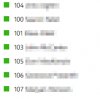
Yes, I can see the presence of other members, see the attached image.
 

Attachments

  • 2018-09-04 15_17_09-3CX - 104 Arno Agten.png
    2018-09-04 15_17_09-3CX - 104 Arno Agten.png
    3.1 KB · Views: 4
Check if you can make calls using the Windows Dialer app via 3CX TAPI.
 
I did a few tests with dialer and that worked.
 
If the Windows Dialer works, then TAPI is properly installed and configured, and the problem is the client application using it...
 
Status
Not open for further replies.

Latest Posts

Members Online Now

Forum statistics

Threads
111,852
Messages
589,386
Members
164,691
Latest member
Daz1964