3CX Hosted + Call Scripts + Database connection

Marco pbx

Premier Customer
Joined
Dec 20, 2024
Messages
33
Reaction score
29
Hi, i have
3CX hosted Version 20.0 Update 6 (Build 708) ENTERPRISE 8SC
Call flow designer 20.2.84.0

I modified the survey demo project with my database credentials (PostgreSQL) and built the app without compile errors.
I uploaded the zip file from integrations >> call scripts.

I am able to reach the call flow by assigning a dialling code. All my prompts and menus are working, but the database tool is not saving to my Google Cloud Database file.

I have added my 3cx's IP address to Google 's allowed IP list. I tested the SQL connection to my cloud with an SQL connector tool, and the database is working.

I can not see any logs from Google's side. I tried to enable Verbose logging for 3CX to see if there was an error with the SQL script or any clue as to what was not working, but I could not find anything.

Where should I focus to understand what is preventing SQL from being inserted in the table? I also try with fixed variables to reduce risks during the test, not live variables, such as the caller ID and other details from the call now.

SQL statement is now: "INSERT INTO public.ratings (callerno) VALUES ('123456789');"

all fields are written between " " as documentation shows like that.

I would be glad to solve this since we need to collect surveys to our own database for tailored jobs, another survey app sadly will not fit us for this project.
 

Attachments

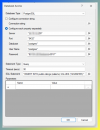
  • 1749741936112.png
    1749741936112.png
    141.2 KB · Views: 14
You need to enable verbose logs, make a test call to reproduce the issue, and then get the 3CXCallFlow.log file that you can get from the Support Information package.
 
  • Like
Reactions: VoIPTools
Thank you sip caller Ernesto for the trick. i have reached the logs. issue is saving records to CSV file setting , which i do not need.

i tried leaving this field empty in survey component , but this time it raised another error.
System.ArgumentException: The value cannot be an empty string. (Parameter 'path')

how can i skip csv saving, i am already trying to save to database , not csv

here is log required part:

ebb2-d9b5000000ef - PromptQueue - Start playing file: /var/lib/3cxpbx/Instance1/Data/Ivr/Prompts/Callflows/surveyv1/question_2.wav
2025/06/12 19:20:40.154|0017|Trac| [_3CX.CallPair] _star8811_14.Main.876.[C:239.2]-/var/lib/3cxpbx/Instance1/Data/Ivr/Prompts/Callflows/surveyv1/question_2.wav
2025/06/12 19:20:47.113|0005|Trac| [_3CX.CallPair] _star8811_14.Main.876.[C:239.2]-Stop current prompt playback
2025/06/12 19:20:47.113|0016|Trac| [_3CX.Script] _star8811_14.Main.876.[C:239.2]-Surveyv1 - CallID 00000000-01db-dbb5-ebb2-d9b5000000ef - Callflow - OnPromptPlayed for component 'CustomerFeedback'
2025/06/12 19:20:47.113|0016|Trac| [_3CX.Script] _star8811_14.Main.876.[C:239.2]-CustomerFeedback - CallFlow.CFD.SurveyComponent 'CustomerFeedback' - No more files to play, setting up timer to wait for DTMF input during 5000ms...
2025/06/12 19:20:47.113|0016|Trac| [_3CX.Script] _star8811_14.Main.876.[C:239.2]-CustomerFeedback - CallFlow.CFD.SurveyComponent 'CustomerFeedback' - PromptPlayed processed, staying in current question...
2025/06/12 19:20:47.113|0005|Info| [_3CX.ScriptRunner] CallStorageSize=1(4)
2025/06/12 19:20:47.113|0017|Trac| [_3CX.Script] _star8811_14.Main.876.[C:239.2]-Surveyv1 - CallID 00000000-01db-dbb5-ebb2-d9b5000000ef - Callflow - OnDTMFReceived for component 'CustomerFeedback' - Digit: '5'
2025/06/12 19:20:47.113|0017|Trac| [_3CX.Script] _star8811_14.Main.876.[C:239.2]-CustomerFeedback - CallFlow.CFD.SurveyComponent 'CustomerFeedback' - Digit detected: '5' - canceling timer and processing...
2025/06/12 19:20:47.114|0017|Trac| [_3CX.Script] _star8811_14.Main.876.[C:239.2]-CustomerFeedback - CallFlow.CFD.SurveyComponent 'CustomerFeedback' - Digit '5' processed, moving to next question...
2025/06/12 19:20:47.114|0017|Trac| [_3CX.Script] _star8811_14.Main.876.[C:239.2]-CustomerFeedback - CallFlow.CFD.SurveyComponent 'CustomerFeedback' - No more questions, playing goodbye prompts and generating results
2025/06/12 19:20:47.114|0017|Trac| [_3CX.Script] _star8811_14.Main.876.[C:239.2]-CustomerFeedback - CallFlow.CFD.SurveyComponent 'CustomerFeedback' - Start writing survey results to file '/surveydemo/results/results.csv':
Headers: caller,solved,rating
Values: 1999,YES,5
2025/06/12 19:20:47.114|0017|Trac| [_3CX.Script] _star8811_14.Main.876.[C:239.2]-CustomerFeedback - CallFlow.CFD.SurveyComponent 'CustomerFeedback' - Creating results folder '/surveydemo/results'
2025/06/12 19:20:47.116|0017|Erro| [_3CX.Script] _star8811_14.Main.876.[C:239.2]-Surveyv1 - CallID 00000000-01db-dbb5-ebb2-d9b5000000ef - Callflow - Error executing last component: System.UnauthorizedAccessException: Access to the path '/surveydemo' is denied.
---> System.IO.IOException: Permission denied
--- End of inner exception stack trace ---
at System.IO.FileSystem.CreateParentsAndDirectory(String fullPath, UnixFileMode unixCreateMode)

at System.IO.FileSystem.CreateDirectory(String fullPath, UnixFileMode unixCreateMode)
at System.IO.DirectoryInfo.Create()
at CallFlow.CFD.SurveyComponent.WriteSurveyResults()
at CallFlow.CFD.SurveyComponent.NextQuestion(TimerManager timerManager, TempWavFileManager tempWavFileManager, PromptQueue promptQueue)
at CallFlow.CFD.SurveyComponent.OnDTMFReceived(TimerManager timerManager, Dictionary`2 variableMap, TempWavFileManager tempWavFileManager, PromptQueue promptQueue, Char digit)
at _star8811_14.Main.ProcessDTMFReceived(Char digit)
2025/06/12 19:20:47.116|0017|Trac| [_3CX.Script] _star8811_14.Main.876.[C:239.2]-Surveyv1 - CallID 00000000-01db-dbb5-ebb2-d9b5000000ef - Callflow - Start executing error handler flow...
2025/06/12 19:20:47.116|0017|Trac| [_3CX.Script] _star8811_14.Main.876.[C:239.2]-Surveyv1 - CallID 00000000-01db-dbb5-ebb2-d9b5000000ef - Callflow - Start executing component 'errorHandlerAutoAddedFinalDisconnectCall'
2025/06/12 19:20:47.116|0017|Trac| [_3CX.Script] _star8811_14.Main.876.[C:239.2]-Surveyv1 - CallID 00000000-01db-dbb5-ebb2-d9b5000000ef - PromptQueue - Start playing file: /var/lib/3cxpbx/Instance1/Data/Ivr/Prompts/Callflows/surveyv1/good_bye.wav
2025/06/12 19:20:47.116|0017|Trac| [_3CX.CallPair] _star8811_14.Main.876.[C:239.2]-/var/lib/3cxpbx/Instance1/Data/Ivr/Prompts/Callflows/surveyv1/good_bye.wav
2025/06/12 19:20:50.808|0005|Info| [_3CX.ScriptRunner] CallStorageSize=1(4)
2025/06/12 19:20:50.808|0017|Trac| [_3CX.Script] _star8811_14.Main.876.[C:239.2]-Surveyv1 - CallID 00000000-01db-dbb5-ebb2-d9b5000000ef - Callflow - OnPromptPlayed for component 'errorHandlerAutoAddedFinalDisconnectCall'
2025/06/12 19:20:50.808|0017|Trac| [_3CX.Script] _star8811_14.Main.876.[C:239.2]-errorHandlerAutoAddedFinalDisconnectCall - CallFlow.CFD.DisconnectCallComponent 'errorHandlerAutoAddedFinalDisconnectCall' - No more files to play, disconnecting call...
2025/06/12 19:20:50.811|0005|Debg| [_3CX.CallPair] _star8811_14.Main.876.[C:239.2]-Caller connection refreshed with AC.875(C:239.1)
2025/06/12 19:20:50.811|0005|Info| [_3CX.ScriptRunner] CallStorageSize=1(4)
2025/06/12 19:20:50.812|0005|Info| [_3CX.CallPair] <no handler>.876.[C:239.2]-LogID has been set to 876.[C:239.2]
2025/06/12 19:20:50.812|0005|Debg| [_3CX.CallPair] <no handler>.876.[C:239.2]-Caller connection refreshed with AC.875(C:239.1)
2025/06/12 19:20:50.812|0005|Debg| [_3CX.CallPair] _star8811_14.Main.876.[C:239.2]-Caller connection refreshed with AC.875(C:239.1)
2025/06/12 19:20:50.812|0005|Info| [_3CX.ScriptRunner] CallStorageSize=1(4)
2025/06/12 19:20:50.813|0005|Info| [_3CX.ScriptRunner] removeConnection on handled call (35ce16c7e8564119abfeffcaf3a47f660fcf3876d on 875(C:239.1)
2025/06/12 19:20:50.813|0005|Info| [_3CX.ScriptRunner] CallStorageSize=1(4)
2025/06/12 19:20:50.815|0005|Info| [_3CX.ScriptRunner] removeConnection on handled DN (tVc-UMFutuprjctBOyxqig..05c5f7446 on 876(C:239.2)
2025/06/12 19:20:50.815|0005|Info| [_3CX.ScriptRunner] Removed CallID mapping on terminated connection for SIP dialog tVc-UMFutuprjctBOyxqig..05c5f7446
2025/06/12 19:20:50.815|0005|Info| [_3CX.ScriptRunner] Call 239 has been removed
2025/06/12 19:20:50.815|0005|Info| [_3CX.ScriptRunner] CallStorageSize=1(3)
2025/06/12 19:20:50.819|0005|Trac| ###TRANSACTION.3340 started
 
Writing the result to a CSV is mandatory, but you can just enter the name, for example:
"DummyFile.csv"

This way the CFD App will try to write the file to the default location, where it has access.
 
Ernesto has done a remarkable job building functionality into the Call Flow Designer. I have always admired his work. But he will be the first to acknowledge that the survey component is only one small piece of what is needed to create a truly useful survey application. So, to be very clear, we all value his work and leverage his talents every day. Thank you Ernesto!

That said, in the ideal world, it would be nice to have all the functionality needed to easily create and manage custom surveys with a click or two of a mouse, and then be able to report on the agent performance results (for example) through straightforward pre-defined reports. That is what we do.
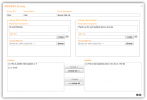
1749748128164.png
The screen capture above is taken from our current 3CX Survey Creator tool. Yes, the UI is getting a little dated, but we are just about to release a totally refreshed UI. Give us a couple more weeks. But even in this older version we have implemented OpenAI to generate truly amazing text-to-speech prompts.

If you take a quick look at the screen capture above, you will discover some very useful information about how our tool works, including:
  • Automatically publish your survey to a specific extension
  • Use AI to create the intro and exit prompts (welcome and goodbye)
  • Simply include previously created questions into your survey
Creating survey questions is a very similar process where you:
  • Type the survey question text and let AI convert that to a 3CX compatible audio file
  • Select what acceptable answers are allowed for your question (true/false, yes/no, any scale (1-9), or record their voice
Often when I talk with customers about using text-to-speech they cringe a little and assume they know what that sounds like -- the robotic synthesized voice from the old days. That has all changed quite dramatically with AI. I have attached a text-to-speech sample that you can listen to that demonstrates how amazing text-to-speech is today. I cannot tell the difference between an actual human and an AI generated voice. Can you?

Note: I wanted to offer a real-world example, so I copied a random paragraph from our website and asked OpenAI to generate the sample audio. You will be amazed by the result.

In a nutshell, from start to finish, you can create a multi-question survey in a couple of minutes. Need to make a change to an existing survey? Easy! Just change the text and click "create" or add/remove an existing question. No more fighting with permissions, or parsing CSV files, or struggling to securely communicate with your remote database from your cloud-hosted 3CX server. Everything you need to create, manage, and report survey results is built in. You should give it a try!
 

Attachments

Thank you Ernesto for the suggestion. writing a dummyname solved the issue.

And Matthew thank you for your explanations about survey creator as an alternative in mind.
 

Latest Posts

Forum statistics

Threads
111,969
Messages
590,046
Members
164,881
Latest member
mdavis@housingresourcesin