Solved 3CX incoming call to DID, call hit the extension and goes to Voicemail

Status
Not open for further replies.

chetan

Free User
Joined
Jul 1, 2020
Messages
6
Reaction score
2
I am new with 3CX. I just provision one 3CX remote app extension with DID. When incoming call comes, the call hit the extension, ring one time and goes to voicemail. I disable extension voicemail but it hits voicemail. I tried different DIDs but have the same result. It happens for all DID mapped with extensions. I am using SIP.US SIP trunk. If anyone have the same issue and have any solution, please guide me. Thank you.
 
...and what does the 3CX Activity Log show when the call is presented to the extension? Could DND be enabled? Is the App on a PC, or mobile phone?

It happens for all DID mapped with extensions.

All extensions are Apps?
 
Hi, I tried with physical phones as well and have the same thing. My call hit the extension once and simultaneously voicemail starts. I have SIP.US SIP Trunk. The SIP trunk CDR shows the call answered. Incoming call to company's auto attendant, it works fine. It happens with only extensions.
Thank you in advance.
 
I checked my DID rule and numbers as per your suggestion and tried with short form dialling as well but have the same result. The call hit my extension and right away goes in mailbox.
Thank you in advance
 
Hi,

Which mailbox? 3CX or Provider mailbox?

Figure out which one so you can then know where to look next.

Call a 3CX extension via *4{EXT} to hear what our message sounds like.
 
Can you make internal calls to these extensions.

Check the each forwarding rules for the extension - available , away , DND. etc

Check the exceptions under forwarding.

Check the status of the extension - Highlight the extension under Extensions and click on 'Status' along the top

Does the call log, shows you the incoming call hitting the extension.
 
I just tried *4{EXTN} to check mail box and found the same voicemail prompt. In log files, I could't find any DID number inside as well. On extension my caller ID displayed and one ring and right away hit voicemail.
Thanks for guide me
 
Yes the call hits my extension as well and displayed on extension as well.
 
Ok lets pick this up from the start:

1. Make a brand new extension (don't use "copy extension")
2. Do not make any changes to this extension at all, just press "Add" and then hit "OK"
3. Don't use any inbound rules, remove them all for now
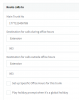
4. Set your main trunk number to go to this new extension exactly like my example and press OK:
1594802798659.png

Call your trunk now from an outside number (ie. from your mobile phone) and tell us what happens.

PS: You can run a backup first so you can easily restore your previous settings later if needed
 
Thank you for suggestion.
I installed a new SIP trunk from SIP.US and the incoming calls were working fine. So I reinstalled SIP trunks from SIP.US and the incoming call are working fine.
Now the problem is resolved. Thank you again for help.
 
  • Like
Reactions: JohnS_3CX and AWS2P
Glad to hear, thanks for updating the thread with your solution.
 
Status
Not open for further replies.

Forum statistics

Threads
111,954
Messages
589,923
Members
164,852
Latest member
priya