3cx Installation

Status
Not open for further replies.

Tomzinho

New User
Joined
Feb 10, 2023
Messages
3
Reaction score
0
Good day,

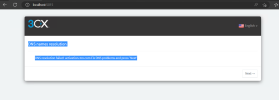
Could anyone please assist with completing 3cx installation on Windows Server 2019 Hyper-V Virtual Machine. I'm getting this error below on 3cx PBX Console (Web interface)

NS names resolution​


DNS resolution failed: activation.3cx.com Fix DNS problems and press 'Next'
 

Attachments

  • Screenshot 2023-02-10 130831.png
    Screenshot 2023-02-10 130831.png
    56.9 KB · Views: 7
Hello,

What version of 3CX are you trying to install?

It sounds like you are installing a very old version that can no longer activate.

You should download the latest version from our portal and try again.
 
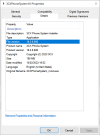
If you right click and check the properties on our installer, do you see this version like my screenshot?

18.0.6.908

1676040834550.png
 
Good day,

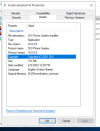
Please see the version I was trying to install. It was oldest. Could you please share the link to where i can download the new version?
 

Attachments

  • version.png
    version.png
    101.8 KB · Views: 11
Have you tried fixing the DNS issue and trying again?
 
Hi,

Delete the version you were trying to install. It's very old.

Then visit the same link as the one you mentioned above and download the installer again.

It will give you the new 3CXPhoneSystem18.exe file

1676551627343.png
 
Status
Not open for further replies.

Forum statistics

Threads
111,974
Messages
590,081
Members
164,899
Latest member
mazet