3CX - MSSQL CRM - Call Journaling

Status
Not open for further replies.

SnowBlinderP

Customer
Joined
Mar 26, 2019
Messages
15
Reaction score
0
Hi,
Every Time we get an Incoming Call on a Queue,the CRM Integration INSERT's the CALL for every Agent that is in the Queue (Not only the One that picked up).
Is that Expected Behavior or is something Wrong there?

 

Attachments

  • kud-d66f276c-3274-400c-841d-feaab6f392b8-Ichthyosaurs-1553788064-299ee19e5980838be942.png
    kud-d66f276c-3274-400c-841d-feaab6f392b8-Ichthyosaurs-1553788064-299ee19e5980838be942.png
    19.2 KB · Views: 40
Is it a queue or a ring group with ring all strategy? The Call Journaling feature will execute the SQL statement you define when the call ends. If you have a ring group with ring all strategy, the call will go to all the agents, but only 1 will pick up. For all the other agents, 3CX will report a missed call.

You can configure your query to execute a stored procedure for example, and there check the call status and only insert the record when it's "answered".
 
Is it a queue or a ring group with ring all strategy? The Call Journaling feature will execute the SQL statement you define when the call ends. If you have a ring group with ring all strategy, the call will go to all the agents, but only 1 will pick up. For all the other agents, 3CX will report a missed call.

You can configure your query to execute a stored procedure for example, and there check the call status and only insert the record when it's "answered".
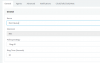
@edossantos It's a Normal Queue with Ring All Strategy (See attached Screenshot)
Could you give me an Example for this Stored Procedure Method?
 

Attachments

  • mainqueue.PNG
    mainqueue.PNG
    8.8 KB · Views: 38
The stored procedure or SQL statement is something that you need to create yourself. Just check with an "if" wether the call status is "Inbound" instead of "Missed". How to do this depends on the database type. Check the database documentation or forums in case of needing help with that.
 
The stored procedure or SQL statement is something that you need to create yourself. Just check with an "if" wether the call status is "Inbound" instead of "Missed". How to do this depends on the database type. Check the database documentation or forums in case of needing help with that.
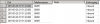
@edossantos The Problem with that is that they are not "Missed" - 3CX Gives "Inbound" as Calltype in this Case
 

Attachments

  • 3cx.png
    3cx.png
    5.3 KB · Views: 27
We will need to investigate this case, if the call is being reported as Inbound the 5 times, then this could be a bug.
 
We will need to investigate this case, if the call is being reported as Inbound the 5 times, then this could be a bug.
@edossantos Thanks for the Fast Answer.
Yes Everyone gets reported as "Inbound".
Would be nice if this could be Fixed.
 
We will investigate this and provide a fix if we find this to be a bug. Thanks for letting us know about this
 
We will investigate this and provide a fix if we find this to be a bug. Thanks for letting us know about this
@edossantos Nice :) (Glad I Could Help)
Is there a period in which such bugs are usually fixed?
 
No Eta when fixes will be out.
Only security issues and patches are announced.
 
This kind of issues require a fix in the underlying engine, so wait it with Update 1 (estimate 1 month from now).
@edossantos Is there a Beta / Alpha Version of Update 1 and is it possible / needed to get "Beta" Keys for Test Instances?
 
Betas are announced in the blog. But usually they're available for major releases, not for version Updates. No special key is needed for this.
 
@edossantos Nice :) (Glad I Could Help)
Is there a period in which such bugs are usually fixed?

There is no period when something is fixed.
Actually we might not even have the bandwidth to inform everyone when a fix is made, and in which version it is present. However the change log will contain all the fixes.
 
We are experiencing this same issue as well for a customer CRM integration we created. Every agent who;s extension rings has an entry made as a missed call. We have tried unsuccessfully to create a SkipIf step to filter based on duration, but it doesn't work. I opened a separate thread on that as well.

A fix would be greatly appreciated. Thanks
 
We are experiencing this same issue as well for a customer CRM integration we created. Every agent who;s extension rings has an entry made as a missed call. We have tried unsuccessfully to create a SkipIf step to filter based on duration, but it doesn't work. I opened a separate thread on that as well.

A fix would be greatly appreciated. Thanks
We're working on this. We expect to provide the fix in Update 2.
 
Status
Not open for further replies.

Latest Posts

Forum statistics

Threads
112,324
Messages
591,897
Members
165,475
Latest member
lastshadow