3CX PBX not able to sending DTMF outbound

Status
Not open for further replies.

bguldibi

Customer
Joined
Jan 24, 2022
Messages
4
Reaction score
0
Hi Dear Team

We are using 3CX version 18.0 (Build 908) on our local servers.
Some of our lines transferred external lines via SIP trunk for certain call ques. After transferring the call to the external operator DTMF signal does not being transferred the external operator.
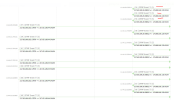
When we capture the traffic, we see that the DTMF signal is send from voice operator to 3CX but it does not transfer it.

I have searched the forums but none of the threads helped me.
Changing SIP trunk option "enabling/disabling Supports Re-Invite", changing codec priority didn't help.

I am attaching a picture showing DTMF signal sent by the operator (I have dialled 5 multiple times).
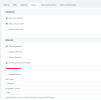
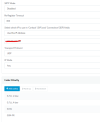
SIP trunk settings,
And a new capture with dialling 4 when the remote system was asking to choose an option.
Dialling number is "05332944258".

Any help/suggestion appreciated.

Regards
Bayram
 

Attachments

  • dtmf signal from the operator.png
    dtmf signal from the operator.png
    231.7 KB · Views: 45
  • SIP trunk options1.png
    SIP trunk options1.png
    24.6 KB · Views: 47
  • SIP trunk options2.png
    SIP trunk options2.png
    18 KB · Views: 45
Do you mean, 3CX is forwarding the call to an external number? I believe that’s handled like a conference call, and we’ve had the same issue on conference calls. It would be useful when talking to a client and conferencing in third party tech support.
 
Hi Steve
Yes, Problem occurring when the 3CX forwarding the call to an external number. Did you able to solve the issue?
Do you mean, 3CX is forwarding the call to an external number? I believe that’s handled like a conference call, and we’ve had the same issue on conference calls. It would be useful when talking to a client and conferencing in third party tech support.
 
Hi Bayram,

For me DTMF is working on IP phones (SNOM) but not (on the same installation) for 3CX web client (DTMF button is greyed out): what kind of client are you using in this case, as DTMF behaviour can be different... ?
 
Hi Bayram,

For me DTMF is working on IP phones (SNOM) but not (on the same installation) for 3CX web client (DTMF button is greyed out): what kind of client are you using in this case, as DTMF behaviour can be different... ?
Hi Kwen,

We are not using a client. For certain queues when an external call comes to 3CX, it is being transferred to an external number. Caller person should select an option by DTMF dialling but DTMF not being transferred to the external number.

Regards
Bayram
 
able to solve the issue
No, though we haven't put a much time into trying. We use the Desktop App. Have to call the third party (e.g. ISP tech support) then conference in our client.
 
Information about DTMF in a conference: https://www.3cx.com/community/threads/dtmf-tones-in-a-conference.67034/

Long story short, 3CX captures and does not forward that DTMF (likely so they can use that DTMF to control the conference call). If forward to external number is running through the conf bride (easy to check, look at active calls and see if the outbound call is coming from the conference extension number (700 likely) this is expected.
 
If this is a simple forward then the DTMF method used, on both legs, may determine if it is going to work. If it is attempting to pass DTMF audio, then the type of Codec used may also affect the tones.Low bit-rate Codec have a hard time passing DTMF audio.
You might attempt a forward call to yourself, on an outside number. Have the caller send some DTMF tones. Do they come though at all, are they very short, and distorted?
 
3CX does support passing DTMF (we confirmed this using RFC2833 and in-band conversion) but there are multiple possible scenarios. In some you will not see the DTMF in the capture, but you will hear it if you play the audio.

Each case needs to be investigated independently to see what happens. And when I say each case, I mean per call basis because there could be one small detail in the invite that makes a world of difference and it will not apply to all calls - just that one.

You might need to open a ticket with 3CX Support to analyze the logs and captures assuming you can replicate this at will.
 
Status
Not open for further replies.

Forum statistics

Threads
111,973
Messages
590,079
Members
164,898
Latest member
grahamaskew