3CX SBC Remote Access

Status
Not open for further replies.

ovi

Joined
Jan 24, 2018
Messages
9
Reaction score
0
Hello,

What did you use for SSH remote access to your SBC ? We have some customer who use 3CX SBC but we cannot create rule on Firewall but i need to connect to the 3CX SBC. How do you do ? Teamvier ?

Thanks !
 
Hi,

I use some software called PuTTY to SSH in.

You'll need to enable SSH access from the SBC as I dont think it's enabled by default. (On the Pi at least).
 
But I need access from anywhere...
 
Is it a Pi you're talking about?

You'll need to physically get at it, enable SSH from the Pi itself

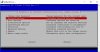
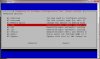
sudo raspi-config

Select Option 7 (it might actually be in option 5)

Enable SSH

On the router port forward 22 to IP of SBC then you should be able to SSH from anywhere. I'd restrict the firewall to only allow your IP in so it doesnt get hammered.
 

Attachments

  • pi.jpg
    pi.jpg
    64.4 KB · Views: 58
  • capture_raspi_config_advance.jpg
    capture_raspi_config_advance.jpg
    120.6 KB · Views: 56
Hello,

The problem is that I can't open any port on the router or Firewall...
 
Then you wont be able to SSH to it unless you get get to a device locally first.
 
RealVNC works well, it's free for up to 5 clients (devices).
It's cloud based so it tracks the IP address of the SBC so stays up if the IP changes.
No configuring of the router/firewall required.
 
  • Like
Reactions: MARLEY JAFFE
Status
Not open for further replies.

Forum statistics

Threads
111,901
Messages
589,635
Members
164,768
Latest member
Eagle Man