3CX Softphone not working with Google hosted system

Status
Not open for further replies.

philtech

Joined
Feb 13, 2019
Messages
6
Reaction score
0
Hi,

I have a new Google cloud hosted 3CX system.
I have successfully registered my Zoiper softphone but cannot register any other phones.
Tried a regular IP phone (spa-941) and the 3CX softphone but I'm getting no errors.

I have tried the credentials on my Zoiper softphone and it worked but would not work on my desk phone or softphone.

Any help is appreciated.
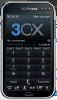
 
So no errors would imply it's working or am I missing something. How are you trying to configure the 3CX softphone?
 
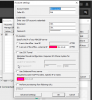
The phone says failed and the softphone runs 3 tries and then says "Not Connected"
 

Attachments

  • 2019-02-13 00_26_35-Window.png
    2019-02-13 00_26_35-Window.png
    60.5 KB · Views: 11
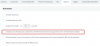
  • 2019-02-13 00_27_00-Window.png
    2019-02-13 00_27_00-Window.png
    45.8 KB · Views: 11
Were these provisioned using the QR code/welcome email? If so then it looks like a SIP registration issue. I'd try using the tunnel if direct SIP isn't working.
 
These were provisioned by entering the proxy and sip credentials.
The tunnel would help for the softphone but not the desk phone.

Thanks by the way for your help
 
So you'll need to provision the SPA-941 manually but there's not reason to do the 3CX soft phone manually. Provision in the right way via QR code or email attachment so you know you have a working system and then go from there. I'd also check to make sure your IP isn't blacklisted from previously failed attempts.
 
Hi,

I have checked the IP blacklisting and that's not an issue.
Sorry if I wasn't clear I'm using the 3cx softphone on windows so can't use the QR but will try downloading it for my phone.

Regards
 
Hello @philtech

You are using 3CX phone 6 and not the current 3CX phone client for windows. I would recommend downloading the latest 3CX phone for windows from the link below and provision it using the welcome email. See if that works for you.
https://www.3cx.com/phone-system/download-links/
 
Hi,

Yes, it did. That helps me somewhat. The desk phone remains unsolved.
My requirement in a PBX is that is compatible with regular desk phones using SIP credentials.
Hopefully, now we can narrow down the issue a little bit. Is there a verbose logging on 3CX and how would I access it?

Regards,
Phil
 
P.s. if it helps I tried to configure the old softphone using the config file in the email but it didn't work.
 
Softphone issue

Have you unticked 'Block Remote Tunnel Connections (3CX Client connections with Tunnel enabled & SBC will be blocked)' under Options for each extension.

If this is ticked, checked your blacklist IP's
 
Last edited:
for IP phones you dont need to touch "Block Remote Tunnel Connections" but must un-check in the extension options the following.
9562

Still, the device you are using we do not support, so we cannot provision it and you must configure it for STUN use yourself which can be on this models tough (or even not possible). Check your supported devices which dont come with this hassle: https://www.3cx.com/sip-phones/
 
Status
Not open for further replies.

Forum statistics

Threads
111,914
Messages
589,709
Members
164,783
Latest member
GothamUser