3CX to Bitrix 24 Integration

Status
Not open for further replies.

ios_chicago

Trial User
Joined
Apr 6, 2025
Messages
5
Reaction score
0
Hi 3CX Community,

We're experiencing an issue with the 3CX and Bitrix24 integration. While Bitrix24 is creating new contact entries upon incoming calls, these entries lack critical information such as phone numbers. It appears the contact is created, but no actual caller data is passed along — just a blank record.

What We've Done So Far:
  • Configured the integration using the 3CX Management Console.
  • Used the official Bitrix24 REST API endpoint and webhook.
  • Enabled contact creation in the CRM integration settings within 3CX.
  • Verified that Bitrix is receiving a request to create a contact (response 200), but the payload lacks usable data like the phone number.
  • Tested with both known and new numbers — same outcome.
Issue Details:
  • Contact creation occurs in Bitrix24, but with no name, phone, or email — just a blank contact ID.
  • Activity logs confirm contact creation was triggered from 3CX with a valid response, but data variables such as %CallerNumber% appear to be either misreferenced or not being passed properly.
  • We are not using Call Flow Designer (CFD) or any external tools — just native CRM integration and XML files.
Request:

Has anyone experienced this issue and found a solution? We would deeply appreciate any help resolving this — especially with getting phone numbers and caller data to pass through correctly into the Bitrix24 contact fields.

Thank you in advance for your support.

Tre
 
Last edited:
Hi, can you comment,

-what is the precise 3cx version you are using? And how is it hosted? (ie, 3cx enterprise 8sc latest / release XX.YY.ZZ ? hosted by 3cx directly? something else?)
- presumably you have tested bitrix independently of 3cx integration features, it is working well / as expected / at baseline ?
- you have followed 3cx docs on integration, as per > https://www.3cx.com/docs/bitrix24-crm-integration/ ?
- other than that I can't offer anything concrete, other than - I've never heard of Bitrix24 before reading your post; and a quick google led me to some discussions that kind of said "yup, why you use Bitrix? Lots of better options, etc" - so obviously that is not super helpful, but, for what it is worth, I've got one client using 3cx CRM integration with ZohoCRM and they are pleased as punch with this arrangement. Just FYI, and yes for sure is not a solution to Bitrix problem per se. Just a data point.

Possibly if someone else out there is using Bitrix24 with 3cx they might give a better reply to your query about secret tricks or known issues required to make it work.

Tim
 
  • Like
Reactions: N_G
Are you starting the contact creation from the Web Client? 3CX will run a contact lookup as soon as the call starts. If no contact is found you will have the option to create a new one from the Web Client. Is this your case?
 
Hi, can you comment,

-what is the precise 3cx version you are using? And how is it hosted? (ie, 3cx enterprise 8sc latest / release XX.YY.ZZ ? hosted by 3cx directly? something else?)
- presumably you have tested bitrix independently of 3cx integration features, it is working well / as expected / at baseline ?
- you have followed 3cx docs on integration, as per > https://www.3cx.com/docs/bitrix24-crm-integration/ ?
- other than that I can't offer anything concrete, other than - I've never heard of Bitrix24 before reading your post; and a quick google led me to some discussions that kind of said "yup, why you use Bitrix? Lots of better options, etc" - so obviously that is not super helpful, but, for what it is worth, I've got one client using 3cx CRM integration with ZohoCRM and they are pleased as punch with this arrangement. Just FYI, and yes for sure is not a solution to Bitrix problem per se. Just a data point.

Possibly if someone else out there is using Bitrix24 with 3cx they might give a better reply to your query about secret tricks or known issues required to make it work.

Tim
Hi Tim,


Thanks for weighing in. Here’s the background on our setup:


  • 3CX version and hosting
    We’re running 3CX Version 20.0 Update 6 (Build 486 Alpha), hosted in the cloud by 3CX directly.
  • Bitrix24 baseline testing
    Yes—we’ve used Bitrix24 standalone for several weeks, and its core CRM, lead capture and workflow features are working exactly as expected, independent of any telephony integration.
  • Integration docs followed
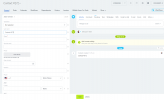
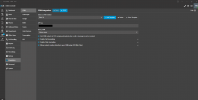
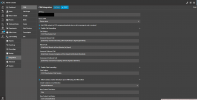
    We’ve implemented the steps outlined in the official 3CX guide (https://www.3cx.com/docs/bitrix24-crm-integration/) end-to-end, including the XML template configuration and webhook registration. I'm adding attachments (Ref: Contact #272): 1746934728603.png1746934728613.png
    1746934810241.png

  • Alternative CRMs
    Totally appreciate the ZohoCRM data point—you’re right that Zoho’s free tier has a very smooth 3CX integration, and that may be worth exploring down the road. For now we’re committed to making Bitrix24 work, so any tips from other Bitrix users would be especially welcome.

Hopefully someone with direct 3CX⇄Bitrix24 experience can share any “secret tricks,” but please let me know if you spot anything in how we’ve set this up.


Thanks again,
 
Are you starting the contact creation from the Web Client? 3CX will run a contact lookup as soon as the call starts. If no contact is found you will have the option to create a new one from the Web Client. Is this your case?
Hi there, please see my latest response above. I think I answered the question :-)
 
Hi there, please see my latest response above. I think I answered the question :-)

Can you include one more picture but scroll down further so we can see the full Contact Creation portion? the last image shows the First Name and Last Name but not the actual phone number field, also if you could provide the template itself you are using as it may just be an improperly configured line since even the First Name and Last Name field aren't being properly created based on the other example image just showing Last Name and no First Name
 
You should use the inbuilt Bitrix template - its working fine. Seems you are using a custom template? If not you can open a paid support ticket
 
You're not using the standard template. I can see that the integration is asking for an API Key, instead of the webhook URL, so you should contact who developed that integration, or preferrable use the integration provided, tested and supported by 3CX.
 
You should use the inbuilt Bitrix template - its working fine. Seems you are using a custom template? If not you can open a paid support ticket

I restored to the original file and still won't work.
 
The integration with the default template is working without issues.
Is you still have issues you can open a paid support ticket to assist further.
 
  • Like
Reactions: Evolute IT
Theodore—thanks for chiming in. I hear you saying the out-of-the-box Bitrix template works for you, but I’m still seeing no activity posts on my end even after reverting to the stock XML. I’ve even tried regenerating the template from scratch using the official generator and re-importing it, but nothing changes.

At this point, I’ve exhausted all community suggestions and built multiple custom variations with no success. I’m not in a position to purchase support without understanding the root cause. Could you point me to any specific logs, settings, or diagnostics that might reveal why 3CX isn’t firing the REST calls for journaling? Any guidance on where to look in the 3CX server logs or Bitrix webhook logs would be hugely appreciated before I escalate to a ticket.

Again, all help is appreciated! :)
 
You are making your own template and this is wrong. Its a configuration on the part of your Bitrix - maybe its a custom install - and I am not even sure its part of a standard support ticket it might be a per hour charge.
 
Last edited:
  • Like
Reactions: Evolute IT
Status
Not open for further replies.

Latest Posts

Forum statistics

Threads
111,962
Messages
589,996
Members
164,867
Latest member
swegner