3cx used with DB Form

Status
Not open for further replies.

FelisaL

Free User
Joined
May 28, 2019
Messages
9
Reaction score
0
I have a MS Access 2013 form that has a button, when clicked, should dial that contact number. Before we switch to 3cx, the modem option was used without any problem. I have search and tried different scenarios to try and duplicate the same action with the 3cx phone, but to no avail... Is there anyone who can assist. I truly would appreciate the help. Yes, I have reviewed post that are on this website's thread, but I have not been able to obtain the coding that would work. It really doesn't seem like it should be this difficult. the makecall method didn't work. The website link that I thought would help using http did not go to an available working page...
10832
 
Probably your app is dialing via TAPI. In that case, try installing 3CXPlugins and configure TAPI as explained here:
https://www.3cx.com/docs/installing-multi-line-tapi/

TAPI is installed on the client machine, where 3CXPhone for Windows is running. Then, when your app sends the call request to the 3CX TAPI Service Provider, the call is requested to 3CXPhone, which will dial out.
 
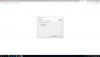
I don't know what the issue right now, put my plugin manager for 3cx isn't showing any plugins, and it did not even get to the part to ask me the questions to enter in the extension or person's name
 
The 3CX Plugins Manager tool will not show any integration for TAPI, because it's not configured from there.

You need to install 3CXPlugins from here:
https://downloads.3cx.com/downloads/3CXPlugins.exe

Then select "Multiline TAPI Driver" and configure the extension you want to use.
 
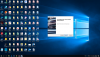
Yes, did that, but the next step never came...
10838
10839
10840
10841
 
Are you using a 32 bits operating system by any chance? Please note that TAPI only works in 64 bits versions of Windows.
 
Windows 10 x64
 
What's the 3CXPlugins version that you're trying to install?
 
Product Version 15.0.943.724
 
That's the latest version. It should let you enter the extension configuration later... This is weird. Can you finish the installation and check if you have 3CX TAPI Service Provider under Control Panel > Phone and Modem > Advanced?
 
It isn't listed
10858
 
I found it...
 
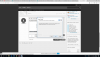
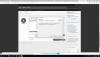
I tried to configure it, but got this message
10859
 
I did do a search for the file name 3CXTapi.ini, but it did not find the file
 
Status
Not open for further replies.

Latest Posts

Forum statistics

Threads
112,324
Messages
591,897
Members
165,475
Latest member
lastshadow