3CX v16 Reloaded: Alpha 2 Lands

Status
Not open for further replies.
@novatel: That message is not related to the Instance Manager itself, it was shown after clicking on a link such as the FAQs. Please refresh and try again now.
 
In the Instances I have even:
You have currently no managed installations. Get started today!

allthough I enabled it.
The option " Remote Monitoring - Shares information about hardware utilization such as CPU, HDD and RAM utilization." is greyed out, but looks enabled.

this is on my resellers 3CX server
 
@novatel: That message is not related to the Instance Manager itself, it was shown after clicking on a link such as the FAQs. Please refresh and try again now.

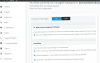
Hi, now i can see just a picture:
upload_2018-12-20_16-45-0.png
 
Yes, please try again we fixed it.
, Not for me. Just see the image and You have currently no managed installations. Get started today!. Well maybe someday it will work for me.
 
Instance manager is working now, at least for me. Is there going to be added features to this?

Short list i think most users would very much like:

Number of trunks (active/configured)
Number of extensions (i know its currently showing that but i think it would be better to see the active ext/configured. Very useful for cloud installs in different locations, you can suspect a network issue almost immediately)
Active Calls
Active external calls
Clicking on the FQDN should open a tab for the management console
Access to stats


About stats:

Is there any plans to improve the stats we can generate? I think the most needed stats is SC stats. The PBX is licensed on SC but besides seeing it live, we can't see a graph of highs and lows. I think this would be very important and also to separate internal and external calls to determine if you are using a correct amount of SIP Channels. The SIP part can be analyzed on the provider side but this is all information the PBX could collect.
 
  • Like
Reactions: MichaelB_3CX
Yes, please try again we fixed it.

I still see the same:
You have currently no managed installations.

You said you fixed it. Is this per reseller different or ... ? As I saw some comments it was working for some people?
 
Are there any near future plans to improve or replace the SBC that you can speak about? That is our major pain point. It works fine, but makes it hard to handle remote clients. How about template improvements, I. e. other phone options for Buttons?

Chuck
 
Are there any near future plans to improve or replace the SBC that you can speak about? That is our major pain point. It works fine, but makes it hard to handle remote clients. How about template improvements, I. e. other phone options for Buttons?

Chuck
SBC Management is in our roadmap and it's coming very cool :)
 
@pitrickzul - yes definitely there will be more stats and reports. Voip call quality as well.
@nickloenders - during the alpha a few issues came to the surface which we are looking into. Give us another few more days. But please note next two weeks we will be on shutdown
@neville - do you mean remote SBC management or other matters. As Michael pointed out we are working on SBC management from the remote console, just a few months more for that. Also SBC should scale up to 100-150 users soon given a proper MiniPC
 
Yes, please try again we fixed it.

Instance manager is working for me now, service restart and Reboot as well. Its a good idea we can monitor Active calls also.
Thanks!
 
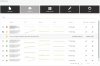
Here is an image of how the portal should look. Sorry for the teething issues. Certainly we will be investing in expanding with more info and stats.
 

Attachments

  • WhatsApp Image 2018-12-21 at 10.05.59 AM.jpeg
    WhatsApp Image 2018-12-21 at 10.05.59 AM.jpeg
    84.4 KB · Views: 82
Dear 3CX, I'm not able to update to Alpha 2.
I get the following error:
Unable to reach 3CX Updates server. Check your internet connection and try again.

Any ideas to get Alpha 2 installed?
 
Dear 3CX, I'm not able to update to Alpha 2.
I get the following error:
Unable to reach 3CX Updates server. Check your internet connection and try again.

Any ideas to get Alpha 2 installed?
Make sure you are not blocking traffic from/to downloads-global.3cx.com
Also, if you go MMC>>Settings>>Parameters and search for DOWNLOADS_URL, what is the value of this parameter?
 
@pitrickzul - yes definitely there will be more stats and reports. Voip call quality as well.
@nickloenders - during the alpha a few issues came to the surface which we are looking into. Give us another few more days. But please note next two weeks we will be on shutdown
@neville - do you mean remote SBC management or other matters. As Michael pointed out we are working on SBC management from the remote console, just a few months more for that. Also SBC should scale up to 100-150 users soon given a proper MiniPC

Remote management and monitoring for failures would be great!
 
Neville,

I would also look at https://uptimerobot.com/ which I use as a monitor in conjunction with AWS alarms for our cloud servers.

Has let me know before the end user knew there was a problem.
 
Here is an image of how the portal should look. Sorry for the teething issues. Certainly we will be investing in expanding with more info and stats.

This looks excellent - good idea.
 
  • Like
Reactions: N_G
Status
Not open for further replies.

Forum statistics

Threads
111,991
Messages
590,166
Members
164,929
Latest member
Cloudstar