- Joined
- Apr 3, 2017
- Messages
- 90
- Reaction score
- 31
Since upgrading from 16 to 18 all of our customers fail FTP/FTPS backups.
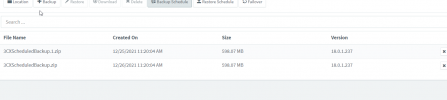
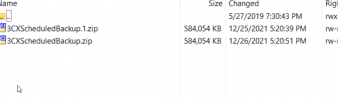
We get errors like the one below. I have cleared out the backup folder completely but still get the errors on next backup.
Any advice as to what the issue could be?
- 3CX Version, 18.0.237
- Server OS, Debian 10
- Is the 3CX Server Hosted and where? Hosted in Vultr
- IP Phone Make/Model/Firmware version, Yealink T54W
- Provisioning Method: SBC
- Trunk Provider or VoIP Gateway Make/Model, Thinq
- Has the Firewall Checker passed: YES
- Are custom Phone Templates being used: NO
We get errors like the one below. I have cleared out the backup folder completely but still get the errors on next backup.
Code:
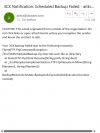
CAUTION: This email originated from outside of the organization. Do not click links or open attachments unless you recognize the sender and know the content is safe.

Your 3CX backup failed due to the following reason(s):
FluentFTP.FtpCommandException: /3cx/3CXScheduledBackup.zip.tmp: No such file or directory
   at FluentFTP.FtpClient.Rename(String path, String dest)
   at _3cxFilesystemImplementations.FTP.FtpFilesystem.Move(String filename1, String filename2)
   at BackupRestoreSchedule.BackupJob.Execute(IJobExecutionContext context)
Any advice as to what the issue could be?