3CX V20 Call Quality Monitoring Tool - A Video

Hello,
How can we enable call quality monitor for other users, please? I'm a system owner and I need to enable it for a few users but according to the video, I can only do it for my own account (extension). I don't want to log on as them because that means to reset their password.
Thanks
Go to Team > Right click their ext > monitor connection quality
 
Hello,
How can we enable call quality monitor for other users, please? I'm a system owner and I need to enable it for a few users but according to the video, I can only do it for my own account (extension). I don't want to log on as them because that means to reset their password.
Thanks
You only need to be able to view other users in the Team page of the webclient in order to enable it. If you've put your system owner in a separate department, just make sure you have View Presence rights over the relevant users, and you'll be able to right click them in Team and enable monitoring. Granted, I think it's a little clunky, I'd like to see admins and owners with the ability to enable it from the Users page of the admin console.
 
  • Like
Reactions: kokolino23
This saves so much time and makes us so happy, its not funny.

People never believe support when they blame the internet, as they assume you're just passing the blame like so many companies do.
This gives you a physical report you can provide that proves the issue is internet related.

Only thing I would suggest is the option to turn this on for users in the admin./user section instead of just in the teams screen. As for multi company mode means you're adding yourself in and out of the departments all the time.

THANKS 3CX!!!
 
This saves so much time, its not funny.
People never believe support when they blame the internet, as they assume you're just passing the blame like so many companies do.
This gives you a physical report you can provide that proves the issue is internet related.
THANKS 3CX!!!
You're telling me! My cool story from today is our service desk escalated issues with a specific extension and I was able to point to the call monitoring showing massive packet loss, and noticed that the public IP in the report wasn't the user's location. Turned out that whoever set up the phone configured it as a Normal Phone, but proxying via a Router phone at another location connected via VPN! A quick reprovision to a router phone and the next call was Excellent.
 
Sorry to pipe in. On my call quality the caller has packet bursts/average 10/2
but
the callee has packet bursts/average of 12/76
Is that too high on the callee side
 
Of course it's too high, 76 * 20ms = 1.5 seconds of audio stream delayed and this happened 12 times.
 
  • Like
Reactions: Evolute IT
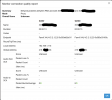
I'm really enjoying this tool. It's helped a lot to identify problems and issues. Is this tool also able to monitor extension to extension calls? I have a customer that's had issues with calls between two phones, behind an SBC (Pi 4B). There are 8 phones in total.

The tool shows the local IP of one of the phones but not the other. They both show the same public IP.

Would it not sow because both phones are behind the same SBC and the calls were peer to peer?

1742491975647.png
 
You are right, if they are both behind the same SBC, in proxy mode you won't get much from the report. BTW, the tool has been improved in U6. One of the additions is the Details field which explains different situations (including this one) w/o the need of looking anywhere else. We'll publish a big article about the tool after U6 is out (at least, alpha).
 
You are right, if they are both behind the same SBC, in proxy mode you won't get much from the report. BTW, the tool has been improved in U6. One of the additions is the Details field which explains different situations (including this one) w/o the need of looking anywhere else. We'll publish a big article about the tool after U6 is out (at least, alpha).

Amazing, thank you. It's what I figured but I didn't want to just assume that's why it did that.

I'm looking forward to U6
 

Latest Posts

Forum statistics

Threads
111,991
Messages
590,167
Members
164,929
Latest member
Cloudstar