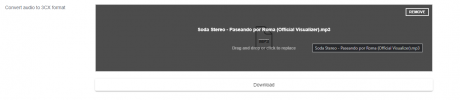
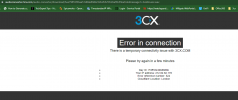
3CX WAV file converter link broken

Status
Not open for further replies.

koshi

Forum User
Advanced Certified
Joined
Feb 13, 2023
Messages
4
Reaction score
0
the warning in 3CX, still states the wrong link when an invalid file is attempted to be added via Management console. I used that site a lot, i hope they resolve this issue.
 
  • Like
Reactions: Evolute IT
Worth noting Audacity has changed since the previously linked guide, slightly different process to change the sample rate.
Need to go to "Edit" > "Preferences" and under "Audio Settings" change "Project Sample Rate".
 
  • Like
Reactions: adam5000
Worth noting Audacity has changed since the previously linked guide, slightly different process to change the sample rate.
Need to go to "Edit" > "Preferences" and under "Audio Settings" change "Project Sample Rate".
wasn't it always like that ? it seems to me as far I can remember , I always did this when that's a new project
 
Been a few years since I've last had to do this but back then it used to be you could just change it at the bottom left of the Audacity window, as per the linked guide, but this option is missing now.
Changing sample rate via the drop down when clicking on the track name warps the track (eg elongates if original rate was higher) and choosing the "resample track" option from the track menu does resample the track but then the file is still saved at whatever rate is in the project settings. Caused me some frustrations so thought worth sharing.
 
After a few weeks, I am surprised it is still down. I hope it gets brought back soon. This helped a lot.
 
  • Like
Reactions: edossantos
I tested one file, and did not get the CloudFlare error when downloading, so hopefully it's working now. Thanks.
 
  • Like
Reactions: Alejandro_3CX
Hello @LarsTOC what audio file are you trying to upload?

I tested using for example a mp3 audio file 4,91MB and it was uploaded and converted succesfully

1689771412472.png
 
Hello @LarsTOC what audio file are you trying to upload?

I tested using for example a mp3 audio file 4,91MB and it was uploaded and converted succesfully

View attachment 36434
Hello,
thank you so much for the super quick reply! As you verified now that it works, I tested again with another file name (It had oviously some special characters which I wasn´t aware of). With a short file name and just ascii letters it works fine!
Thanks again and sorry for your inconvenience!

Have a nice day
Lars
 
Hello,
thank you so much for the super quick reply! As you verified now that it works, I tested again with another file name (It had oviously some special characters which I wasn´t aware of). With a short file name and just ascii letters it works fine!
Thanks again and sorry for your inconvenience!

Have a nice day
Lars
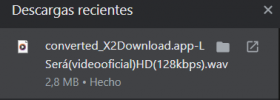
You are welcome, just fyi characters like (< > : " / \ | ? * &%^~+-,;) should not be used for the filename
Have a nice day!
 
Last edited:

Attachments

  • Screenshot 2023-08-11 115842.png
    Screenshot 2023-08-11 115842.png
    45 KB · Views: 5
Hi the link is working and converting the files without issues, I have tested this right now


1691752538756.png

1691752554617.png

1691752578049.png
 

Attachments

  • 1691752524404.png
    1691752524404.png
    9.5 KB · Views: 2
  • Like
Reactions: Alejandro_3CX
Hi the link is working and converting the files without issues, I have tested this right now
It was the + in the file name. I am converting them all now. Thanks for pointing me in the right direction.
 
  • Like
Reactions: Alejandro_3CX
Status
Not open for further replies.

Latest Posts

Forum statistics

Threads
111,885
Messages
589,547
Members
164,745
Latest member
Herm77