Activity log purge button not working

Status
Not open for further replies.

AWS2P

Silver Partner
Basic Certified
Joined
Jan 9, 2014
Messages
5,076
Reaction score
1,096
HI,
All my PBX on premise V16.2 on windows 10 are not purging activity logs , on top of screen i got a thin bar progressing from blue to yellow for a while and when this stops , logs are always there. On debian cloud hosted PBXs same action on purge button does the purge instantly.

i've refreshed cache, i use Chrome browser.

Is there a bug on Windows versions?
 
Hi @aws2p

The log will clear, it might take a bit longer on windows instances to update
 
@JohnS_3CX

I'm not so sure, i've done a purge more than an hour and all is always here
 
That's a bit strange, mine cleared after a while. Is this on V16.0.2.910 ?
 
yes all the PBX are on premise , W10 V1903, in latest 3CX V16.0.2.910

Have tested on 3 pbx with same behavior, just on debian cloud it works perfectly in a second after purge button is pressed.
 
Last edited:
Open the folder C:\ProgramData\3CX\Instance1\Data\Logs where the default logs location is.

Click Purge on the management console, and look at the .bldef and .blrec files and look at the dates.

Normally you would see the files disappear and reappear with a new date/time stamp.

Now click refresh on your management console and you should see them disappear.
 
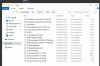
It doesn't work like you describe, first screen is before purge, i have pressed purge button at 15:37

12312

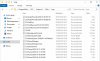
After i got this, file blrec from yesterday disappear but nothing else change, time and date didn't change and in console log is not empty even after cache refresh and 3cx reboot
12313

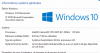
windows version
12315
12317
 
What i can see in log folder is only bldef file who renew time stamp, Blrec file never change
 
leave it to run for a day to get richer logs (Verbose) and then look at the files before pressing purge.

the screenshot seems to show a system that was already purged

I can confirm it works on mine, but im running on a older windows server 2016 currently
 
Hi John,

this is not working , after a purge i should obtain a completly empty page under activity log, this for me never change, i've tried yesterday on one pbx nothing happens , but just BLDEF file change is stamp, but content displayed in MC didn't change.
is it possible to show you in live with teamviewer session?
 
That's not necessary, I believe you are reporting it correctly as you see it.

I don't know why this is happening though. I will update my windows server to see if it makes a difference, my instance is on 2016 server now which is a bit older
 
Teamviewer session was not to prevent my potential bad report, but to see on several PBX same behaviour.
all mine which not working are on premise Windows 10 Pro 64, is it possible to delete manually from windows the BLREC file? or is it forbidden ? may i break something ?
 
Under windows OS the file is locked when the PBX writes to it so you might not be able to delete it.

Those should be reset during startup. Do you have log backup enabled?
 
no log backup enabled
 
Status
Not open for further replies.

Latest Posts

Forum statistics

Threads
111,933
Messages
589,817
Members
164,810
Latest member
astrobalaji