- Joined
- Nov 4, 2026
- Messages
- 1
- Reaction score
- 0
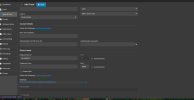
On one of our systems (V20 Update 10), Voice & Chat > Add Messaging > Add WhatsApp opens
the WhatsApp SIP calling trunk form (Registrar wa.meta.vc, Authentication ID, Enable SMS)
instead of the WhatsApp messaging form, and generates a /sms/generic/ webhook.
Incoming WhatsApp messages then fail with Event 30045:
"Unable to parse message from provider generic. Error: Unknown message received"
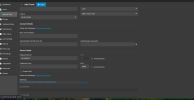
A second system, also on V20 Update 10, shows the correct messaging form
(Number, Access Token, Phone Number ID) and generates a /sms/whatsapp/ webhook.
Screenshots of both are attached.
Cause: the SIP calling template whatsapp.pv.xml (attached) was imported under Update 9.
It is named "Whatsapp" and its SMS section is set to ProviderType "generic", matching
the template name clash your team acknowledged here:
Already tried: upgraded to Update 10, deleted the WhatsApp SIP trunk and all WhatsApp
messaging connectors, restarted, and recreated the connector. The system is still holding
on to the wrong "Whatsapp" template, and Add WhatsApp still opens the SIP form.
How can we fix this?
Attached:
- qas_system_redacted.png: affected PBX, showing the wrong WhatsApp template
(SIP trunk form, /sms/generic/ webhook)
- working_system_redacted.png: second PBX, showing the correct WhatsApp messaging form
(/sms/whatsapp/ webhook)
- whatsapp.pv.xml: the template still loaded on the affected PBX
the WhatsApp SIP calling trunk form (Registrar wa.meta.vc, Authentication ID, Enable SMS)
instead of the WhatsApp messaging form, and generates a /sms/generic/ webhook.
Incoming WhatsApp messages then fail with Event 30045:
"Unable to parse message from provider generic. Error: Unknown message received"
A second system, also on V20 Update 10, shows the correct messaging form
(Number, Access Token, Phone Number ID) and generates a /sms/whatsapp/ webhook.
Screenshots of both are attached.
Cause: the SIP calling template whatsapp.pv.xml (attached) was imported under Update 9.
It is named "Whatsapp" and its SMS section is set to ProviderType "generic", matching
the template name clash your team acknowledged here:
So, I have made some kind of progress. This morning I successfully enabled whatsapp messaging to 3cx which worked well.
I then followed the instructions to enable whatsapp SIP trunking.
After importing, the configuration screen for the whatsapp connection in "voice & chat" had changed significantly. I could not get whatsapp calls to work so i deleted the connection and recreated it. Success! Whatsapp calls now come into 3cx over SIP but....
Messages no longer work.
3cx is logging
"Unable to parse message from provider generic. Error: Unknown message received: { "object"...
I then followed the instructions to enable whatsapp SIP trunking.
After importing, the configuration screen for the whatsapp connection in "voice & chat" had changed significantly. I could not get whatsapp calls to work so i deleted the connection and recreated it. Success! Whatsapp calls now come into 3cx over SIP but....
Messages no longer work.
3cx is logging
"Unable to parse message from provider generic. Error: Unknown message received: { "object"...
- perfect-touch
- Replies: 7
- Forum: WhatsApp
Already tried: upgraded to Update 10, deleted the WhatsApp SIP trunk and all WhatsApp
messaging connectors, restarted, and recreated the connector. The system is still holding
on to the wrong "Whatsapp" template, and Add WhatsApp still opens the SIP form.
How can we fix this?
Attached:
- qas_system_redacted.png: affected PBX, showing the wrong WhatsApp template
(SIP trunk form, /sms/generic/ webhook)
- working_system_redacted.png: second PBX, showing the correct WhatsApp messaging form
(/sms/whatsapp/ webhook)
- whatsapp.pv.xml: the template still loaded on the affected PBX