Solved Adding DDI's to Beronet Gateway one at a time

Status
Not open for further replies.

GBC_James

Premier Customer
Advanced Certified
Joined
Feb 3, 2017
Messages
132
Reaction score
24
Hi All
We have a Beronet gateway which is connecting our isdn lines on to 3CX (once working we intend to ditch the isdn's and port all our ddi's to our new sip provider)

Having successfully set up the gateway in 3CX, my question is, do I really have to add 600 DDI's one at a time?
Each time I add one, I have to scroll up to the top and click add again. It is tedious and my co-workers say I'm grouchy.

Tell me this isn't really so.

Thanks
James

 
Can you not export your current Outbound Rules to CSV and change the Ports field to match your SIP trunk and then reimport?
 
Sorry Inbound Rules
 
there is no import feature.
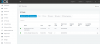
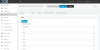
Sip Trunks - Beronet bero*fix Pr i- DID's

There is only the +Add DID button
 
Hi James, So you have added all your DID's to your SIP trunk and created Inbound rules for all of them?

Then under Inbound rules, you should be able to export your Inbound rules to CSV
upload_2017-10-3_15-40-48.png
 
Hi Rory
No. We have no DID's in our sip trunk yet.
Our current Mitel phone system has 2 IDSN lines. As we move over to 3CX we are first using a Beronet gateway to connect our existing 2 isdn lines to our 3CX.
This we have done successfully. However, in the gateway settings (same place as sip trunk settings in 3cx) there are no DID's showing under the DID tab.
So we are having to add them manually.

Eventually, once we have successfully replaced all our users phones and have been using 3cx error free for a month our so, we will THEN transfer all our DID's off the isdn lines and over to our Sip provider.

So at this point, in 3CX, under Sip Trunks we have our sip trunk listed AND a baronet gateway.
trunks.PNG ddis.PNG
 
So just the add DID button, no import :(
 
So just the add DID button, no import :(

Manually enter a couple of the DID's and set the inbound rules.

Export two or more of the inbound rules that is set the way you want it so you can get the correct settings.

Enter the DID's and correct settings into the excel document.

Import into Inbound rules and the DID's will be added to the trunk.

This is how we do it.

Message me if you have issues.
 
  • Like
Reactions: YiannisH_3CX
Thank You very much @neville You are a genius and we shall be raising a glass to you tonight.
Using your method we have finished our DID import in record time

you are awesome :)
 
Status
Not open for further replies.