- Joined
- Apr 14, 2018
- Messages
- 183
- Reaction score
- 16
Hello !
I have a PSTN line that I would like to add to 3CX as a Gateway using Patton Smart Node 4112 so that I can use that Analog line as if it was a SIP Trunk in 3CX
I have 3CX 15.5 hosted by 3CX (aka 3CX express). Therefore I beleive this solution is not supported, but I have heard that it is possible with 3CX SBC.
So what I did is -
0) Created a SBC on Raspberry and connected it to my network. (192.168.1.248)
1) upgraded firmware on Patton 4112 and connected it to the PSTN phone line and LAN
2) then I proceeded to 3CX > SIP Trunks > Add Gateway > and Generated device config, replaced 3cx IP with IP address of my Raspberry SBC and uploaded it to my Patton.
my setup still does not work. Are there any additional steps I should take or are any of my settings incorrect?
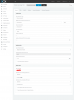
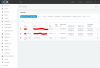
(Please check screenshots)
Please advise
I have a PSTN line that I would like to add to 3CX as a Gateway using Patton Smart Node 4112 so that I can use that Analog line as if it was a SIP Trunk in 3CX
I have 3CX 15.5 hosted by 3CX (aka 3CX express). Therefore I beleive this solution is not supported, but I have heard that it is possible with 3CX SBC.
So what I did is -
0) Created a SBC on Raspberry and connected it to my network. (192.168.1.248)
1) upgraded firmware on Patton 4112 and connected it to the PSTN phone line and LAN
2) then I proceeded to 3CX > SIP Trunks > Add Gateway > and Generated device config, replaced 3cx IP with IP address of my Raspberry SBC and uploaded it to my Patton.
my setup still does not work. Are there any additional steps I should take or are any of my settings incorrect?
(Please check screenshots)
Please advise