Admin/Office Hours and Intercom/Page Feature

cpe90

Premier Customer
Joined
Mar 7, 2023
Messages
81
Reaction score
19
Hi fam,
I need to give all our users access to the admin/office hours page, and their phones need to be able to intercom/page, like before we switched to 3CX.

I have tried multiple roles with various combinations under View.
1. Receptionist: admin/office hours (not available), intercom/page (is working with "Call Operations" view checked)
2. Supervisor: admin/office hours (is available, but they can also see "Call Handling" tab, which I don't want them to touch), intercom/page (is working with "Call Operations" view checked)
3. Manager: admin/office hours (is available, but they can also see "Users" tab, which I don't want them to touch), intercom/page (is working with "Call Operations" view checked)

Can I create a custom role in 3CX that lets me grant my users access accordingly?

Thank you in advance.
 
  • Like
Reactions: cpe90
https://www.3cx.com/docs/manual/access-roles/

Reception role can override office hours from within the 3CX console but if they need to change office hours frequently then a dept admin is the entry level role but this role cannot intercom.

Manager is the next role.

youd have to create a new dpt and stick your extensions in if you wanted to remove any you didnt want manager to have access to.
 
Last edited:
  • Like
Reactions: cpe90
https://www.3cx.com/docs/manual/access-roles/

Reception role can override office hours from within the 3CX console but if they need to change office hours frequently then a dept admin is the entry level role but this role cannot intercom.

Manager is the next role.

youd have to create a new dpt and stick your extension in if you wanted to remove any you didnt want manager to have access to.

Thank you for the prompt reply.

Yes, I looked at the "override office hours" feature, but it won't work for us.
They need to access the Office Hours page that shows Monday-to-Sunday hours.

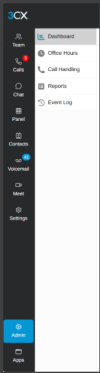
Just in case you didn't know, the supervisor role also has access to the admin dashboard, but instead of the "Users" tab, they see the "Call Handling" tab. The intercom also works in the Supervisor role.
But yeah, I can't have them mess around with Call Handling. That's our lifeline.

1793636268759.png
 
Can you start by explaining what the problem is you're trying to overcome?
 
We are more concerned with access to Office Hours than with Intercom/Page ability.

Here's the situation.

We have over 10 properties with custom call routing based on their property "department" hours.
We also have a few managers plus part-timers who are flexible and can help cover after the regular property "department" hours on weekdays or weekends.
They need to be able to extend the Office Hours fluidly when they are helping on-site, or inbound calls won't ring because they will go straight to the after-hours team.
They can't use the override office hours because they could be there for 2 weeks or 2 months, and their hours could be different this week than next week.
The override office hours only lasted 2 days, and I don't want them to keep opening IT tickets every time their hours change.
So I don't mind giving them admin control to change the office hours themselves.

Do you have a better suggestion for handling this situation?
Greatly appreciated.
 

Forum statistics

Threads
112,393
Messages
592,260
Members
165,572
Latest member
renome