- Joined
- Feb 14, 2017
- Messages
- 9
- Reaction score
- 0
Hello everyone,
I have recently upgraded from V18 to V20 (Build 1620). Everything has worked fine so far, but there are problems with the "Advanced > Fax" function. As with the V18, we use an ATA on the fax machine, which also registers correctly on the 3CX. However, if you now send a fax, you receive the following error message in the 3CX log: "There was no user or outbound rule found for the number <XYZ> that Fax.308 dialed".
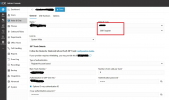
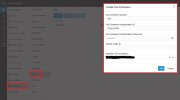
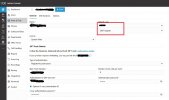
As can be seen from the attached photo, the outbound rule is configured correctly. What I have noticed, however, is a problem under "Voice & Chat" (formerly Inbound). Under "Default route" it is no longer possible to select "Send fax to ...".
What should be entered in the mandatory field "Default route" in future?
How can the problem "There was no user or outbound rule found for the number <XYZ> that Fax.308 dialed" be resolved?
I have currently created the ATAs as a generic phone under Users. In the meantime, receiving and sending faxes works. However, I would like to return to the original configuration via "Advanced > Fax".
Thank you very much!
I have recently upgraded from V18 to V20 (Build 1620). Everything has worked fine so far, but there are problems with the "Advanced > Fax" function. As with the V18, we use an ATA on the fax machine, which also registers correctly on the 3CX. However, if you now send a fax, you receive the following error message in the 3CX log: "There was no user or outbound rule found for the number <XYZ> that Fax.308 dialed".
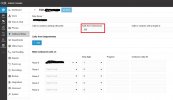
As can be seen from the attached photo, the outbound rule is configured correctly. What I have noticed, however, is a problem under "Voice & Chat" (formerly Inbound). Under "Default route" it is no longer possible to select "Send fax to ...".
What should be entered in the mandatory field "Default route" in future?
How can the problem "There was no user or outbound rule found for the number <XYZ> that Fax.308 dialed" be resolved?
I have currently created the ATAs as a generic phone under Users. In the meantime, receiving and sending faxes works. However, I would like to return to the original configuration via "Advanced > Fax".
Thank you very much!