Allowing direct inbound dialling (DID) without manually setting up each one individually

Status
Not open for further replies.

Serco

Forum User
Joined
Mar 15, 2019
Messages
37
Reaction score
5
Good afternoon 3cx experts

We are testing out 3cx as an option to replace to our current phone system and everything has gone well so far. We have multiple trunks for 3 different businesses flowing down from our provider, hitting IVRs and routing inbound calls properly etc etc = happy days!!

Our issue comes with understanding how to setup direct inbound calls to individuals. We cannot find an easy option to configure this unless we create each DID individually at the provider end and then do the required config inside 3cx? Is this the only way of doing it or are we missing something very simple and easy - otherwise it does seem very manually intensive to get the direct dials implemented.

I hope that makes sense but if I need to clarify anything, I will try my best to be clearer.
Appreciate any feedback from the forum
Thanks in advance
 
Do you already have the DDI numbers ?

If so then you have to add them to your trunk, and create DDI inbound rules. I would create one inbound rule, export it and create the others required and import the file back in.

It maybe time consuming at the beginning, but you only have to do it once.

Test with one, as you may have to adjust your DDI numbers , all depends how their are presented to 3CX. You may have to use an asterisk i.e. *123456 will match any number ending in 123456.

Note : you only have to create DDI inbound rules you want to route, else it will use the default sip rule.
 
This is my setup:

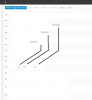
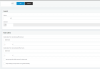
trunk has a DID attached to it, now we make an incoming did rule to route my private number just to my ext.

see attached.9849


9850
 
. We cannot find an easy option to configure this unless we create each DID individually at the provider end and then do the required config inside 3cx?
You shouldn't have to to configure anything at the provider end, You purchase some DID's, or a range, they do the rest in routing out on your trunk. Your configuration in 3CX then sends the call to the destination that you have chosen. (as above)
 
Do you already have the DDI numbers ?

If so then you have to add them to your trunk, and create DDI inbound rules. I would create one inbound rule, export it and create the others required and import the file back in.

It maybe time consuming at the beginning, but you only have to do it once.

Test with one, as you may have to adjust your DDI numbers , all depends how their are presented to 3CX. You may have to use an asterisk i.e. *123456 will match any number ending in 123456.

Note : you only have to create DDI inbound rules you want to route, else it will use the default sip rule.

Thanks Saqqara - we did try one DID / DDI and it worked. I think you have answered our question as in we will need to create individual config for each user who needs a direct dial option (if i have read your reply properly)

I think our numbers form our provider are all DID options, though not being a VOIP or phone specialist, i am not 100% sure :-)
 
You shouldn't have to to configure anything at the provider end, You purchase some DID's, or a range, they do the rest in routing out on your trunk. Your configuration in 3CX then sends the call to the destination that you have chosen. (as above)

Thanks Leejor - we will look into the options given above and try again. It sounds like we are not understanding correctly how to configure our setup. Maybe a few days away form it and some beer will help!
 
Just keep in mind that a DID service simply sends the dialled number in an additional field in the Invite. You have to tell 3CX what to do with that information, how to route. It doesn't automatically match the digits and ring an extension. You can route the call(s) anywhere in the PBX not just to extensions that match that last few digits of the DID.
 
@leejor You absolutely might need to configure something at the provider end. You have to make sure the DID you have on your account is actually routed to the trunk on your 3CX. This typically doesn't happen automatically.

@Serco

You seem to want some sort of magic PBX. I'm not sure what PBX you may have worked with that some how magically knows all the phone numbers that could come into the system and route them but this isn't one of them. Somehow, you have to tell 3CX about the numbers it's responsible for any how to route them. So yes this is either individually or by filling out a CSV file and importing it but you need to do it. If you have a lot of DIDs then yes it can be time consuming so beer definitely might help.
 
@leejor You absolutely might need to configure something at the provider end. You have to make sure the DID you have on your account is actually routed to the trunk on your 3CX. This typically doesn't happen automatically.
Sure, if you have a number of trunks (services) with a provider. If you have one trunk, and ordered 20 DID numbers, I would expect them to do the necessary routing at their end then provide me with me the required registration settings for the trunk on the PBX, and the digit format(s) both directions.
 
Most providers I've used (and we ourselves) just add the DID to the account. The user could have multiple trunks, could want to do call forwarding on the provider end, etc.
 
Most providers I've used (and we ourselves) just add the DID to the account. The user could have multiple trunks, could want to do call forwarding on the provider end, etc.
HI Cobaltit
This is exactly what we had to do - configure all DIDs up on our provider end but we didn't have hundreds like some businesses (phew!). I haven't ever worked with phone systems so I really don't know how these things work so perhaps I was hoping for some kind of magic :)

Appreciate all the replies to my query as each person brings a different aspect or viewpoint on how to do things or how to look at it. This is now working so thanks to all.
 
Great, glad it's working. Yeah there's no one right way to do things, and while most providers/systems/installers follow similar methods sometimes there's just enough differences to make things go awry. Thanks for posting your resolution.
 
You seem to want some sort of magic PBX. I'm not sure what PBX you may have worked with that some how magically knows all the phone numbers that could come into the system and route them but this isn't one of them. Somehow, you have to tell 3CX about the numbers it's responsible for any how to route them. So yes this is either individually or by filling out a CSV file and importing it but you need to do it. If you have a lot of DIDs then yes it can be time consuming so beer definitely might help.

I've seen global rules - like *xxx routes to extension xxx in systems.
 
Status
Not open for further replies.

Forum statistics

Threads
111,916
Messages
589,724
Members
164,788
Latest member
Erich Münger