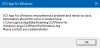
I think that may have been before the conference took place. I did some more testing, and I found the logs relating to unhandled exceptions this time. I replaced our pin and ip addresses with 'omitted', but they were accurate to our system:
[27.08.2020 15:05:19.039][1] ResponseAcknowledge: 'Invalid PIN specified: '[omitted]'' received on MyPhone.Notifications.RequestUpsertScheduledConference
[27.08.2020 15:05:19.084][1] Error event caught, Cannot send request: RequestGetConferenceSchedule, channel [ 65443729 with https://[omitted]/myphone/MPWebService.asmx ]
[27.08.2020 15:05:19.087][1] System.Exception: Conference schedule with pin [omitted] does not have id=0
at MyPhoneClientChannelNet.Implementation.ClientChannelImpl.<RequestAsync>d__67.MoveNext()
[27.08.2020 15:05:19.143][1] Error occurred in application current domain - app domain unhandled exception
[27.08.2020 15:05:19.167][1] System.Exception: Conference schedule with pin [omitted] does not have id=0
at MyPhoneClientChannelNet.Implementation.ClientChannelImpl.<RequestAsync>d__67.MoveNext()
--- End of stack trace from previous location where exception was thrown ---
at System.Runtime.CompilerServices.TaskAwaiter.ThrowForNonSuccess(Task task)
at System.Runtime.CompilerServices.TaskAwaiter.HandleNonSuccessAndDebuggerNotification(Task task)
at _3CXWin8Phone.ViewModel.ConferenceAPI.<UpdateScheduledAudioConferenceData>d__4.MoveNext()
--- End of stack trace from previous location where exception was thrown ---
at System.Runtime.CompilerServices.TaskAwaiter.ThrowForNonSuccess(Task task)
at System.Runtime.CompilerServices.TaskAwaiter.HandleNonSuccessAndDebuggerNotification(Task task)
at _3CXWin8Phone.ViewModel.ConferenceAPI.<>c__DisplayClass3_0.<<CreateOrUpdateAudioConference>b__9>d.MoveNext()
--- End of stack trace from previous location where exception was thrown ---
at System.Runtime.CompilerServices.AsyncMethodBuilderCore.<>c.<ThrowAsync>b__6_0(Object state)
at System.Windows.Threading.ExceptionWrapper.InternalRealCall(Delegate callback, Object args, Int32 numArgs)
at System.Windows.Threading.ExceptionWrapper.TryCatchWhen(Object source, Delegate callback, Object args, Int32 numArgs, Delegate catchHandler)
at System.Windows.Threading.DispatcherOperation.InvokeImpl()
at System.Windows.Threading.DispatcherOperation.InvokeInSecurityContext(Object state)
at System.Threading.ExecutionContext.RunInternal(ExecutionContext executionContext, ContextCallback callback, Object state, Boolean preserveSyncCtx)
at System.Threading.ExecutionContext.Run(ExecutionContext executionContext, ContextCallback callback, Object state, Boolean preserveSyncCtx)
at System.Threading.ExecutionContext.Run(ExecutionContext executionContext, ContextCallback callback, Object state)
at MS.Internal.CulturePreservingExecutionContext.Run(CulturePreservingExecutionContext executionContext, ContextCallback callback, Object state)
at System.Windows.Threading.DispatcherOperation.Invoke()
at System.Windows.Threading.Dispatcher.ProcessQueue()
at System.Windows.Threading.Dispatcher.WndProcHook(IntPtr hwnd, Int32 msg, IntPtr wParam, IntPtr lParam, Boolean& handled)
at MS.Win32.HwndWrapper.WndProc(IntPtr hwnd, Int32 msg, IntPtr wParam, IntPtr lParam, Boolean& handled)
at MS.Win32.HwndSubclass.DispatcherCallbackOperation(Object o)
at System.Windows.Threading.ExceptionWrapper.InternalRealCall(Delegate callback, Object args, Int32 numArgs)
at System.Windows.Threading.ExceptionWrapper.TryCatchWhen(Object source, Delegate callback, Object args, Int32 numArgs, Delegate catchHandler)
at System.Windows.Threading.Dispatcher.LegacyInvokeImpl(DispatcherPriority priority, TimeSpan timeout, Delegate method, Object args, Int32 numArgs)
at MS.Win32.HwndSubclass.SubclassWndProc(IntPtr hwnd, Int32 msg, IntPtr wParam, IntPtr lParam)
at MS.Win32.UnsafeNativeMethods.DispatchMessage(MSG& msg)
at System.Windows.Threading.Dispatcher.PushFrameImpl(DispatcherFrame frame)
at System.Windows.Threading.Dispatcher.PushFrame(DispatcherFrame frame)
at System.Windows.Application.RunDispatcher(Object ignore)
at System.Windows.Application.RunInternal(Window window)
at System.Windows.Application.Run(Window window)
at _3CXWin8Phone.App.Main()