Assigned username and password on local phone

Status
Not open for further replies.

jessetechno

New User
Basic Certified
Joined
May 29, 2020
Messages
8
Reaction score
2
I KNOW this is a stupid question, but I cannot for the life of me find the answer anywhere. My 3CX system provisions my yealink phones and changes how the phones admin panel works. Its a simple popup window requiring a username and password to access the local phone over IP. 3CX changes the username and password of the physical phone and I have no way to know what it has changed it to. What does 3cx change the username and password to after provisioning the device?

Devices: Yealink T42S
 
Last edited:
  • Like
Reactions: Evolute IT
The password is randomly generated when using 3CX defaults and should be kept that way. You can find the password in a number of places depending on your version of 3CX but typically it would be the phones tab in the main console or on the phone provisioning tab for the extension. That being said, if you don't know where to find it you must be pretty new to 3CX which leads to the question, why do you need to get into the phone? Nothing should be changed directly in the phone unless you know what you are doing and understand the repercussions. So perhaps if you can explain what you are trying to do we can recommend a 3CX supported way of doing it.
 
Last edited:
  • Like
Reactions: Evolute IT
@cobaltit Your post is the most helpful for sure. I am trying to change the provision url port in the phone because we have made some changes to the network and the phones no longer have connection to the 3CX that is located off site. So that is why I need to get into the settings locally.

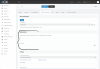
I tried using the "Authentication" under "Phone Provisioning" but the 'id' and 'password' provided by the system.
Screen Shot 2020-10-09 at 10.06.08 AM.png
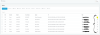
But it don't work when I enter them into the login window that comes up.
Screen Shot 2020-10-09 at 10.06.25 AM.png
 
The one you use is for extension to register not to use for phone admin gui

As I said in #2 infos you are searching are there
1602262257691.png
 
@jessetechno

So if you have a number of phones, it would be easier to setup DHCP Option 66 and then just reboot the phones. That may be how the phones currently get the provisioning information.

https://www.3cx.com/sip-phones/dhcp-option-66/

Then you won't need to web into a single phone.
 
Status
Not open for further replies.

Latest Posts

Forum statistics

Threads
111,964
Messages
590,007
Members
164,870
Latest member
nizammoktar