ATA won't connect on UDP

Status
Not open for further replies.

Peter Richardson

Customer
Basic Certified
Joined
Apr 6, 2017
Messages
286
Reaction score
16
Hi all,

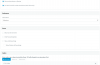
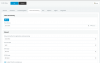
I'm using a Cisco SPA112. I can't get it to register with 3CX using UDP in the ATA. I have attached the settings I have used. I have enabled "use of extension outside the LAN". I have forwarded TCP and UDP on port 5060 to the PBX on the firewall. I'm not sure what else to check. Any ideas?
 

Attachments

  • Screenshot 2017-06-18 11.29.35.png
    Screenshot 2017-06-18 11.29.35.png
    172.4 KB · Views: 31
  • Screenshot 2017-06-18 11.29.47.png
    Screenshot 2017-06-18 11.29.47.png
    163.1 KB · Views: 30
you need to connect the ata via the WAN port not the LAN port.

EDIT

Whoops saw your model as 122 not 112. you need to set the fax up under fax extensions not extensions.

Been there done that :)
 
When your device attempts registration, what shows in the 3CX Activity Log? Does an attempt show up? If so, are there error messages, reasons it is rejected?
 
Thanks guys. I'll check the error logs. Can anyone tell me what the advantage or point is of setting it up through the "fax extensions" section? How exactly does 3CX handle the registration from the ATA differently? Etc.
 
not 100% but probably enables the fax codec support, IE t.38. all i know is mine works 100% as a fax extension once the ata had t.38 enabled.
 
Thanks Brad!

Anyone else know what the "fax extension" actually does behind the scenes?
 
Fax extensions give you the option of T38 support. Where a normal extension cannot support T.38 a fax extension can as it is "bound" to the fax server of the PBX.
 
Fax extensions give you the option of T38 support. Where a normal extension cannot support T.38 a fax extension can as it is "bound" to the fax server of the PBX.

But this automatically sets the extension to "disable outside LAN" (which is not an option but we can see in the logs that it is being blocked). 3CX is touted as a "cloud PBX" but it can't even run a basic fax machine unless it's on the LAN. This is an absolute disgrace. I can't believe that every 3CX customer is denied using fax machines.
 
But this automatically sets the extension to "disable outside LAN" (which is not an option but we can see in the logs that it is being blocked). 3CX is touted as a "cloud PBX" but it can't even run a basic fax machine unless it's on the LAN. This is an absolute disgrace. I can't believe that every 3CX customer is denied using fax machines.
how many people have a fax machine in their office connected to a cloud pbx for outbound through a wan? Why would you just not use a sip trunk to carry it rather then go out through your wan to go into someone elses (IE Hosted PBX Provider) wan to then go back out again? Just set it the way you've been told and it works just fine. we probably send ~ 20 faxes a week without issue through our xerox copier/fax machine via the same ata you use...
 
how many people have a fax machine in their office connected to a cloud pbx for outbound through a wan? Why would you just not use a sip trunk to carry it rather then go out through your wan to go into someone elses (IE Hosted PBX Provider) wan to then go back out again? Just set it the way you've been told and it works just fine. we probably send ~ 20 faxes a week without issue through our xerox copier/fax machine via the same ata you use...

So you're suggesting that we bypass 3CX altogether for the fax ATA? We provide VoIP services to our customers and we use 3CX to do this. Having complex and custom routes for every customer would get messy very quickly.
 
i don't know your config, but with our config (Hosted internally), we merely just setup a Fax extension through the fax extension tab, and registered it through the ATA to our internally hosted PBX, and made sure the appropriate settings were turned on on the ATA (T38/fax stuff). If your cloud hosted, i don't know how it would work, but i'd imagine the only real difference is the IP address your registering your ATA to.

Create the extension through Fax extensions, NOT phone extensions.

Otherwise just register your ata through some local sip provider who supports fax.
 
That's fine for an internally based service, as what you have. But that is not what we provide our customers. We provide a cloud hosted PBX service for our customers.

As I said before, we have done this but 3CX is blocking our extension that we have indeed created under Fax Extensions with an error about it blocking connections from outside the LAN.

We don't want to have multiple providers for every customer that wants a fax machine, this makes things unnecessarily complex.
 
So has anyone on this planet been able to successfully get a fax machine to work with a cloud hosted 3CX?
 
No, and unlikely until 3CX will allow it outside the LAN given your current configuration. Your other option might be to try a VPN between sites. t.38 is not foolproof and while it may function as intended, it is mostly dependent on a reliable and stable end to end internet connection. In my area, we are not blessed with a plethora of ISP providers from which to choose and while many will handle the HTTP and like traffic fine, RTP is another matter. As a result, and after years of trying with every ATA known to man (I think), I have moved to fax using HTTPS. Yes, another registration and a higher initial cost (device) than the ATA, but usually able to recover the device cost over POTS line cost in about 12 months or so as the monthly service for some HTTPS providers is cheaper than a monthly POTS. So far, in over 3 years of use with numerous clients, it has proven to be every bit as reliable as copper.

While the ATA may be fine in your scenario, the HTTPS may be your only real hope if the other does not work out ; even if using VPN, 3CX allows or getting a separate ATA registration.
 
I gave up on setting up an ATA for fax via 3CX. Now I just create a separate sub account with my SIP provider, attach the fax number to that sub account, and register the ATA directly with the SIP provider. It saves some hops, has fewer "opportunities" for problems, and has been much more reliable.
 
I'm using AudioCodes Mediant MP-112 in my office remotely to a cloud 3CX server into a data-center with 100% success rate for several years already. The SIP provider is supporting only T.38 fax. I have an IPsec VPN between my office and the data-center.
 
Thanks very much @sip.bg I'll buy one of these and let you know how I go!
 
You still need VPN, otherwise 3CX will not register fax extension out-of-LAN.
 
So personally we only offer FoIP to clients we don't like and with a big disclaimer that we don't support it. We recommend all customers that actually care about faxing keep a POTS line for outbound faxing and we use 3CX built-in fax server for inbound. Other solutions are using the same provider handling PBX dialtone and routing the fax number to a 2nd trunk registered directly to the ATA. If you really want reliable FoIP then you go AudioCodes HTTPS faxing but that will most likely require a second provider.
 
Status
Not open for further replies.

Forum statistics

Threads
112,326
Messages
591,900
Members
165,479
Latest member
Senergia