Solved Authentication to call Dynamic 365 CRM API

Status
Not open for further replies.

Tin Nwe Win

Gold Partner
Joined
Jul 3, 2021
Messages
218
Reaction score
25
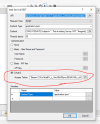
Can you please help me with how to do Authentication to call Dynamic 365 CRM API?

Thank you in advance for your help.
 

Attachments

  • 1645117920156.png
    1645117920156.png
    37.3 KB · Views: 20
Can you please help me with how to do Authentication to call Dynamic 365 CRM API?

Thank you in advance for your help.
You need OAuth2, in this case the access token.

What are you trying to invoke in Dynamics? Since you can use the CRM Lookups in CFD.
 
  • Like
Reactions: edossantos
I want to update CRM's contact activity, not to retrieve.
CRM Lookup can only be retrieved right?

My function is to update Survey Rating of Caller Feedback to Dynamic 365 CRM's customer timeline.

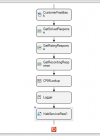
So, I implement the CFD as below -
1) Create Survey Component
2) Get CRM's Contact ID using CRMLookup Component
3) Update Caller's feedback to CRM's Contact Activity Timeline using CRM API

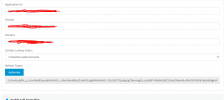
In this Item No 3, I can't access to CRM API and returned 401 status code.

For OAuth 2, can I use the refresh token from 3CX CRM Integration?

Thanks you for your help.

1645156358754.png
1645156074718.png

1645156103387.png
 
Can anyone help me?
I need this urgent
 
I do not know of any ways to use the token from the integration.
 
@ConceptsWeb
Thanks for your reply.
Your answer is "You need OAuth2, in this case the access token."
So, how do I get access token?

Thanks you
 
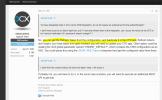
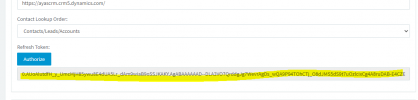
In order to get the Refresh Token from the 3CX configuration, you will need to read the global parameter "CRMINT_DEFAULT". This parameter contains an XML with the configuration, and includes the Refresh Token. You will need to parse this XML and get the token. Once you have the Refresh Token, you will need to invoke the OAuth2 token endpoint to get an Access Token, and finally use this Access Token in your API call.
 
  • Like
Reactions: Evolute IT
Last edited:
Hi @edossantos,

Thank you so much for your help reply.
As per you reply at the post https://www.3cx.com/community/threads/multiple-api-call-to-get-agent-extension-in-cfd.84402/ can I use the hardcode of Refresh Token?

View attachment 28772

View attachment 28773
Unfortunately this is not the case for Dynamics. The Refresh Token they provide expires after 90 days, and every time you ask for an Access Token you get an updated Refresh Token. As a consequence, in this case you will need to take the value from the 3CX configuration, by parsing the XML. This is a pretty simple task anyway, as you have the JSON / XML Parser component.
 
@edossantos

Thanks you so much for your reply.
Which one should I use JSON/XML Parser or Get Global Property component to get Access Token from 3CX configuration.
 
@edossantos

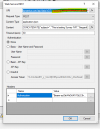
I can't get Refresh Token variable from Global Parameter using JSON/XML parser.
I have attached the my testing CFD and XML.
Could you please help check on my CFD.
 
Please remove the XML attachment, it contains your Dynamics token, anyone can access your system with that.

After checking the XML, you can't get the value you need using the JSON / XML Parser, because you need to identify the node by the name, and then get the associated value. There is no Xpath to give you that. You will need to create a piece of C# script to parse the XML and get the value you need.
 
@edossantos

Thanks for your help. I dont see how to delete attachment.
 
@edossantos

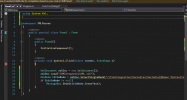
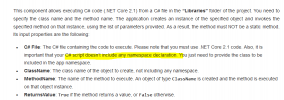
As per Execute C# File documentation, C# script can't include any namespace declaration.
To get value from XML file with C#, I need to add System.Xml.
Please help how should I continue.

Thank you so much.

1647944105256.png

1647944129494.png
 
@edossantos

Thanks for your help. I dont see how to delete attachment.
Edit your post and then delete the attachment. In any case, please revoke the token from Dynamics, so it can't be used, as it has been exposed for too long.

@edossantos

As per Execute C# File documentation, C# script can't include any namespace declaration.
To get value from XML file with C#, I need to add System.Xml.
Please help how should I continue.

Thank you so much.

View attachment 28886

View attachment 28887
You can add the using System.Xml; statement at the top. What you can't have is the namespace XMLParser line. Just add your class, and you will be fine.
 
@edossantos

At your reply "Edit your post and then delete the attachment. In any case, please revoke the token from Dynamics, so it can't be used, as it has been exposed for too long."

What you mean " In any case, please revoke the token from Dynamics, so it can't be used, as it has been exposed for too long"?
 
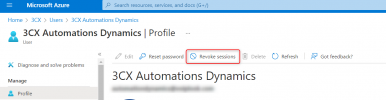
Just to be clear, the refresh token is similar to a password. It will give anyone access to your account. And you published it in this forum, so anyone reading this can access your Dynamics account using the REST API, add contacts, delete information, etc. You must revoke this token, so it's not valid anymore. In order to revoke the token, please check this:
https://docs.microsoft.com/en-us/azure/active-directory/enterprise-users/users-revoke-access

There are power shell commands to do that. If you're not sure how to proceed, please contact Microsoft support.
 
In order to revoke the token from the UI, go to https://portal.azure.com, then Azure Active Directory > Users > select your user (the one you used to authorize 3CX from the management console), and then Revoke sessions.
1647949369790.png
 
@edossantos

Thanks for your explanation.
Now, I dont see edit button at post to delete attachment
 
Status
Not open for further replies.

Forum statistics

Threads
112,322
Messages
591,887
Members
165,470
Latest member
Robert Lee