Auto detect end of recording

Status
Not open for further replies.

chrism_ctai

Premier Customer
Basic Certified
Joined
Dec 10, 2023
Messages
6
Reaction score
0
Hi all,

Just working on a call flow at the moment with the Record block, and need to automatically detect silence or the end of speech, instead of pressing a key to finish the recording.

I was having a look at ‘Voice Input’ which has this functionality however I don’t want the text to be transcribed, even if this block can save a file, I just need the audio recording. Synthesising with Google Cloud adds a significant amount of latency which I’m not too happy with.

I did think it might be possible to remove the synthesis in the voice input by removing the lines of code in the CFD once it is compiled but I haven’t particularly had a look at this yet.

Solutions or help would be appreciated!
 
Hello @chrism_ctai,

The standard components we provide will not let you do this. You would need to analyze the audio stream to do that. Editing the C# code will also not help, because the code that interacts with Google Cloud for speech recognition is inside a DLL, and not in the C# code that you can see in the editor.
 
Hi @edossantos,

Thanks for the reply and advice. I'm going to see if there is a way to do this by doing as you suggested, analyzing the audio stream. If I work out anything, I will reply here.
 
Hello,

are there any updates on this topic? How can I analyze the audio stream?

I'm experiencing an issue in a call flow where the valid prompt playback interrupts the caller as soon as a word is recognized, even though the caller is still speaking.
 
Hello,

are there any updates on this topic? How can I analyze the audio stream?

I'm experiencing an issue in a call flow where the valid prompt playback interrupts the caller as soon as a word is recognized, even though the caller is still speaking.
You'll need to record the audio, then transcribe it manually with the Transcribe component.
 
  • Like
Reactions: CISCOX
Thank you for your response.

Can you show me how the components should look?
Are you referring to the Voice Input component or the Record Audio component? Do we only need two blocks?

The recognition should happen in real-time, similar to how the Voice Input component operates.

Edit:

Or is it possible for a Voice Input to trigger a silent DTMF, causing the prompt playback to be interrupted?
 
Last edited:
Thank you for your response.

Can you show me how the components should look?
Are you referring to the Voice Input component or the Record Audio component? Do we only need two blocks?

The recognition should happen in real-time, similar to how the Voice Input component operates.

Edit:

Or is it possible for a Voice Input to trigger a silent DTMF, causing the prompt playback to be interrupted?
Honestly you'll need to compromise here.

Either you use Record Audio + Transcribe and can thus let the person speak completely - or - you use the Voice Input which does transcription in real-time.

You cannot do both.
 
Does record and transcribe recognize the end of speaking?
 
Does record and transcribe recognize the end of speaking?
No, the Record component will record audio for the duration you specify, or until the user presses a DTMF key. There is no speech analysis here.

The Voice Input component streams the audio in real time to Google Cloud, and it's Google who performs the speech analysis and returns the transcribed text in real time. Then the Voice Input component will stop processing the audio if some word from the Dictionary is found in the transcribed audio. If you don't want to stop the caller from speaking, leave the Dictionary empty. This will cause that the Voice Input component recognizes audio until the user stops speaking for the duration you specify as Timeout (maybe 2/3 seconds). Then, you have the full recognized text to analyze in a C# script.
 
  • Like
Reactions: Evolute IT
That‘s what I want. Could you tell me please an example of C Code?
 
Hi all,

Just working on a call flow at the moment with the Record block, and need to automatically detect silence or the end of speech, instead of pressing a key to finish the recording.

I was having a look at ‘Voice Input’ which has this functionality however I don’t want the text to be transcribed, even if this block can save a file, I just need the audio recording. Synthesising with Google Cloud adds a significant amount of latency which I’m not too happy with.

I did think it might be possible to remove the synthesis in the voice input by removing the lines of code in the CFD once it is compiled but I haven’t particularly had a look at this yet.

Solutions or help would be appreciated!

Delete all entries in Voice Input -> Dictionary.

However, this causes Valid Input to be delayed by 3-4 seconds, likely due to waiting for a response from Google Cloud.

This isn't a good solution for me either because the caller might think nobody is on the line anymore or that their input wasn't recognized, potentially prompting them to speak again.
 
Delete all entries in Voice Input -> Dictionary.

However, this causes Valid Input to be delayed by 3-4 seconds, likely due to waiting for a response from Google Cloud.

This isn't a good solution for me either because the caller might think nobody is on the line anymore or that their input wasn't recognized, potentially prompting them to speak again.
Can't have everything pal. Gotta compromise. Maybe tell the caller.
 
  • Like
Reactions: edossantos
You can reduce the Timeout property to 1 or 2 seconds maybe?
 
Do you mean invalid timeout?
 
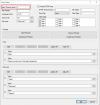
This Input Timeout:
1708617238259.png
 
Yes there I have 4 sec, because of the 2nd block voice input for „Hello are you there?“ prompt playback. I will try your option. Thank you.
 
Status
Not open for further replies.

Forum statistics

Threads
111,973
Messages
590,076
Members
164,895
Latest member
jasonkkrause