- Joined
- Oct 12, 2020
- Messages
- 263
- Reaction score
- 29
3CX Version, e.g. Standard Annual 18.0.1880
Server OS, Raspberry Pi 4
3cx hosted locally
Provisioning Method: Local
Trunk Provider: Call Centric
Has the Firewall Checker passed: YES
Are custom Phone Templates being used: NO
This was happening before the update but let me explain the issue.
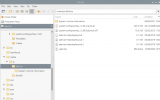
I had automatic back ups set up for an external hard drive connected to the Pi. Everything was showing that this was happening, until one day I see everything is being saved locally for some reason. So I look and for some reason there is a partition in my SD card named the same thing as my external. No idea why. I eject it, move all the save files that were there (it /WAS/ saving back ups there, but also locally for some reason?), refomratted it as exfat instead of ntfs, and mounted it.
I went through and had it point all back ups to the external drive. Having last night's back up, I went ahead with the update, hoping it might help our audio issue. Now it isnt backing up to the external.
How do I give 3cx access to this hard drive that shouldn't have any permissions on it?
Thanks in advance yall.
Server OS, Raspberry Pi 4
3cx hosted locally
Provisioning Method: Local
Trunk Provider: Call Centric
Has the Firewall Checker passed: YES
Are custom Phone Templates being used: NO
This was happening before the update but let me explain the issue.
I had automatic back ups set up for an external hard drive connected to the Pi. Everything was showing that this was happening, until one day I see everything is being saved locally for some reason. So I look and for some reason there is a partition in my SD card named the same thing as my external. No idea why. I eject it, move all the save files that were there (it /WAS/ saving back ups there, but also locally for some reason?), refomratted it as exfat instead of ntfs, and mounted it.
I went through and had it point all back ups to the external drive. Having last night's back up, I went ahead with the update, hoping it might help our audio issue. Now it isnt backing up to the external.
How do I give 3cx access to this hard drive that shouldn't have any permissions on it?
Thanks in advance yall.
Your 3CX backup failed due to the following reason(s):
System.UnauthorizedAccessException: Access to the path '/media/pi/BackUp/3CXScheduledBackup.zip.tmp' is denied.
---> System.IO.IOException: Permission denied
--- End of inner exception stack trace ---
at Interop.ThrowExceptionForIoErrno(ErrorInfo errorInfo, String path, Boolean isDirectory, Func`2 errorRewriter)
at Microsoft.Win32.SafeHandles.SafeFileHandle.Open(String path, OpenFlags flags, Int32 mode)
at System.IO.FileStream.OpenHandle(FileMode mode, FileShare share, FileOptions options)
at System.IO.FileStream..ctor(String path, FileMode mode, FileAccess access, FileShare share, Int32 bufferSize, FileOptions options)
at System.IO.FileStream..ctor(String path, FileMode mode, FileAccess access, FileShare share)
at _3cxFilesystemImplementations.Local.LocalFilesystem.CreateFile(String filename)
at _3cxBackupRestoreImpl.BackupRestoreUtils.Backup(IFilesystem filesystem, String instanceId, String cfgPath, String dbConnectionString, BackupConfig options, String fullpathFilename, Boolean sendEmail)
at BackupRestoreSchedule.BackupJob.Execute(IJobExecutionContext context)

 honesystem /media/pi/BackUp"