• We do not provide troubleshooting help for unsupported phones. Please try with a supported phone.
  • V20 Update 10 Alpha Learn more

Solved BLF Keys greyed out.

Status
Not open for further replies.

bustech

Trainee Partner
Joined
Feb 2, 2022
Messages
11
Reaction score
1
I did a new install of 3cx linux based, 18.0 Update 8(Build 917). It is the current version that does not have the local IP for provisioning anymore, you have to use the FDQN. I have all the BLF configured for each extension and they show up on the grand stream 2170's but they are greyed out. If I make a change to a BLF and re provision the phone it makes the change they just stay grey out. Just cant figure out why they are greyed out.
 
Hello,

Did the PBX activate successfully?
 
It is online and all incoming and outgoing calls work. How do I check activation?
 
Click on your license in the management console and refresh it.

There should be no error messages if all is ok.
 
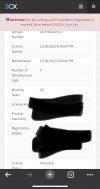
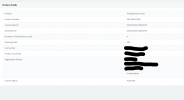
IMG_1951.jpegit says it’s activated. But at the top of the screen there is message that a free account needs registered.
 
I got my license upgraded to a professional key and the buttons still do not work. They remain greyed out.
 

Attachments

  • 3cx.png
    3cx.png
    28.1 KB · Views: 9
Restart pbx and see if that helps
 
Restarting did not change anything
 
Reset/reprovision phone
 
It is happening on all 6 phones I have. I have reset them all multiple times and reconfigured the BLF keys in 3cx with no change.
 
Are the phones on LAN / SBC / or STUN mode?
 
Are you using a SBC? If not BLF Keys may not work
 
They are all on Local Lan but with 3cx new update the interface has to be the fqdn. There is not an option to set it to a local IP anymore.
 
And do you have split DNS entries on your LAN?
 
I'm not sure how you ended up in this scenario then, but read the blog post and turn off local RPS
https://www.3cx.com/blog/releases/v18-u8a-beta/


After this, remove the phones and factory reset them. Then assign them again fresh and you should have the ability to provision using the local PBX IP insted of the FQDN (provided your NIC actually has a LAN IP and you didnt bind a public IP to it)
 
  • Like
Reactions: CentrexJ
That worked. Thanks for the help.
 
  • Like
Reactions: JohnS_3CX
Status
Not open for further replies.

Members Online Now

Forum statistics

Threads
111,831
Messages
589,277
Members
164,660
Latest member
RJenkinsROCK