Bridge Caller ID

Status
Not open for further replies.

craigreilly

Free User
Joined
Feb 1, 2012
Messages
4,134
Reaction score
577
Bridge calls are working ok between 2 sites.
The Main site is 4 digit extensions
Remote site is 3 digit extensions

The remote site extensions are 920-960 (Same extensions from legacy system. Not sure I am thrilled with the 911 emergency code in the same range though.)

The internal site id is 109.

So, the dialing rule is dial "109" then last 2 of extension. so 10920
The rule strips the 10 and dials over the bridge.
Works great.

So - on to the issue. On an iPhone and Yealink (not sure about Android. But 3cx Phone for Windows is ok):
Now when I call the main site from remote side, it has only the 3 digit extension. So, I go into the bridge setup at Main site and add "Outbound Rule Prefix" of 10. This way, it should show 10920. Instead it shows 0920. So, instead I add 110 as the outbound rule prefix and it shows correctly. If I change these to a 5 or 55 then both digits show.

Any idea why the first digit is now showing when set to 10?
 
Did you investigate as to where the "1" is being stripped? If it is being sent in the SIP message, then obviously the destination PBX is stripping it. Might narrow what to look for. Was there any CID manipulation set-up for other "outside" calls?

And that extension range choice (9XX), was...unfortunate, to say the least.
 
Kicking myself for not changing the 900 range of extensions. Not awful. Not an industrial plant where we work with chemicals. :) Our corporate office used to be 9xx as well before I went to 3cx and changed to 4 digit extensions. But they had to dial 9 to get an outside line to call 911 on the legacy system.
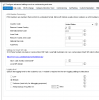
So, onto the issue:
The CID for iPhone: 0920
The CID for Yealink: 0920
The CID on 3cxPhone for Windows: 10920

I changed my outbound rule to strip 0 - just to ensure that it wasn't matching the bridge outbound rule on incoming calls... not something I expected, but wanted to test.

Looking at 3cx log, notice the top entry from the call shows 10900 and the second entry shows 0900.


Even stranger: The 3cx Phone on incoming call shows 0900 and the Recent Call shows 10900.

08-Jan-2015 09:54:28.412 [CM503027]: Call(C:25357): From: Line:10006<<+10900 ("NOCAL Receptionist" <sip:[email protected]:5060>) to T:Extn:4954@[Dev:sip:[email protected]:5062]

08-Jan-2015 09:54:28.442 Route to L:25357.2[Extn] sends Invite-OUT Send Req INVITE from 0.0.0.0:0 tid=5f560a316138500b Call-ID=OTk0ZDYyZjNlYTRhNmEwMjA3Y2Q4ZTdhZjcwYzNmMmY.:
INVITE sip:[email protected]:5062 SIP/2.0
Via: SIP/2.0/ ;branch=z9hG4bK-d8754z-5f560a316138500b-1---d8754z-;rport
Max-Forwards: 70
Contact: <sip:[email protected]:5060>
To: <sip:[email protected]>
From: "NOCAL Receptionist"<sip:[email protected]:5060;nf=b>;tag=04378c61
Call-ID: OTk0ZDYyZjNlYTRhNmEwMjA3Y2Q4ZTdhZjcwYzNmMmY.
CSeq: 1 INVITE
Alert-Info: <http://www.notused.invalidtld>;info=national
Allow: INVITE, ACK, CANCEL, OPTIONS, BYE, REGISTER, SUBSCRIBE, NOTIFY, REFER, INFO, MESSAGE
Content-Type: application/sdp
Supported: replaces
Content-Length: 398
 
Yes that is the call. 900 is the remote receptionist.
The main office bridge setup says dial 10 to reach them.
 
Are there rules set up to manipulate caller ID (strip digits) on any inbound calls?

Does the calling extension have a number set in the number to be displayed field?

Have you used Wireshark to compare calls?
 
Are there rules set up to manipulate caller ID (strip digits) on any inbound calls?
I do not know how to manipulate inbound caller id on the bridge, except the PREFIX field.

Does the calling extension have a number set in the number to be displayed field?
No outbound caller id is set. The extension # is what is showing on the MAIN office side when a call comes in.
If I leave the PREFIX field blank on the Bridge for incoming side - All I see is the extension. This is not good for MISSED CALLS when I want to look at history and redial.

Have you used Wireshark to compare calls?
Compare calls? There is 1 call. The call from Remote to Local.
Just different result where I view it. All 3 devices are live at the same time: 3cx Phone for Windows, Deskphone and iPhone.

I am out of office today. Plan to do some more research on Monday.
 
Tried with another bridged system. The logs below could be a bit confusing as the Grand-stream was used to place the call on the Remote PBX (configured remotely), as well as one of the registered endpoints on the MAIN 3cx system.

The Bridge Virtual Ext # is 10155
Bridge is set to prefix 1155.
My outbound rule is set for 155 prefix (doesn't appear to matter as we strip 3)
I want the phones to show 155+ext in the incoming call and the history.

The call coming into the PBX
Code:
13-Jan-2015 16:25:09.892	[Flow] Call(C:27221): making call from L:27221.1[Line:10155<<+115544] to T:Extn:4954@[Dev:sip:[email protected]:49682,Dev:sip:[email protected]:22632,Dev:sip:[email protected]:5062,Dev:sip:[email protected]:5077;ob;inst="684864",Dev:sip:[email protected]:43433,Dev:sip:[email protected]:24986,Dev:sip:[email protected]:5488;rinstance=90812a9110e4b72e]
13-Jan-2015 16:25:09.892	[CM503027]: Call(C:27221): From: Line:10155<<+115544 ("Craig Test" <sip:[email protected]:5060>)  to  T:Extn:4954@[Dev:sip:[email protected]:49682,Dev:sip:[email protected]:22632,Dev:sip:[email protected]:5062,Dev:sip:[email protected]:5077;ob;inst="684864",Dev:sip:[email protected]:43433,Dev:sip:[email protected]:24986,Dev:sip:[email protected]:5488;rinstance=90812a9110e4b72e]
13-Jan-2015 16:25:09.891	[CM503004]: Call(C:27221): Route 1: from L:27221.1[Line:10155<<+115544] to T:Extn:4954@[Dev:sip:[email protected]:49682,Dev:sip:[email protected]:22632,Dev:sip:[email protected]:5062,Dev:sip:[email protected]:5077;ob;inst="684864",Dev:sip:[email protected]:43433,Dev:sip:[email protected]:24986,Dev:sip:[email protected]:5488;rinstance=90812a9110e4b72e]


Yealink shows 15544. (1 digit stripped)
Code:
13-Jan-2015 16:25:09.934	Route to L:27221.4[Extn] sends Invite-OUT Send Req INVITE from 0.0.0.0:0 tid=fa26a03ca5540c10 Call-ID=MThlYzBiODllYTYwODcwYzJhYWU3ZTgzZmEwYzQxOWM.:
			INVITE sip:[email protected]:5062 SIP/2.0
			Via: SIP/2.0/ ;branch=z9hG4bK-d8754z-fa26a03ca5540c10-1---d8754z-;rport
			Max-Forwards: 70
			Contact: <sip:[email protected]:5060>
			To: <sip:[email protected]>
			From: "Craig Test"<sip:[email protected]:5060;nf=b>;tag=0275bc35
			Call-ID: MThlYzBiODllYTYwODcwYzJhYWU3ZTgzZmEwYzQxOWM.
			CSeq: 1 INVITE
			Alert-Info: <http://www.notused.invalidtld>;info=national
			Allow: INVITE, ACK, CANCEL, OPTIONS, BYE, REGISTER, SUBSCRIBE, NOTIFY, REFER, INFO, MESSAGE
			Content-Type: application/sdp
			Supported: replaces
			Content-Length: 397
			
			v=0
			o=3cxPS 89170903040 134335168513 IN IP4 10.0.0.12
			s=3cxPS Audio call
			c=IN IP4 10.0.0.12
			t=0 0
			m=audio 7170 RTP/AVP 0 8 3 13 9 18 110 99 101
			a=rtpmap:0 PCMU/8000
			a=rtpmap:8 PCMA/8000
			a=rtpmap:3 GSM/8000
			a=rtpmap:13 CN/8000
			a=rtpmap:9 G722/8000
			a=rtpmap:18 G729/8000
			a=fmtp:18 annexb=no
			a=rtpmap:110 iLBC/8000
			a=rtpmap:99 SPEEX/8000
			a=rtpmap:101 telephone-event/8000
			a=sendrecv
Grand-stream shows 15544. (1 digit stripped)
Code:
13-Jan-2015 16:25:09.927	Route to L:27221.2[Extn] sends Invite-OUT Send Req INVITE from 0.0.0.0:0 tid=a749d333f26df014 Call-ID=ZGVmZDA0YjVlMDA4ODJjNjAxMTQyNWY5ODZiOWQzMGI.:
			INVITE sip:[email protected]:49682 SIP/2.0
			Via: SIP/2.0/ ;branch=z9hG4bK-d8754z-a749d333f26df014-1---d8754z-;rport
			Max-Forwards: 70
			Contact: <sip:[email protected]:5060>
			To: <sip:[email protected]>
			From: "Craig Test"<sip:[email protected]:5060;nf=b>;tag=22167530
			Call-ID: ZGVmZDA0YjVlMDA4ODJjNjAxMTQyNWY5ODZiOWQzMGI.
			CSeq: 1 INVITE
			Alert-Info: <http://www.notused.invalidtld>;info=national
			Allow: INVITE, ACK, CANCEL, OPTIONS, BYE, REGISTER, SUBSCRIBE, NOTIFY, REFER, INFO, MESSAGE
			Content-Type: application/sdp
			Supported: replaces
			Content-Length: 397
			
			v=0
			o=3cxPS 88348819456 125913006081 IN IP4 10.0.0.12
			s=3cxPS Audio call
			c=IN IP4 10.0.0.12
			t=0 0
			m=audio 7166 RTP/AVP 0 8 3 13 9 18 110 99 101
			a=rtpmap:0 PCMU/8000
			a=rtpmap:8 PCMA/8000
			a=rtpmap:3 GSM/8000
			a=rtpmap:13 CN/8000
			a=rtpmap:9 G722/8000
			a=rtpmap:18 G729/8000
			a=fmtp:18 annexb=no
			a=rtpmap:110 iLBC/8000
			a=rtpmap:99 SPEEX/8000
			a=rtpmap:101 telephone-event/8000
			a=sendrecv
3cx Phone for Windows showed 115544. This reflects bridge setup properly. Can not find the lines in the logs. Maybe because it is the IP of the server and not the desktop.

iPhone showed 115544 is history but 15544 in the incoming call.
Code:
13-Jan-2015 16:25:09.938	Route to L:27221.5[Extn] sends Invite-OUT Send Req INVITE from 0.0.0.0:0 tid=546dba3cf73fa869 Call-ID=MzZmNTIxM2YxMjMzY2QxZmIxZDliNWVkZDE2NWQxYjk.:
			INVITE sip:[email protected]:5077;ob;inst="684864" SIP/2.0
			Via: SIP/2.0/ ;branch=z9hG4bK-d8754z-546dba3cf73fa869-1---d8754z-;rport
			Max-Forwards: 70
			Contact: <sip:[email protected]:5060>
			To: <sip:[email protected]:5060>
			From: "Craig Test"<sip:[email protected]:5060;nf=b>;tag=321fab3c
			Call-ID: MzZmNTIxM2YxMjMzY2QxZmIxZDliNWVkZDE2NWQxYjk.
			CSeq: 1 INVITE
			Alert-Info: <http://www.notused.invalidtld>;info=national
			Allow: INVITE, ACK, CANCEL, OPTIONS, BYE, REGISTER, SUBSCRIBE, NOTIFY, REFER, INFO, MESSAGE
			Content-Type: application/sdp
			Supported: replaces
			Content-Length: 397
			
			v=0
			o=3cxPS 89170903040 134335168513 IN IP4 10.0.0.12
			s=3cxPS Audio call
			c=IN IP4 10.0.0.12
			t=0 0
			m=audio 7172 RTP/AVP 0 8 3 13 9 18 110 99 101
			a=rtpmap:0 PCMU/8000
			a=rtpmap:8 PCMA/8000
			a=rtpmap:3 GSM/8000
			a=rtpmap:13 CN/8000
			a=rtpmap:9 G722/8000
			a=rtpmap:18 G729/8000
			a=fmtp:18 annexb=no
			a=rtpmap:110 iLBC/8000
			a=rtpmap:99 SPEEX/8000
			a=rtpmap:101 telephone-event/8000
			a=sendrecv
 
So all three sets have the same extension number. and all three logs show the same info.

craigreilly said:
Contact: <sip:15544@10.0.0.12:5060>
To: <sip:[email protected]>

The difference being that the Windows phone shows the CID with the extra 1 prefix and that same 6 digit number shows in the iPhone history? Only the iPhone history?

I may be way off base, but wondered about the plus sign in the first log. I don't recall seeing something like that before.

craigreilly said:
13-Jan-2015 16:25:09.891 [CM503004]: Call(C:27221): Route 1: from L:27221.1[Line:10155<<+115544] to
 
I sure wish someone at 3cx might just chime in... I do not have a support contract.

+1 - like national dialing code... so, lets strip it.... but i don't have anything setup there.

I tried in the other direction - Corp to Field office:
Code:
14-Jan-2015 13:42:26.591   [Flow] Call(C:3090): making call from L:3090.1[Line:10155<<[color=#FF00FF]+1[/color]14954] to T:Extn:44@[Dev:sip:[email protected]:43729]
14-Jan-2015 13:42:26.591   [CM503027]: Call(C:3090): From: Line:10155<<+114954 ("Craig Reilly" <sip:[email protected]:5060>)  to  T:Extn:44@[Dev:sip:[email protected]:43729]
14-Jan-2015 13:42:26.591   [CM503004]: Call(C:3090): Route 1: from L:3090.1[Line:10155<<[color=#FF00BF]+1[/color]14954] to T:Extn:44@[Dev:sip:[email protected]:43729]
14-Jan-2015 13:42:26.590   [Flow] Call(C:3090): has built target endpoint: Extn:44 for call from L:3090.1[Line:10155<<+114954]

Same result.


I just tried another combination of numbers - like 22. Both stayed. It seems when it starts with a "1" is when it happens.

On my test system, I changed the country code in custom to "0".
The caller id then presented correctly.

According to this link it works as programmed. But perhaps, should not be applied to bridge calls.
http://www.3cx.com/blog/voip-howto/caller-id-processing-distinctive-ringing-alert-info/
 

Attachments

  • 3cx.png
    3cx.png
    12.3 KB · Views: 807
Anyone with a valid support contract willing to ask 3cx about this behavior?
 
Craig,

I don't understand why you are adding prefix numbers to your extensions. I have 2 locations, Manitoba is 22xx and Ontario is 330 - 390 and the interoffice dialing is just the four or three digit extension number

So in Manitoba my outbound rule for the Ontario is Calls to numbers starting with prefix 3 with a length of 3 and strip digits 0


In Manitoba 311 is a information number so I have a rule for that above the rule for the Ontario office.
 
CORP OFFICE is 4 digits.
FIELD OFFICES are each 3 digits.

To know which field office you are calling, you dial the OFFICE ID followed by the users extension.

When one of the field offices calls the corporate office, it displays only their extension, thus the need to add the PREFIX in the Bridge setup.

The issue comes into play that my field offices start with the number 1 or the number 2.
So the offices that start with 1 (ie 109 or 155) for the prefix are getting stripped.

We have overcome this by changing the Country selection to <null> but it would seem this is a bug in the design.

I think for you only 1 field office - you setup a rule to just dial 3 digits. With multiple field offices, I do not have that luxury.
 
Status
Not open for further replies.

Members Online Now

Forum statistics

Threads
111,835
Messages
589,289
Members
164,667
Latest member
Infinity Network