Broadcast Alerts - HR Request

Status
Not open for further replies.

rudy.guevara

Forum User
Basic Certified
Joined
Feb 11, 2019
Messages
25
Reaction score
2
Hello, I've been asked to if it is possible to set up a broadcast alert using our 3CX system. I looked into this and found the below post, which mentions setting up a Ring Group (using paging) to be able to broadcast to specific members.

https://www.3cx.com/community/threads/emergency-broadcast-alert.38237/

Now, what we want to use this for is mainly quarterly fire drills. Since i would have to setup the ring group to include everyone in this specific office, I would be adding over 100 extensions to the group.

Is there a faster way to add all phone extensions to this group instead of having to add one by one?

Is there some way to lock down this ring group to only be used by certain extensions? So that only our HR dept can use extension to announce the drill?
 
Check this box to add all exts...

12930

As for locking it down, I'm not aware of a native way, but a random ext number and be selective who you share it with. Or delete and recreate when needed.
 
  • Like
Reactions: Evolute IT
Check this box to add all exts...

View attachment 12930

As for locking it down, I'm not aware of a native way, but a random ext number and be selective who you share it with. Or delete and recreate when needed.

Thanks for that. 1 thing that I also ran into is extensions that have multiple phone deployed to them. Specifically, an extension that has 1 phone in our local office and another in their temporary remote office. If i were to add the extension to the ring group both phones in the local and remote office will receive the broadcast.

This will alert the remote office that there is a fire drill which we don't want. Is there any way to specify only notifying on a per phone basis?
 
You'd need to use multicast paging to address a single site, and have the phones subscribe to that multicast address.
 
  • Like
Reactions: Evolute IT
You'd need to use multicast paging to address a single site, and have the phones subscribe to that multicast address.

This we require a reprovision of each phone that needs to participate correct?
 
  • Like
Reactions: Evolute IT
This we require a reprovision of each phone that needs to participate correct?
Yeah, but phone reprovision every day behind the scenes anyways by default and every boot, etc.
(Assuming supported 3CX config)

What model phone? I'm not sure all phones can do a multi-cast page.
 
Yeah, but phone reprovision every day behind the scenes anyways by default and every boot, etc.
(Assuming supported 3CX config)

What model phone? I'm not sure all phones can do a multi-cast page.

We have Yealinks (T48G,T48S, T49S). Is there any documentation that you may have for this? I have a separate department that assist me in provisioning these large number of phones, so any documentation would be helpful.
 
We have Yealinks (T48G,T48S, T49S). Is there any documentation that you may have for this? I have a separate department that assist me in provisioning these large number of phones, so any documentation would be helpful.
Simply use the 3CX documentation for those phones. It's pretty straightforward if they are already provisioned by 3CX. Simply add the Multicast group and reprovision.
 
  • Like
Reactions: rudy.guevara
So i found this thread which somewhat walked me through the process and running into similar issue.
https://www.3cx.com/community/threads/paging-multicast-yealinkt42g.57334/

I created a new ring group to use "paging multicast" as the ring strategy, and then went to 2 of our test phones and enabled multicast paging ring group that i created. I reprovisioned both phones after and the ring group does not work.

I dial from either of the 2 phones and nothing happens. From the caller perspective, no ringing or sound when dialing the ring group. On the caller perspective, no ring or beeps which indicate it never received the dial.

FYI our phones are on the same subnet as our pbx.
 
So i found this thread which somewhat walked me through the process and running into similar issue.
https://www.3cx.com/community/threads/paging-multicast-yealinkt42g.57334/

I created a new ring group to use "paging multicast" as the ring strategy, and then went to 2 of our test phones and enabled multicast paging ring group that i created. I reprovisioned both phones after and the ring group does not work.

I dial from either of the 2 phones and nothing happens. From the caller perspective, no ringing or sound when dialing the ring group. On the caller perspective, no ring or beeps which indicate it never received the dial.

FYI our phones are on the same subnet as our pbx.
Is Multicast enabled on your network router/switch? If they are both local, it should work since 3CX is the one sending the multicast page.
 
Multicast is enabled on our network.
Is Multicast enabled on your network router/switch? If they are both local, it should work since 3CX is the one sending the multicast page.

Multicast is enabled on our network. How do the multicast codec work? Does the ring group and the actual phone have to have the same codec? Currently matched codec "g729" on both the 2 test phones and the ring group.

I dialed the group and heard a tone and saw that the phone received the broadcast, but then hung up within 2 second and went back to its original state. The phone i called from was set to "hold" after 1 ring for some reason. After i removed from hold it was just silent and could not speak to the callee.

12952

12954
 
Last edited:
Multicast is enabled on our network.


Multicast is enabled on our network. How do the multicast codec work? Does the ring group and the actual phone have to have the same codec? Currently matched codec "g729" on both the 2 test phones and the ring group.

I dialed the group and heard a tone and saw that the phone received the broadcast, but then hung up within 2 second and went back to its original state. The phone i called from was set to "hold" after 1 ring for some reason. After i removed from hold it was just silent and could not speak to the callee.

View attachment 12952

View attachment 12954
You will need to run a wireshark from both ends to see where the issue is. This is not the expected behavior.

However, normally multicast uses PCMU (G.711u). I would try that instead of G729 for testing purposes.
 
You will need to run a wireshark from both ends to see where the issue is. This is not the expected behavior.

However, normally multicast uses PCMU (G.711u). I would try that instead of G729 for testing purposes.

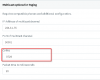
The only codec that are available in the multicast group is G.711 U-law, G.711 A-law, & G729.

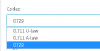
On the Yealink, the only codecs that are available are, PCMU, PCMA, G729, G722. With that being said, don't the codecs have to be the same? The only matching codecs is G729 that does not work., I also tried a few combination of codecs and none seem to work.

After changing the codec on the group and the phones, i would reboot each phone.
 

Attachments

  • Group_Codec.png
    Group_Codec.png
    1.4 KB · Views: 3
  • Yealink_Codec.png
    Yealink_Codec.png
    3.1 KB · Views: 2
Status
Not open for further replies.

Forum statistics

Threads
111,934
Messages
589,818
Members
164,811
Latest member
aurorasigntrtechitnet