Call Journaling and Bitrix24 Integration not working properly

joaofabres

SMB User
Joined
Jul 9, 2025
Messages
12
Reaction score
0
I've successfully integrated Bitrix24 to 3CX according to the 3CX guide, but it still doesn't provide Call Journaling (with or without click2call extension).
 
Call journaling has nothing to do with click to call. You will need to enable verbose logs, make a test call, and check the 3cxSystemService.log file that you will find in the support information package.
 
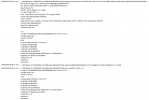
I activated verbose logs and did the test call. Does the image below contain the information that I need to know what's wrong? Thank you, in advance.
 

Attachments

  • Captura de tela 2025-08-08 085921.png
    Captura de tela 2025-08-08 085921.png
    212.9 KB · Views: 8
Last edited:
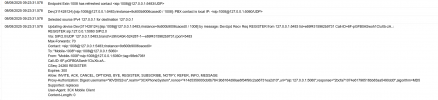
That looks like an internal call that wouldn't really trigger CRM stuff. Also if you do take a trace with an external call, please mask any IPs, phone numbers and any access tokens that might appear in it.
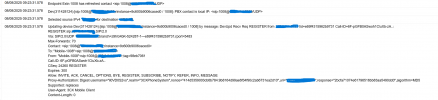
 
That looks like an internal call that wouldn't really trigger CRM stuff. Also if you do take a trace with an external call, please mask any IPs, phone numbers and any access tokens that might appear in it.

Oh, right. I did an external call and this was the result. Also, was everything maskedright? If not I'll delete the image soon. Thank you.aasdasdas.png
 

Attachments

  • 1754655964480.png
    1754655964480.png
    146.4 KB · Views: 4
Hi, masking looks fine. Was this call from an external phone line, or using a 3CX app?
 
Hey, okay! I used the 3CX app on firefox.
 
We need a fully external call. Also, what type of installation is it? 3CX hosted, on-prem, etc?
 
What do you mean by fully external? On the 3CX app I called using my DID number, not the internal number. It's also 3CX hosted.
 
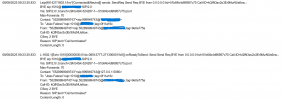
Hmm. Unless there is something more in the full logs, the screenshot just shows a call from 1008 to 1008 internal.

1754658434152.png
 
1754658761575.pngI accidentally screenshotted the wrong call. This is the right one.
 
You're looking at the wrong place. You need to check the 3cxSystemService.log file, that's where all the CRM interactions are logged.
 
1754921417742.png

Hello! Just did that. Is this the right file?
 
View attachment 48917

Hello! Just did that. Is this the right file?
You need to set the pbx logs in verbose mode from the activity log, then after you replicate the issue with an external call, then from dashboard you can get the support info ---- open the logs folder and there you will get the 3cxSystemService.log file as Ernesto mentioned.
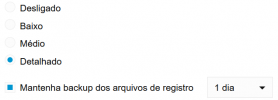
 
1754923340549.png
As you can see, verbose mode (Detalhado in my language) is already set. I used 3cxBinLogViewer.exe to access the .bldef file that I got from the support info.
 
yes, but it has been mentioned 3cxSystemService.log there you can see the events when the system is reporting the call to the crm and its response, you are looking the wrong files....
 
Mind if I ask how to download those files? I just found them, but there doesn't seem to have anything to download them and use in the viewer. Should I do a backup and download it?
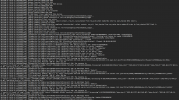
 
Mind if I ask how to download those files? I just found them, but there doesn't seem to have anything to download them and use in the viewer. Should I do a backup and download it?
The 3cxSystemService.log file is inside the Support Package ZIP file. Just unzip the ZIP file, and get the log from there.
 
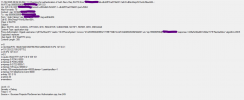
Sorry for the amount of questions, but I just opened the log, and, if possible, I'd like to know what kind of information I should look for. As I stated, my call journaling doesn't work, so that's the main problem.

1754934268034.png
 
Check the lines having the prefix "CRM:". You should check if the API call is failing, or being skipped by any reason.
 

Members Online Now

No members online now.

Forum statistics

Threads
111,831
Messages
589,277
Members
164,660
Latest member
RJenkinsROCK