Call logs and recordings not visible in 3CX console since certain date

Status
Not open for further replies.

Artur.O

Free User
Joined
Oct 30, 2019
Messages
12
Reaction score
0
Hi. Since 22nd of June, 1pm recording are not being shown under https://3cx_webaddress:5001/#/app/recordings and logs are not being shown under https://3cx_webaddress:5001/#/app/call_log . All recordings are still on the machine in /var/lib/3cxpbx/Instance1/Data/Recordings/ directory.

Details about the system:
  • 3CX Version, Pro Annual 16.0.619
  • Server OS, Debian 9.12
  • Is the 3CX Server Hosted and where? https://console.cloud.google.com
  • IP Phone Make/Model/Firmware Fanvil x5s/1.2.19, windows, android clients
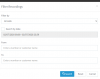
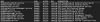
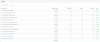
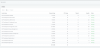
See pictures of last recordings and logs that are visible.
 

Attachments

  • l.png
    l.png
    20 KB · Views: 16
  • r.png
    r.png
    29.1 KB · Views: 16
Are you able to give it a reboot?
 
Can schedule it for tonight. Will see then, thanks for advice

Previously I was just restarting the 3CXPhoneSystemMC01 service. Didn't help
 
Hi Artur,

Firstly, ensure that you pressed "RESET" and then click Search (to make sure you are seeing everything)

I would also recommend to empty your browser cache just as a precaution (Use Chrome or firefox)

1593689020806.png
 
Hi John,

thanks for your message. I went through the basic troubleshoot. Tried different browsers on different computers and different locations. Cleared caches and tried incognito as well. No luck.

I think it's the hardware/software issue as with that day, when new logs and recordings stopped showing up on the console, the reports we have in place started to come empty. We have daily reports so reports that came on 23rd of June had data just until 1pm previous day and nothing after. All reports from 24th are empty.
 
- Are you perhaps running a second PBX (ie failover)?
- Is there any 3rd party software on the server other than just the OS and PBX?

You said the recordings do exist on the disk folder though, in this case there is a way to get them listed again by going to Settings > Parameters and creating a parameter called RECS_SYNC_REQUIRED and setting its Value to 1. Then on your dashboard, you will see a button on the middle column that says convert recordings.

Please make sure you run a backup first before you proceed.
 
Hi John,

it's dedicated machine just for 3CX. Nothing else on it. No, we don't have a second PBX. It's just that VM and no more.

I just rebooted the VM and new calls are on the recordings and logs lists. Looks like it's fixed going forward but it's missing the data between 22nd of June and now. Would that parameter called RECS_SYNC_REQUIRED fix that issue and show all data?
 
Hi Artur,

No, that parameter is only for recordings, it cannot help with call logs.

It sounds like you possibly had a service that was not running if the calls do not exist in the reports.

IF that is true, then no call logs were written, and there is no way to recover them. The only evidence will be form your trunk provider itemized bill, or from the recordings (which do exist as evidence of the calls)
 
Hi John, The issue was fixed last time with a reboot but it happened again now. I am leaving the server in this state for now to run diagnostics if needed but I am planning to reboot it in the evening. Is there anything I could provide you to diagnose the issue?

It is misbehaving in the very same way as the last time. No logs about calls and no recordings in the console since 13/07/2020 07:49:23
 
I've a quick look at the server and no abnormalities in dmesg or in syslogs on that time. It's the list of 3cx services with status:
1594720936445.png
all active and running
 
Check from your management console and see if all is running first:
1594722801877.png
 
1594723079488.png1594723114702.png
Thanks for you message John. I checked services and it's all good with them and with the dashboard.
 
Status
Not open for further replies.

Forum statistics

Threads
111,954
Messages
589,921
Members
164,851
Latest member
DrunkeMeister