- Joined
- Jun 5, 2023
- Messages
- 4
- Reaction score
- 0
Hi,
We have an integration using the 3CX CRM API, (where our customers upload an XML to their 3CX management console).
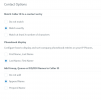
We have been successfully using this for almost 2 years, but this week we have had a few customers where we are only receiving 6 digits of the number in the Contact Lookup stage, rather than the full phone number. We have had this issue in the past for a few customers but it has always been resolved by selecting 'Match exactly' under the contact options - however this has not resolved it for several of our customers. We have also tried selecting 'match at least x number of characters' and filling out '10' but are still getting 6 numbers rather than the full phone number.
Any suggestions on why this has suddenly started happening/how we can resolve it?
Note: This is not happening on our own 3cx system (which i had to select to post this thread) but on several of the systems of our customers
The XML Scenario is as follows: (with our url obfuscated)
<Scenario Id="" Type="REST">
<Request Url="https://our-url-here.com.au/incoming_calls?number=[Number]&call_direction=[CallDirection]" RequestContentType="application/json" RequestEncoding="Json" RequestType="Get">
<Headers>
<Value Key="X-Pbx-Type">3CX</Value>
</Headers>
</Request>
<Rules>
<Rule Type="Any">contact.id</Rule>
</Rules>
<Variables>
<Variable Name="ContactID" Path="contact.id">
<Filter/>
</Variable>
<Variable Name="CompanyName" Path="contact.company">
<Filter/>
</Variable>
<Variable Name="Email" Path="contact.email">
<Filter/>
</Variable>
<Variable Name="PhoneBusiness" Path="contact.businessphone">
<Filter/>
</Variable>
<Variable Name="ContactUrl" Path="contact.url">
<Filter/>
</Variable>
</Variables>
<Outputs AllowEmpty="false">
<Output Type="ContactID" Passes="0" Value="[ContactID]"/>
<Output Type="CompanyName" Passes="0" Value="[CompanyName]"/>
<Output Type="Email" Passes="0" Value=""/>
<Output Type="PhoneBusiness" Passes="0" Value="[PhoneBusiness]"/>
<Output Type="ContactUrl" Passes="0" Value="[ContactUrl]"/>
<Output Type="EntityId" Passes="0" Value="[ContactID]"/>
<Output Type="EntityType" Passes="0" Value="Contacts"/>
</Outputs>
</Scenario>
[ATTACH type="full" width="362px"]37871[/ATTACH]
We have an integration using the 3CX CRM API, (where our customers upload an XML to their 3CX management console).
We have been successfully using this for almost 2 years, but this week we have had a few customers where we are only receiving 6 digits of the number in the Contact Lookup stage, rather than the full phone number. We have had this issue in the past for a few customers but it has always been resolved by selecting 'Match exactly' under the contact options - however this has not resolved it for several of our customers. We have also tried selecting 'match at least x number of characters' and filling out '10' but are still getting 6 numbers rather than the full phone number.
Any suggestions on why this has suddenly started happening/how we can resolve it?
Note: This is not happening on our own 3cx system (which i had to select to post this thread) but on several of the systems of our customers
The XML Scenario is as follows: (with our url obfuscated)
<Scenario Id="" Type="REST">
<Request Url="https://our-url-here.com.au/incoming_calls?number=[Number]&call_direction=[CallDirection]" RequestContentType="application/json" RequestEncoding="Json" RequestType="Get">
<Headers>
<Value Key="X-Pbx-Type">3CX</Value>
</Headers>
</Request>
<Rules>
<Rule Type="Any">contact.id</Rule>
</Rules>
<Variables>
<Variable Name="ContactID" Path="contact.id">
<Filter/>
</Variable>
<Variable Name="CompanyName" Path="contact.company">
<Filter/>
</Variable>
<Variable Name="Email" Path="contact.email">
<Filter/>
</Variable>
<Variable Name="PhoneBusiness" Path="contact.businessphone">
<Filter/>
</Variable>
<Variable Name="ContactUrl" Path="contact.url">
<Filter/>
</Variable>
</Variables>
<Outputs AllowEmpty="false">
<Output Type="ContactID" Passes="0" Value="[ContactID]"/>
<Output Type="CompanyName" Passes="0" Value="[CompanyName]"/>
<Output Type="Email" Passes="0" Value=""/>
<Output Type="PhoneBusiness" Passes="0" Value="[PhoneBusiness]"/>
<Output Type="ContactUrl" Passes="0" Value="[ContactUrl]"/>
<Output Type="EntityId" Passes="0" Value="[ContactID]"/>
<Output Type="EntityType" Passes="0" Value="Contacts"/>
</Outputs>
</Scenario>
[ATTACH type="full" width="362px"]37871[/ATTACH]