Call quality issues

Status
Not open for further replies.

Peter Richardson

Customer
Basic Certified
Joined
Apr 6, 2017
Messages
286
Reaction score
16
Hi all,

I have a client reporting poor call quality. I would like to check the codec that is being used in the calls. I have the preferred codecs listed as:
1) G722
2) PCMA
3) PCMU
4) G729

There are no other options to select for the codec list in 3CX.

This is the list order for all extensions.

G722 is supported by the SIP Trunk provider.

PBX delivers audio is enabled in the SIP Trunk setting but not on each individual extension.

Using Yealink T48 mostly and 1 Yealink T21S for this client.

Not sure yet whether problem is with all carriers. Will attempt to find out.
 
Can you better define "poor call quality"? It may not be a codec issue.

I assume internal calls are all fine?
 
Dependent on the result of what Ineblett has asked it might be a different path you need to take however if you want to find what codecs are actually being used I recommend a Wireshark trace be captured whilst a call from the end-point is in place.

If you look in the SDP body of the trace you should see something like:

Media Attribute (a): rtpmap:9 G722/8000
Media Attribute (a): rtpmap:0 PCMU/8000
Media Attribute (a): rtpmap:8 PCMA/8000
Media Attribute (a): rtpmap:18 G729/8000

This is a list of audio codes - G722, G711 ulaw, G711 alaw, G729.

You might also see a response code from your ITSP, for example 415 Unsupported Media Type for mis-matched codecs.
 
@lneblett
The client reports that calls are:
  • Not easy to hear / understand the other person's words.
  • Muffled, like as if the other party had their hand over their mouth.
  • Worse on mobiles than landlines, but landlines still not great.
  • Don't improve by turning phone volume up or down.
@eddv123
Thanks very much. I'll read the 3CX tutorial on wire shark and apply your tips. But what other path could it be if not the codec?
 
Muffled voice as you have already pointed out is normally codec related: https://www.3cx.com/community/threads/muffled-sound.38963/

If this was a single phone I would also say it is most likely hardware related (such as a faulty hand piece etc) however if multiple handsets are effected get a Wireshark trace, I would be happy to take a look if you want to PM it across.
 
I have made 2 test calls: one call originating from my PBX using the same provider and 3CX and one call originating from my mobile using Telstra on a top model modern phone (HTC U Ultra).

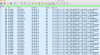
Thanks very much @eddv123 I have (finally!) found what you told me to look for. But the order is not as you said it should be, which seems to be why there's a problem. Here's the order:
Code:
a=rtpmap:0 PCMU/8000
a=rtpmap:8 PCMA/8000
a=rtpmap:9 G722/8000
a=rtpmap:18 G729/8000
a=fmtp:18 annexb=no
a=rtpmap:3 GSM/8000
a=rtpmap:101 telephone-event/8000

Also, from my analysis, it appears that our SIP Trunk Provider is not supporting G722 because the call is being converted to G711 at the PBX, hence there are 2 RTP streams showing. One RTP stream is G722 from the client's phone (10.20.66.10) to the client's PBX (10.20.60.6) and one is G711 from our SIP Trunk Provider (101.0.88.77) to the client's PBX (10.20.60.6).
(see attached image)
 

Attachments

  • Screenshot 2018-09-13 12.05.05.png
    Screenshot 2018-09-13 12.05.05.png
    717.3 KB · Views: 21
The order he gave is an example, and is going to be subject to what your provider supports and what you have configured on your trunk. I would move G.711 to the top of your list for the trunk and make sure your extensions have that as the first codec as well to eliminate any transcoding.
 
Thanks @cobaltit

But we want G722 as first priority. The SIP Trunk Provider has confirmed that they support G722. I'm just not sure why it wasn't used in the call even though it's at the top of the list for both parties.

Some other forums mentioned the "PBX Delivers Audio" checkbox. The resounding advice was to leave it unchecked for individual extensions (unless you're having issues) and leave it checked in the trunk settings. Maybe this setting is the culprit?
 
Also, why are there 2 sets of codec priority in 3CX? One set in the extension and another set in the SIP Trunk. Which one takes priority?
 
@cobaltit

So your thread is titled 'Call Quality Issues' so that is the subject I'm trying to address. Good G.711 is going to sound better than bad G.722 so best to start there.

The codec settings are for the different legs of the call. Trunk settings for the leg between the trunk and 3CX and extension settings for the leg between the extension and the 3CX. There is no priority, just whether 3CX ends up transcoding or not.
 
1) How do I know (without using wire shark) if 3CX is transcoding or not?

2) How can I disable this transcoding?

3) I have found out that the SIP Trunk Provider does support G722 and I have done tests to ensure that it is supported and that has worked.

4) Why isn't G722 used, despite all parties in the situation being set to prefer G722 the highest? The only way I could get G722 to work is if I disable all other codecs in the extension and in the SIP Trunk in 3CX, and also untick "PBX delivers audio" in both the extension and the SIP Trunk.
 
Last edited:
Also, according to the image above of wire shark output, it appears that the RTP streams are going through the PBX. I remember a few forums discussing this and some well known members explained that after the SIP connection is established, the PBX steps out of the picture to allow the two end points to talk amongst themselves, as it were. But from what I can see in Wire Shark, this is not happening. Is my understanding correct? Does the RTP stream always flow between the local handset, local PBX, provider, remote PBX, remote handset and back again?
 
Hello @Peter Richardson

1) How do I know (without using wire shark) if 3CX is transcoding or not?
You won't know unless you look at a capture or detailed logs of the PBX. This is something that happens in the background by the PBX when needed, to ensure that you have audio.
2) How can I disable this transcoding?
You cannot as if the codecs between the 2 legs of the call do not match transcoding will occur automatically. Transcoding happens automatically when the 2 audio streams were no established using the same codec.
4) Why isn't G722 used, despite all parties in the situation being set to prefer G722 the highest? The only way I could get G722 to work is if I disable all other codecs in the extension and in the SIP Trunk in 3CX, and also untick "PBX delivers audio" in both the extension and the SIP Trunk.
If the codec has the highest priority on both ends then that will be selected. From the provided screenshot that does not seem to be the case as one party has G722 as third in order.

Please note that the PBX will always handle the audio between an extension and an external party and the option "PBX delivers audio" should remain on under trunk settings. The PBX will not let an external party and a local extension talk between them as this could cause audio routing issues, one way audio etc. The PBX remains in the middle to handle the correct routing of the audio streams. If the audio streams match then no transcoding will take place.

If you are sure that your provider supports G722 in all call scenarios then you set G722 as your only codec under your trunk settings and force the selection.
 
Thanks very much @YiannisH_3CX

Can you please explain to me exactly what the 2 legs are? This is the first I have heard about it.

You mentioned that from my provided screenshot that G722 was third in order, but that was just the text that I copied from Wire Shark, not what I have it set in 3CX. As I mentioned several times, it is set up at G722 first for both parties. This is why I am confused that G722 was not used.

In this forum here: https://www.3cx.com/community/threads/what-does-pbx-delivers-audio-exactly-do.57439/
@eddv123 said this:
In a SIP call the SIP signalling along with SDP normally sets up the call with the use of the PBX system, it then passes over the media traffic between the 2 IP endpoints instead of going via the PBX and thus adding more load to the PBX system.

But you mentioned:
the PBX will always handle the audio between an extension and an external party

Who is right here? Or have I missed something?
 
It really depends on the setup (unless of course the setting "PBX delivers audio" is set specifically on the extension).

With 3CX Audio will be sent between devices and not via the PBX for local calls and calls using the 3CX SBC (between end-points on the same remote sites).

Audio will be sent back to the PBX if using remote extensions using STUN and where not specifically written I have had to enable "PBX delivers audio" when using VPN and servers with 2 NIC cards (however I am not sure if this is needed in all cases of these).

If calling out via a trunk in most cases PBX Delivers audio is enabled on the Trunk itself.
 
Thanks @eddv123

So the PBX will not deliver the audio when a call is made between 2 extensions that are on the same remote site. Is an SBC required for this to occur or are the phones capable of doing this without an SBC?

But when a call is made between an extension and another party (someone's mobile phone or another business, etc), the audio will always go via the PBX. Is that right?

Can you please explain to me exactly what the 2 legs are?
 
So the PBX will not deliver the audio when a call is made between 2 extensions that are on the same remote site.

If using extensions behind the same 3CX SBC it wont, if using extensions via direct STUN it is mandatory, unless of course you want not audio on the call :)

But when a call is made between an extension and another party (someone's mobile phone or another business, etc), the audio will always go via the PBX. Is that right?

I believe this would be the case as it is going via the trunk which has PBX delivers audio enabled.

I have found some information below on call legs, have a read:
https://www.certificationkits.com/c...upporting-pstn/ccna-voice-what-are-call-legs/
 
Can you please explain to me exactly what the 2 legs are? This is the first I have heard about it.
These are the 2 audio streams of the call. The first is between the extension and the PBX and the other is between the PBX and the provider.

You mentioned that from my provided screenshot that G722 was third in order, but that was just the text that I copied from Wire Shark, not what I have it set in 3CX. As I mentioned several times, it is set up at G722 first for both parties. This is why I am confused that G722 was not used.
Was the screenshot taken from the 3CX Invite of from the providers Invite?

I believe that @eddv123 was referring to calls between extensions which if local to the PBX or behind an SBC can talk directly between them without having to send the audio to the PBX. STUN provisioned phones require the setting PBX delivers audio to ensure audio is delivered and so do providers. I was specifically referring to calls between a provider and an extension of the system.
 
  • Like
Reactions: eddv123
Correct!
 
  • Like
Reactions: YiannisH_3CX
Okay great, thanks very much @eddv123 and @YiannisH_3CX much appreciated!

So would it reduce latency by having both legs using the same codec? I guess that would mean that no transcoding is needed, hence less lag, right? (we've been experiencing horrible latency since the beginning, and I'm hoping that this will solve it. Having disabled all codecs except G722 on our own PBX, this seems to have improved the latency greatly).

So what exactly does "PBX delivers audio" do exactly? From what I can gather from my own testing and by reading another forum called "What does pbx delivers audio exactly do", it seems that this option forces the PBX to deliver the audio, whether you've got an SBC or not, whether the PBX and the extensions are on the same LAN or not, and it also enables encoding, is that right? I just don't fully understand why there's 2 places to enable it (trunk and extension) and why everyone recommends that it's always disabled in the extension and enabled in the trunk. This is not a feature/setting in Asterisk so it's obviously a 3CX implementation, but there is no documentation on it, despite it being a problem that is brought up regularly in the forums.

I need some really clear information about this, perhaps even a couple of examples.
 
Status
Not open for further replies.

Forum statistics

Threads
112,351
Messages
592,041
Members
165,515
Latest member
fngl