Call Queue one agent more in more group

Status
Not open for further replies.

studio20011

Free User
Joined
May 9, 2019
Messages
8
Reaction score
0
hi, I have a question.

If I have agent who is member in two groups, can I login/logout it in separate from the groups?

e.g. my agent are member in group 801 and group 802. I would like to works him in only group801 in this time, the other group has enough agent, how can I set up this working sheme?

when I press the "Q" button or login blf the exetnsion login all group where it is member. How can I solve the extension login only to the group801?
 
Hi,

Groups cannot be logged in or out of.

Queues on the other hand allow you to exclusively log in/out of specific ones.

The Webclient makes this very easy via the Switchboard, just use the Small Q in the Queue you want
to remain outside the queue until you click it again.
 
Hi,

Groups cannot be logged in or out of.

Queues on the other hand allow you to exclusively log in/out of specific ones.

The Webclient makes this very easy via the Switchboard, just use the Small Q in the Queue you want
to remain outside the queue until you click it again.

Thanks for your teply
Panasonic systems has this feature, I can login that group which I want, if I am a member in that group.

Thanks
 
As mentioned you can do this by using the Webclient. You can login/logout from individual queues if you are part of them.
 
I tested the "switchboard" in the webclient, but the " click to log out" it is not works.
Does it works if I have a licence?
"Q" button works fine.

thx
 
What PBX version are you running? You can see the exact build number on the Dashboard, under the Information column next to the licence version. For example 15.5.15502.6.
Since Queues are available then you should have then agents should have the option to log out from individual queues.
https://www.3cx.com/3cxacademy/videos/advanced/call-queues/
 
What PBX version are you running? You can see the exact build number on the Dashboard, under the Information column next to the licence version. For example 15.5.15502.6.
Since Queues are available then you should have then agents should have the option to log out from individual queues.
https://www.3cx.com/3cxacademy/videos/advanced/call-queues/

Hi
I would like only testing this function before we use.
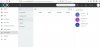
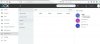
There is no call, I see the " click to log out" button, but it is inactive (grey)


15.5.15502
Standard Annual

we were used to be your reseller earlier,


Can you send us a screenshot so we can better understand the issue?
 
extension 141 has a desk phone, 141 is a normal extension.
 

Attachments

  • capture_002_14052019_085416.jpg
    capture_002_14052019_085416.jpg
    80.5 KB · Views: 5
  • capture_001_14052019_085410.jpg
    capture_001_14052019_085410.jpg
    83.2 KB · Views: 5
OK, so you are trying to log someone else out of the Queue. To do so you must add your extension as a Queue manager. You can do so through the management console. Edit your Queue and navigate to the Notifications tab. There you can add a queue manager (you can have more than one). Once you do the option will be available.
Each agent can log him self out of individual queues. To be able to log out other agents you need to be a queue manager.
 
OK, so you are trying to log someone else out of the Queue. To do so you must add your extension as a Queue manager. You can do so through the management console. Edit your Queue and navigate to the Notifications tab. There you can add a queue manager (you can have more than one). Once you do the option will be available.
Each agent can log him self out of individual queues. To be able to log out other agents you need to be a queue manager.

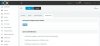
I can not add a manager to the queue.
141 can not login or logout himself from the group, that was extension-141-switchboard's page.
so, any of my extensions can not loginor or logout themselves, they can login or logout only when they use the Q button.
 

Attachments

  • capture_001_14052019_131609.jpg
    capture_001_14052019_131609.jpg
    78.8 KB · Views: 5
Status
Not open for further replies.

Latest Posts

Forum statistics

Threads
111,924
Messages
589,756
Members
164,796
Latest member
Dame24