Call Queue Working, But not when assigned to Inbound Rule

Status
Not open for further replies.

globalvirtuoso

Customer
Joined
Dec 26, 2020
Messages
3
Reaction score
0
Hi guys, we just recently upgraded to latest 3cx version 18.0 Update 5 (Build 418).
Unfortunately, we're having issues with call forwarding from inbound rules to mobile. Kindly see call logs below.

Call log when calling call queue directly. Call is redirected to mobile as intended. (Successful)

Screenshot_311.png

Call log when the same queue is assigned to an inbound rule. Call does not reach mobile as intended. (Unsuccessful)

Screenshot_312.png


Hoping somebody can help us and resolved. Thank you in advance.
 
I don't fully understand what your setup is here based on what you are saying, but my best guess is that when an external number calls your 3CX system and the rules are sending it to mobile, it doesn't work. When it's and internal number that calls your 3CX system and the rules are sending it to mobile, it works.

I'm betting the issue is you are sending the original caller ID to the mobile device and your SIP Trunk provider doesn't allow you to send an ID you don't own.

You'll need to provide a lot more information for further help, including if your provider supports Clip No Screen, if my understanding is correct, and why you don't just use the mobile apps instead of sending the call to a mobile number.
 
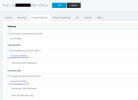
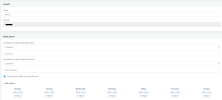
Hi @SweetAction, yes you are correct, we have existing Users where automatically all calls are forwarded to their mobile number. Screenshot_314.png

When we call the user from the inside, call is redirected to her mobile.

We also placed the user in a queue, during office hours, and the other user after office hours. internally when that queue is called, all calls are successfully re-directed to their mobile numbers.

However, when the queue is placed in the inbound rule, call is dropped (No Answer) and no ring on the mobile phones as well. Screenshot_315.png

But when the users setting is not forwarded to mobile, they can receive the calls without issues.
 
Ok, so as I suspected.

So I'm still betting the issue is you are sending the original caller ID to the mobile device and your SIP Trunk provider doesn't allow you to send an ID you don't own.

Does your provider supports Clip No Screen?
 
Hi @SweetAction, currently validating with our provider. We will get back to you once information is received.
 
Status
Not open for further replies.

Forum statistics

Threads
111,974
Messages
590,081
Members
164,899
Latest member
mazet