Call Reporter Utility

Status
Not open for further replies.

abouelric

Joined
Jan 17, 2009
Messages
32
Reaction score
0
I have the latest 3cx V7. when using the call reporter, the data shows up but the "Source" field is always empty.
Any idea how to solve this issue?

Ricardo
 
Hi Ricardo
If you refer to 3cx.com/support/call-history-updater.html - (this link is no longer available) this should solve your problem. It worked for me.
 
Last edited by a moderator:
Thank you for your reply
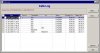
using the callhistory updator is not the issue, after using this tool, the data in the "source" column is always blank/empty, whereas there is data in other columns. Moreover if I try to filter the data to a specific extension example (extension 100) it does not return any rows at all. If I filter using the "destination" column or any other column the call reporter returns data but the "source" column is always blank.
 
Check the below picture that shows the source column empty
 

Attachments

  • callreporter.jpg
    callreporter.jpg
    55.2 KB · Views: 2,763
My client has the same problem. Cannot find solution.
 
Hi

When running the Call History updater, run this from the command from as 'callhistoryupdater.exe -h3' and see if the most recently imported logs have this entry to reflect the source field.
 
Hi guys,

I have also the same problem.

Here is my log after executing 'callhistoryupdater.exe -h3'

Checking call logs..
SELECT value,kind FROM dnallocation

select max(idcallhistory3) from callhistory3;

insert into callhistory3 (idcallhistory3, callid, duration, starttime,answertime,endtime, from_no, to_no, group_no, line_no, is_answ, is_fail, is_compl, is_fromoutside, CallerID, DialedNumber, lastCallerID, lastDialedNumber, mediaType ) values (4,'326b9a0b065a332b','00:00:08.2330000','2009/1/19 1:42:55 PM','2009/1/19 1:43:04 PM','2009/1/19 1:43:13 PM','100','0223660843','','10000',True,False,True,False,'100','0223660843','100','0223660843',1);

insert into CallDetails (IdCallHistory2, DetailNum, ParentDetailNum, Dest_num, StartTime,Dur, AnswerTime, Status, Is_Compl, SpecDstType, is_tooutside) values (4,1,0,'0223660843','2009/1/19 1:42:55 PM','00:00:18.0450000','2009/1/19 1:43:04 PM',6,True,0,True);

insert into CallDetails (IdCallHistory2, DetailNum, ParentDetailNum, Dest_num, StartTime,Dur, AnswerTime, Status, Is_Compl, SpecDstType, is_tooutside) values (4,2,1,'10000','2009/1/19 1:42:55 PM','00:00:17.8880000','2009/1/19 1:43:04 PM',6,True,0,True);

Processing and updating DB
 
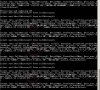
I don't know if the one i rounded shows the missing source number.
here you go
thanks in advance
Ricardo
 

Attachments

  • error2.jpg
    error2.jpg
    124.3 KB · Views: 2,640
Apparently i am not the only one who is facing this issue, and i think it is bug in 3cx because i did a clean installation on a seperate server and still the logs are missing the source number.
 
I also received complaint from client.
Previous ver.7 have no this issue.
 
Today I recommended to my client to swith back on previous build and all works fine.
 
Got the empty source field as well.
 
Hi

Support has trasmitted to developpement. Just have to wait...

Minik
 
Hi

Yes this is a problem - this arises because there are new Call History records that the V6 Call reporter does not understand.
We are currently testing the new version of the Callhistory Updater and the new Call reporter. This will be for the 7.1 release - approx Mid next month.

The -H3 argument is a new argument and You will not benefit from this data using the old call Reporter. But You will definitely benefit from these details and much more when the new Reporter together with the improved history will be launched.

This explains why you see the details in Version 6 and some are skipped in V7. Because the Version 6 of the call reporter was optimized and designed for the Version 6 of the 3cx phonesystem and not for Version 7.

I suggest that you all keep your callHistory.log file intact making backups of it regularly in the database and also keeping the callhistory.log files available.
 
Just checking to see how the fix is progressing.
 
Any updates when this issue will be solved?
 
Hi

This shall be addressed in V7.1 and its reporter. This should be expected in a few weeks time.
 
I can not wait for this fix as well
 
finally the the 7.1 is released.
but how do we backup and restore the call logs of ver 7.0 to ver 7.1?

I still have the callHistory log file of version 7.0, so does anyone have any idea how to import the data to version 7.1?
 
open command prompt
cd:/programfiles/3CXPhonesystem/bin

calllogsbackup.exe -backup c:/[pathforfile]

calllogs will backup all the call logs and put them in c:/pathforfile

Then after you install 7.1 do the same thing but this time you need to restore right - so type

open command prompt
cd:/programfiles/3CXPhonesystem/bin

calllogsbackup.exe -restore c:/[pathforfile] - the same path where the call logs were actually backed up previously.
 
Status
Not open for further replies.

Latest Posts

Forum statistics

Threads
112,323
Messages
591,896
Members
165,474
Latest member
costionofrei