- Joined
- Feb 14, 2019
- Messages
- 6
- Reaction score
- 0
Ladies and Gentlemen:
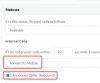
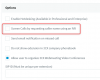
I have seen this subject addressed but not in the application that I am trying to accomplish. We are using 3CX v16 Pro with Dynamics 365. It appears that the only way to get the screener to work for external calls is to forward to an external number or mobile. I would like the call screener at all times during office hours however if I have the extension set to transfer to voicemail if not answered in the allotted time the rebound option is not displayed. Am I missing something or does it not work this way. If it doesn't, I don't understand why it would not.
Since we use D365, Ideally, it would be great if Call Screener was bypassed for those found in the database and only activated if not found.
Thanks for any help or insight anybody can provide.
Regards,
Allen
I have seen this subject addressed but not in the application that I am trying to accomplish. We are using 3CX v16 Pro with Dynamics 365. It appears that the only way to get the screener to work for external calls is to forward to an external number or mobile. I would like the call screener at all times during office hours however if I have the extension set to transfer to voicemail if not answered in the allotted time the rebound option is not displayed. Am I missing something or does it not work this way. If it doesn't, I don't understand why it would not.
Since we use D365, Ideally, it would be great if Call Screener was bypassed for those found in the database and only activated if not found.
Thanks for any help or insight anybody can provide.
Regards,
Allen