Caller ID on Call Forwarding

Status
Not open for further replies.

LCC

Joined
Jul 8, 2011
Messages
42
Reaction score
0
This is my first post as I have just set up a version 10 3CX PBX. For the most part everything is working great. CallCentric is my provider. What is happening is when I have a line forwarded to another number the number that appears on the termination point is the caller ID of the forwarding phone, not the originating caller ID. Is there a way to pass the originating caller ID to the termination point?

Thanks in advance.
 
make sure that you do not have the caller id set on th voip provider line. I am also not sure in call centric supports caller id that is not on their system i.e. a line that you know. I use voip.ms for most of my installs and this works flawlessly.
 
willow said:
make sure that you do not have the caller id set on th voip provider line. I am also not sure in call centric supports caller id that is not on their system i.e. a line that you know. I use voip.ms for most of my installs and this works flawlessly.

Thanks. It has been working correctly from a Caler ID perspective because I have 2 DIDs and they work respectively on their assigned extensions (i.e. the incoming callers ID is shown correctly on the phone). It's only when I have call forwarding on from an extension that it uses the phones DID instead of the originating callers caller ID. So it seems the originating calls Caller ID is lost on forward.
 
Hi,

most providers, including callcentric probably (I have an accunt with them too) will not allow forwarding caller-ids, not belonging to you for security reasons. This is not the case if the forward is made by the operator, not by the PBX (if you make the forward through the PBX, you use 2 channels, while forwarding via operators uses no channels).

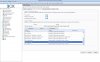
This is in general. On 3CX to forward caller-ID, you must set in provider's settings | outgoing parameters the user part as Orginator's caller ID (see attached screen-shot)

Regards
 

Attachments

  • new-1.jpg
    new-1.jpg
    46.1 KB · Views: 3,412
Hello,

You can always use the rebound feature with call screening (not available in the free edition) and it will read the caller ID / Caller's prompted name, before accepting the call or send the call back to email.

Thanks,
Nate
 
eagle2 said:
Hi,

most providers, including callcentric probably (I have an accunt with them too) will not allow forwarding caller-ids, not belonging to you for security reasons. This is not the case if the forward is made by the operator, not by the PBX (if you make the forward through the PBX, you use 2 channels, while forwarding via operators uses no channels).

This is in general. On 3CX to forward caller-ID, you must set in provider's settings | outgoing parameters the user part as Orginator's caller ID (see attached screen-shot)

Regards

Thanks, but the 2 DIDs I have are assigned by CallCentric.
 
Yes, they are both from call centric but the caller id of the caller is not from call centric. this may be the issue. Try eagles pic post above and see if that entry is in your voip provider form.
 
willow said:
Yes, they are both from call centric but the caller id of the caller is not from call centric. this may be the issue. Try eagles pic post above and see if that entry is in your voip provider form.

Thanks. Tried eagle's suggestion, didnt work. Appreciate everyone's assistance
 
It's working for me -- with other provider -- there are 3 fields which I changed (be careful with update procedure).

Regards
 
Mind sharing the 3 fields?
 
I've changed the following 3 fields (seen in the screenshot, posted earlier) to 'OriginatorCallerID':

From: Display Name
From: User part
Contact: User part

You need to 'Update' the field before clicking on 'Apply'.
Note: Changing Display name is not necessary, but may be helpful.


Have a look at: http://www.3cx.com/blog/voip-howto/forwarding-rules-v9/

Regards
 
eagle2 said:
I've changed the following 3 fields (seen in the screenshot, posted earlier) to 'OriginatorCallerID':

From: Display Name
From: User part
Contact: User part

You need to 'Update' the field before clicking on 'Apply'.
Note: Changing Display name is not necessary, but may be helpful.


Have a look at: http://www.3cx.com/blog/voip-howto/forwarding-rules-v9/

Regards

Thank you! I will try this today and report back.
 
also for an easy test, you can try just sending out a random caller id on a normal call. if it is blocked when you try to send out a caller id that is not one of your numbers but workes when you do send one of your numbers then the carrier is blocking it.
 
Status
Not open for further replies.

Latest Posts

Members Online Now

Forum statistics

Threads
111,863
Messages
589,444
Members
164,702
Latest member
iamatlas