- Joined
- Mar 30, 2020
- Messages
- 21
- Reaction score
- 0
I have an interesting conundrum.
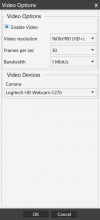
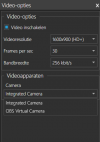
When I try to video call using the Windows Client, I can't use my laptop's integrated camera (or screen share).
Things I've checked:
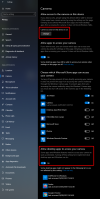
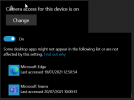
- windows privacy settings for camera (3CX client does not show up)
- reinstalled the client
- updated camera drivers
- updated laptop BIOS (Lenovo Thinkpad)
Strangely enough,my co-workers don't have this issue (I can see their camera/screen...)
I'm not even sure this is 3CX related or just my laptop, but Ithought I'd throw it in here to be sure.
The Camera works fine with other apps, that's why I'm sceptical of it being 3CX...
When I try to video call using the Windows Client, I can't use my laptop's integrated camera (or screen share).
Things I've checked:
- windows privacy settings for camera (3CX client does not show up)
- reinstalled the client
- updated camera drivers
- updated laptop BIOS (Lenovo Thinkpad)
Strangely enough,my co-workers don't have this issue (I can see their camera/screen...)
I'm not even sure this is 3CX related or just my laptop, but Ithought I'd throw it in here to be sure.
The Camera works fine with other apps, that's why I'm sceptical of it being 3CX...