Can not set Global Time Zone

Status
Not open for further replies.

sunkiddance

Joined
Jul 12, 2016
Messages
22
Reaction score
1
I am raising this as a new topic as it may get lost where it currently sits under the topic Yealink T23G provisioning.

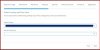
I have just re-installed the software (as I now have a purchased copy) and there appears to be a problem setting the TIMEZONE information on setup - although I can choose the country it doesn't register - see the screenshots I took of both sections where I am supposed to choose the country/timezone from a drop-down list.

No matter what I do (press enter, double click etc) the fields refuse to populate.

Thanks
Terence

 

Attachments

  • 3cxtz2.JPG
    3cxtz2.JPG
    35.5 KB · Views: 944
  • 3cxtz1.JPG
    3cxtz1.JPG
    57 KB · Views: 941
yes same here.... + how can i change this setting after the installation?
 
Unnecessary tab on single instance?

maybe 3CX should use regional settings of OS :?:
 
Open a cmd and perform an nslookup command for downloads.3cx.com and erp.3cx.com and see if you can resolve to our servers.
Also try replacing your DNS server settings on the PBX machine and use 8.8.8.8 for your primary DNS
After changing the DNS perform a ipconfig /flushdns.

Also perform all windows updates, restart the machine and perform the setup again.
 
Also make sure you use a 3CX v15 supported browser. Internet Explorer will not work properly.
 
Re: Unnecessary tab on single instance?

Sopock said:
maybe 3CX should use regional settings of OS :?:

This is the most logical and simplest solution but 3CX seemingly refuses to do it.
 
Hi YiannisH

I am not sure how your suggestion is going to help.

I get a drop-down list of countries but the install will not let me select one - all I end up with is the solid bar of colour without selecting any country (as per the screen shots).

Both addresses resolve correctly with nslookup

Thanks
Terence
 
What browser are you using to complete the wizard?
 
lifeline said:
Also make sure you use a 3CX v15 supported browser. Internet Explorer will not work properly.

Thanks to lifeline for pointing this out to me - I was using IE - now changed to Chrome

So - I backed up my V15, un-installed it and then re-ran the install (with Chrome now set as my default browser)

But because I restored from my backup, it never asked me what timezone I was in.

So we are back to the issue, that one should be able to change the timezone in the management console without having to un-install and re-install the software especially as if you restore from a backup the prompt never comes up.

Terence
 
Or 3CX could just use the server time and skip all this hullabaloo.
 
TSlocum said:
Or 3CX could just use the server time and skip all this hullabaloo.

Although a good idea, not possible. There are many cases where the actual server is in one Timezone but the PBX is 'servicing' users in a different timezone.
Also, seeing that the Multi-Instance is (well ,will be when it comes) based in the Single Instance, what happens when you have a different Timezone per instance?
 
NickD_3CX said:
TSlocum said:
Or 3CX could just use the server time and skip all this hullabaloo.

Although a good idea, not possible. There are many cases where the actual server is in one Timezone but the PBX is 'servicing' users in a different timezone.
Also, seeing that the Multi-Instance is (well ,will be when it comes) based in the Single Instance, what happens when you have a different Timezone per instance?

What about an option in settings with options to sync with server or manually set timezone. It also needs some way to easily and reliably set DST, without having to dig around in advanced parameters.
 
Have you guys tried to edit the Parameters under "Settings"?
I was able to modify the time zone manually for my Yealink phones.
You will need to scroll all the way down near the bottom.
Once I made the changes I rebooted the server and the time zone was applied.

Hope this helps someone out.
 
NickD_3CX said:
Although a good idea, not possible. There are many cases where the actual server is in one Timezone but the PBX is 'servicing' users in a different timezone.
Should that match country/state in registration tab?

In any case, the point is to avoid unnecessary scrolling. Config tool should detect local time zone and country which later can be preselected in wizard. There is also no need for time zone menu in many countries(map it internally).

Code:
// FindSystemTimeZoneById
// The example displays output like the following when run on a system in the
// U.S. Pacific Standard Time zone:
//       Time in Pacific Standard Time zone: 12/6/2013 10:57:51 AM
//          UTC Time: 12/6/2013 6:57:51 PM
//       Time in Tokyo Standard Time zone: 12/7/2013 3:57:51 AM
//          UTC Time: 12/6/2013 6:57:51 PM
 
Status
Not open for further replies.

Latest Posts

Forum statistics

Threads
111,848
Messages
589,352
Members
164,683
Latest member
sjacquart