Are you able to open that certificate up and see the date?
I run 2 similar small 3cx systems at different places. I compared the certificate files in the nginx dir, 5 files. Both systems received automatically new certificates on the same day, and both sets of files are dated 12.08.2020.
However where the file set of the working system contains readable hex ascii data like "ogY0O13Ay" all 5 files for the system with the problem contain "NULNULNUL".
File size is equal for the corresponding files and varies between some 100 bytes and 3 kb.
So it really seems to be a certificate renewal which went wrong. The files are there and have the correct length, but are filled with "NUL" characters.
I checked what I could find in my backups.
In the backup file I found 2 certificate files named "domain_cert_*****.3cx.nl.pem" and "domain_key_*****.3cx.nl.pem". I compared these with the files in the nginx dir for the working system and the contents are identical with 2 files there, named "*****.3cx.nl-crt.pem" and "*****.3cx.nl-key.pem"
I could not find the 3 other files in the backup file.
In the backup of some days before the certificate renewal the files look okay, but in the backup of some days after the renewal the certificate files contain "NUL".
Did a search for the "domain_key_*****.3cx.nl.pem" and it is located in the C:\ProgramData\3CX\Instance1\Bin\Cert dir. This file also contains NUL values.
So I guess replacing the 2 certificate files in the ProgramData dir with copies from my backup might solve the problem. I will try that later today.


 EM routines

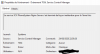


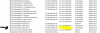
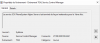
 That went all very smooth and without any issues.Great product!


