Solved Can not start nginx service.

Status
Not open for further replies.

Rob59

Free User
Joined
Sep 8, 2018
Messages
24
Reaction score
2
Hi,

Have been using v16 for a while without any issues, but now nginx service will not start. Win10 system, tried reboots and tried to start nginx service manually without success. Without the service running I am not able to get intp the 3CX Dashboard. All other services run and the phone system performs well.

Anyone has a fix for this?

Best regards, Rob.
 
what is the error message, why the service does not start - look in the event logs
 
  • Like
Reactions: Rob59
Hi, thanks for looking at this. Found the log file. Seems to be something with the certificate, this is the message (**** chars edited by me):

nginx: [emerg] cannot load certificate "C:\Program Files\3CX Phone System\Bin\nginx/conf/Instance1/****.3cx.nl-crt.pem": PEM_read_bio_X509_AUX() failed (SSL: error:0906D06C:pEM routines:pEM_read_bio:no start line:Expecting: TRUSTED CERTIFICATE)

The certificate was automatically renewed 12.08.2020, I guess the problem started after that.

"The SSL Certificate for your 3CX installation at ****.3cx.nl has been successfully renewed for the next 90 days. This has been done automatically for you and no further action is required. Your 3CX web server is now secured and all web traffic that passes via 3CX is encrypted."
 
Last edited:
Does anyone has a suggestion on how to fix the certificate?
 
Are you using a custom certificate or the 3CX managed certificate?
 
it seems it's default 3CX LE certificate, and not sure this is the problem as the certificate has been renewed according the message you pasted
 
this morning I found one v16 on premise pbx running on W10 with nginx service stopped alone.
I restarted nginx service manually but got no explaination on why service stopped.
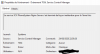
in eventvwr i got a message just to say Nginx stopped unexpected way for first time
1598338076328.png
 
it seems it's default 3CX LE certificate, and not sure this is the problem as the certificate has been renewed according the message you pasted
Yes, it is a default 3CX certificate and it was renewed correctly. But later the system did a automatic update, and I think at that moment something happened with the certificate.

Is there a way to repair the certificate or should I roll back to an older update of the whole system?
 
never did this , no idea at all :(
 
Are you able to open that certificate up and see the date?
 
  • Like
Reactions: Rob59
Are you able to open that certificate up and see the date?
I run 2 similar small 3cx systems at different places. I compared the certificate files in the nginx dir, 5 files. Both systems received automatically new certificates on the same day, and both sets of files are dated 12.08.2020.

However where the file set of the working system contains readable hex ascii data like "ogY0O13Ay" all 5 files for the system with the problem contain "NULNULNUL".

File size is equal for the corresponding files and varies between some 100 bytes and 3 kb.

So it really seems to be a certificate renewal which went wrong. The files are there and have the correct length, but are filled with "NUL" characters.

I checked what I could find in my backups.

In the backup file I found 2 certificate files named "domain_cert_*****.3cx.nl.pem" and "domain_key_*****.3cx.nl.pem". I compared these with the files in the nginx dir for the working system and the contents are identical with 2 files there, named "*****.3cx.nl-crt.pem" and "*****.3cx.nl-key.pem"

I could not find the 3 other files in the backup file.

In the backup of some days before the certificate renewal the files look okay, but in the backup of some days after the renewal the certificate files contain "NUL".

Did a search for the "domain_key_*****.3cx.nl.pem" and it is located in the C:\ProgramData\3CX\Instance1\Bin\Cert dir. This file also contains NUL values.

So I guess replacing the 2 certificate files in the ProgramData dir with copies from my backup might solve the problem. I will try that later today.
 
Last edited:
tonight at 3.04 AM PBX apply update to v16.0.6.641 since this Nginx service stopped , this is also a win 10 V2004 on premise PBX .
Nginx even with automatic start dont run.
1598520229674.png
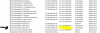
in event viewer there's same line as found previously on other PBX
1598520389151.png

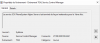
in app section there's another message about nginx, first to say at 3.04:25 AM service started with success followed 16 s after by:
1598520907086.png

a manual service start is ok to retrieve nginx running
 
Last edited:
I run 2 similar small 3cx systems at different places. I compared the certificate files in the nginx dir, 5 files. Both systems received automatically new certificates on the same day, and both sets of files are dated 12.08.2020.

However where the file set of the working system contains readable hex ascii data like "ogY0O13Ay" all 5 files for the system with the problem contain "NULNULNUL".

File size is equal for the corresponding files and varies between some 100 bytes and 3 kb.

So it really seems to be a certificate renewal which went wrong. The files are there and have the correct length, but are filled with "NUL" characters.

I checked what I could find in my backups.

In the backup file I found 2 certificate files named "domain_cert_*****.3cx.nl.pem" and "domain_key_*****.3cx.nl.pem". I compared these with the files in the nginx dir for the working system and the contents are identical with 2 files there, named "*****.3cx.nl-crt.pem" and "*****.3cx.nl-key.pem"

I could not find the 3 other files in the backup file.

In the backup of some days before the certificate renewal the files look okay, but in the backup of some days after the renewal the certificate files contain "NUL".

Did a search for the "domain_key_*****.3cx.nl.pem" and it is located in the C:\ProgramData\3CX\Instance1\Bin\Cert dir. This file also contains NUL values.

So I guess replacing the 2 certificate files in the ProgramData dir with copies from my backup might solve the problem. I will try that later today.
Tried to replace the certificate with backup copies but that did not help.
Then I restored the complete backup but that did not help either. It seems that the needed nginx files only are created during a clean install, so that is what I ended up with.

Removed the 3CX Phone System and did a clean install, restoring one of my backups. Problem solved :) That went all very smooth and without any issues.Great product!
 
  • Like
Reactions: AWS2P
Status
Not open for further replies.

Latest Posts

Forum statistics

Threads
111,962
Messages
589,980
Members
164,864
Latest member
SCarpenter@fifthavenue-la