can not upgrade to v.16 - please help

Status
Not open for further replies.

georgi071

Free User
Joined
Oct 31, 2019
Messages
25
Reaction score
0
Hello

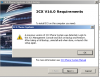
i tried a few times to upgrade my system to v.16 without luck.
i dont know why the system sees a previous installation

i did follow the upgrade guide.
see below screens and let me know if you anyone can advise what to do.

thanks,
George
 

Attachments

  • 2019-12-23 10_37_22-PBX virtual - VMware Workstation.png
    2019-12-23 10_37_22-PBX virtual - VMware Workstation.png
    25 KB · Views: 10
  • 2019-12-23 10_37_00-PBX virtual - VMware Workstation.png
    2019-12-23 10_37_00-PBX virtual - VMware Workstation.png
    95.8 KB · Views: 10
Assuming you rebooted?

Give CCleaner a go and clean up files/registry.

also check folders for remnants:

C:\programdata
C:\program files\
C:\program files (x86)
C:\Program Files\Common Files
C:\Program Files (x86)\Common Files
 
i did restart yes. in program files the directory still exists. in add remove programs, not.

why is this happening and what should i do now. manually delete the folders??
 

Attachments

  • 2019-12-23 13_37_06-PBX virtual - VMware Workstation.png
    2019-12-23 13_37_06-PBX virtual - VMware Workstation.png
    4.2 KB · Views: 5
Delete the 3CX folders and try your installation again.

Did you run ccleaner?
 
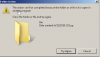
the folder BIN inside the 3CX directory can not be deleted somehow.

yes I did run cc clean for registry and general items
 

Attachments

  • 2019-12-23 13_43_23-PBX virtual - VMware Workstation.png
    2019-12-23 13_43_23-PBX virtual - VMware Workstation.png
    21.2 KB · Views: 4
Sounds like something's holding on to the files - Possibly AV?

Use Unlocker to delete the files.
 
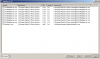
results:
 

Attachments

  • 2019-12-23 14_05_00-PBX virtual - VMware Workstation.png
    2019-12-23 14_05_00-PBX virtual - VMware Workstation.png
    27.3 KB · Views: 7
Open task manager and find that 3CXMediaServer.exe process and kill it. Kill all 3CX processes. Those shouldnt be running because they should be uninstalled!

Then in the bottom right drop down of Unlocker choose to delete and then press Unlock All.


You may need a reboot.
 
ok, the directory is gone now, deleted.

run one more the CC cleaner and then rebooted. then this message again when i tried to run v.16 setup...
 

Attachments

  • 2019-12-23 14_12_47-PBX virtual - VMware Workstation.png
    2019-12-23 14_12_47-PBX virtual - VMware Workstation.png
    76.9 KB · Views: 6
Okay, so we've still got 3CX remnants somewhere..

Go to Start > Run Type regedit.msc press OK

Go to HKEY_LOCAL_MACHINE\SYSTEM\CurrentControlSet\Services

Deleted any 3CX files/folders in here.

Then go through this document https://www.3cx.com/blog/docs/uninstall-check/

If you still have no luck then you'll be quicker to reinstall Windows.
 
yes now it's ok. thank you

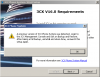
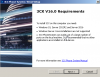
1 thing more... my previous installation v.15.5 was running on windows 7 now it says windows 10 required. is it so?
 

Attachments

  • 2019-12-23 14_34_30-PBX virtual - VMware Workstation.png
    2019-12-23 14_34_30-PBX virtual - VMware Workstation.png
    128.9 KB · Views: 4
Yes. that'll be minimum requirements.

Try the Microsoft free upgrade to Windows 10 on your Windows 7 machine by going here

Click on Download Tool Now

Run it and go through the set up.

Select Upgrade This PC and get your free upgrade to 10.

Then run your 3CX installation.

The Windows 10 upgrade will take a few hours.
 
i dont like win10 at all.
what will happen if i try to install on win7?
 
Is your machine dedicated to 3CX?

If so, who cares that it's Windows 10.

Windows 7 becomes End Of Life in January so i would go to 10.

No idea what'll happen, it'll probably let you.

it just means that as Windows 7 isnt support by 3CX, they wont support you.
 
Pretty sure 3CX install is already checking if OS is one supported before running install.
So as said above with W7 3CX unsupported since V15 and EOL on Microsoft side. NOt a good idea at all to keep this alive.

If you don't want windows 10, take iso Debian9 instead for re-install
 
the upgrade was successful under windows 7.
i will keep it this way till it's absolutely needed to move to windows 10
 
Status
Not open for further replies.

Forum statistics

Threads
111,935
Messages
589,823
Members
164,816
Latest member
natedog